31
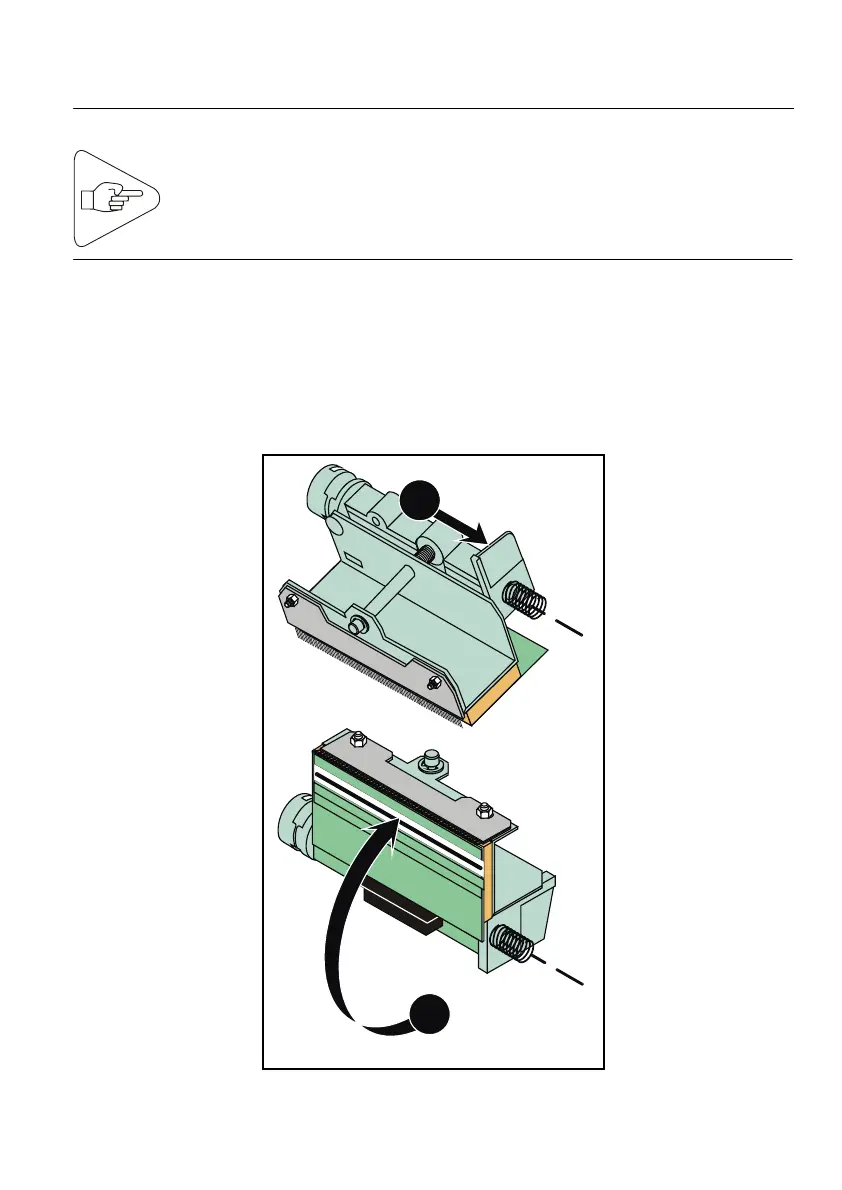
2) Setting the Printhead to the Cleaning Position
IMPORTANT:
a) Raise the printhead lever (see Page 29)
b) Then, unlock the printhead mounting by moving it sidewise
(direction of Arrow 1).
c) As a last step, rotate the printhead/printhead mounting assembly
(direction of Arrow 2) to set it to the cleaning position.
1
2
Fig. 32
To set the printhead to the cleaning position, first raise the
rinthead lever
see Pa
e 29). Be careful, not to hit the
rinthead.



 To Next Page