26
10.5.7 Activating / deactivating empty pipe detection
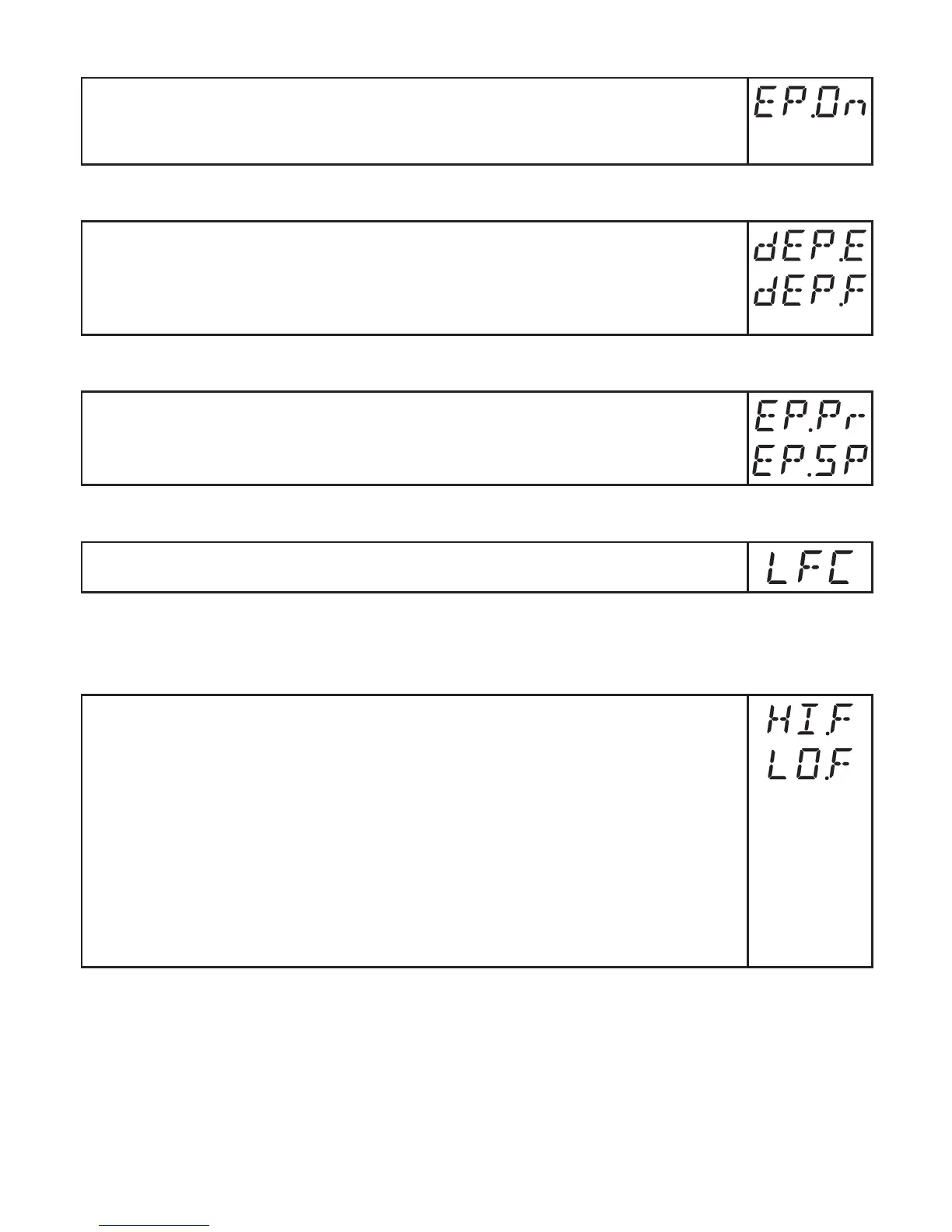
► Select [EP�On] and set the function:
- [OFF] = empty pipe detection deactivated�
- [On] = empty pipe detection activated�
10.5.8 Time-delay empty pipe detection
► Select [dEP�E] and set the delay time from 0…30 s, at which the signal
should be provided when the pipe is empty�
► Select [dEP�F] and set the delay time from 0…30 s, at which the signal
should be provided when the pipe is full�
10.5.9 Setting of the empty pipe detection
► Select [EP�Pr] to display the current value of the empty pipe detection in
percent�
► Select [EP�SP] and set the switch point of empty pipe detection�
10.5.10 Setting of the low flow cut-off
► Select [LFC] and set the limit value�
10.6 Service functions
10.6.1 Reading the min/max values for the volumetric flow
► Select [HI�F] or [LO�F]
[HI�F] = max� value, [LO�F] = min� value�
Delete memory:
► Select [HI�F] or [LO�F]�
► Press [Enter] briefly�
► Keep[▲]or[▼]pressed.
> [----] is displayed�
► Press [Enter] briefly�
It makes sense to delete the memories as soon as the unit operates under
normal operating conditions for the first time�










 To Next Page