28
11 Operation
11.1 Reading the process value
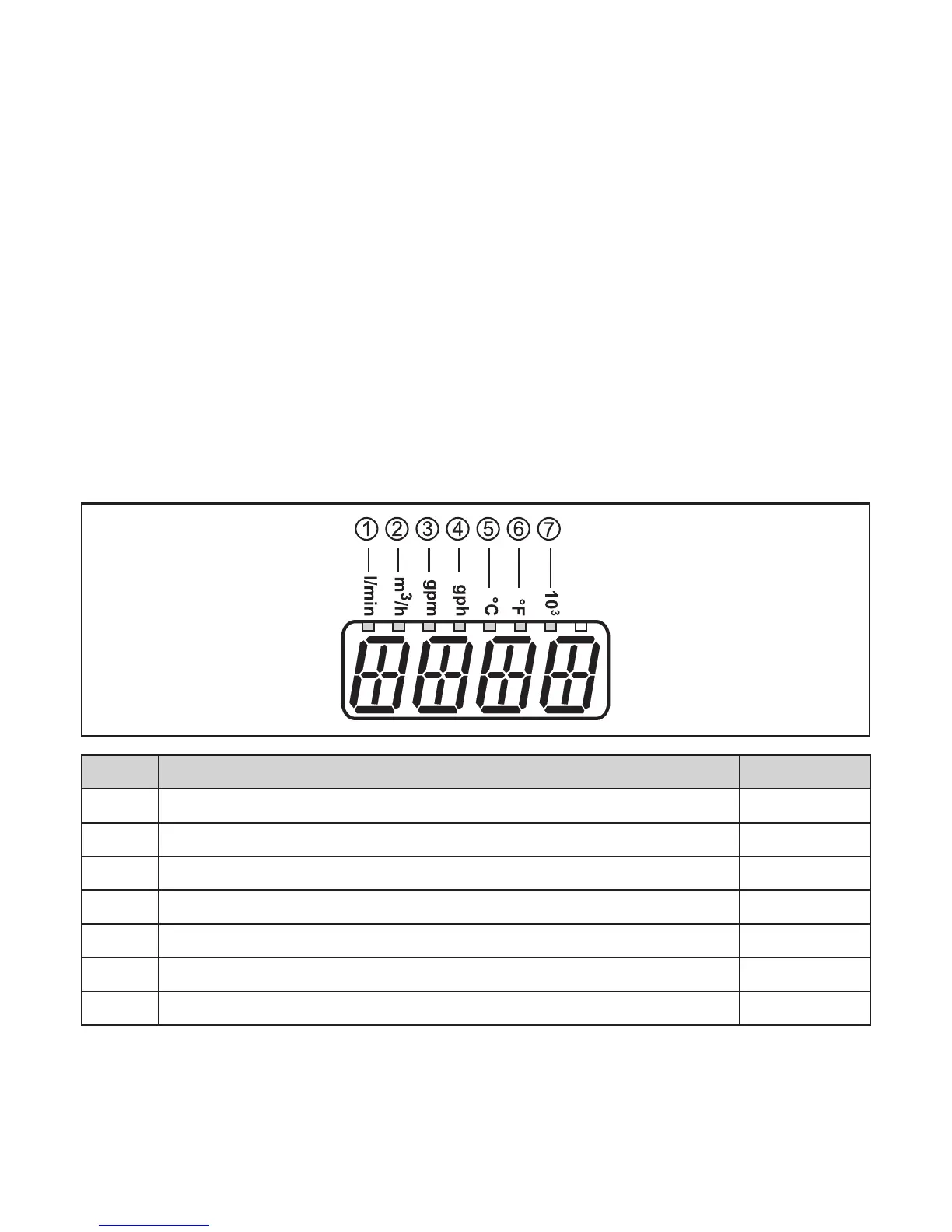
The LEDs 1-6 signal which process value is currently displayed�
The process value to be displayed as standard (temperature, flow velocity) can
bepreset.→10.5.3Configurationofthestandarddisplay.Astandardunitof
measurement can be defined for the flow velocity (l/min, m
3
/h,gpmorgph)→
10�5�2)� For temperature measurement, °C or °F can be selected as standard unit
ofmeasurement(→10.5.1).
Further process values can be read in addition to the preset standard display:
► Press the buttons [▲] or[▼]�
> The LED of the selected process value display is lit and the current process
value is displayed�
> After 30 seconds the display changes to the standard display�
LED Process value display Unit
1 Current flow volume per minute l / min
2 Current flow volume per hour m
3
/ h
3 Current flow volume per minute gal / min
4 Current flow volume per hour gal / h
5 Current medium temperature °C
6 Current medium temperature °F
7 Current flow volume in 10
3
11.2 Reading the parameter value
Take the following steps to display the currently set parameter value:










 To Next Page