18
Switching status of the outputs
Output function Object distance (D) Output status
[Hno] D < [SPx] Closed
D > [SPx] Open
[Hnc] D < [SPx] Open
D > [SPx] Closed
Example of output function [Hno]
Sampling rate 15 Hz, distance to the object 1200 mm, grey value (18 % remission):
Hysteresis = ± 30 mm (repeatability → 10.3.3 table) x factor 1.5 = 45 mm
- Reset point 1200 mm + (45 mm) = 1245 mm
- Set point 1200 mm - (45 mm) = 1155 mm
10.2.5 Setting of the switch point for hysteresis function OUT1
► Select the output function [Hno] or [Hnc] at [OU1]�
► Confirm with [MODE/ENTER]�
► Select [SP1] and set the switch point�
► Confirm with [MODE/ENTER]�
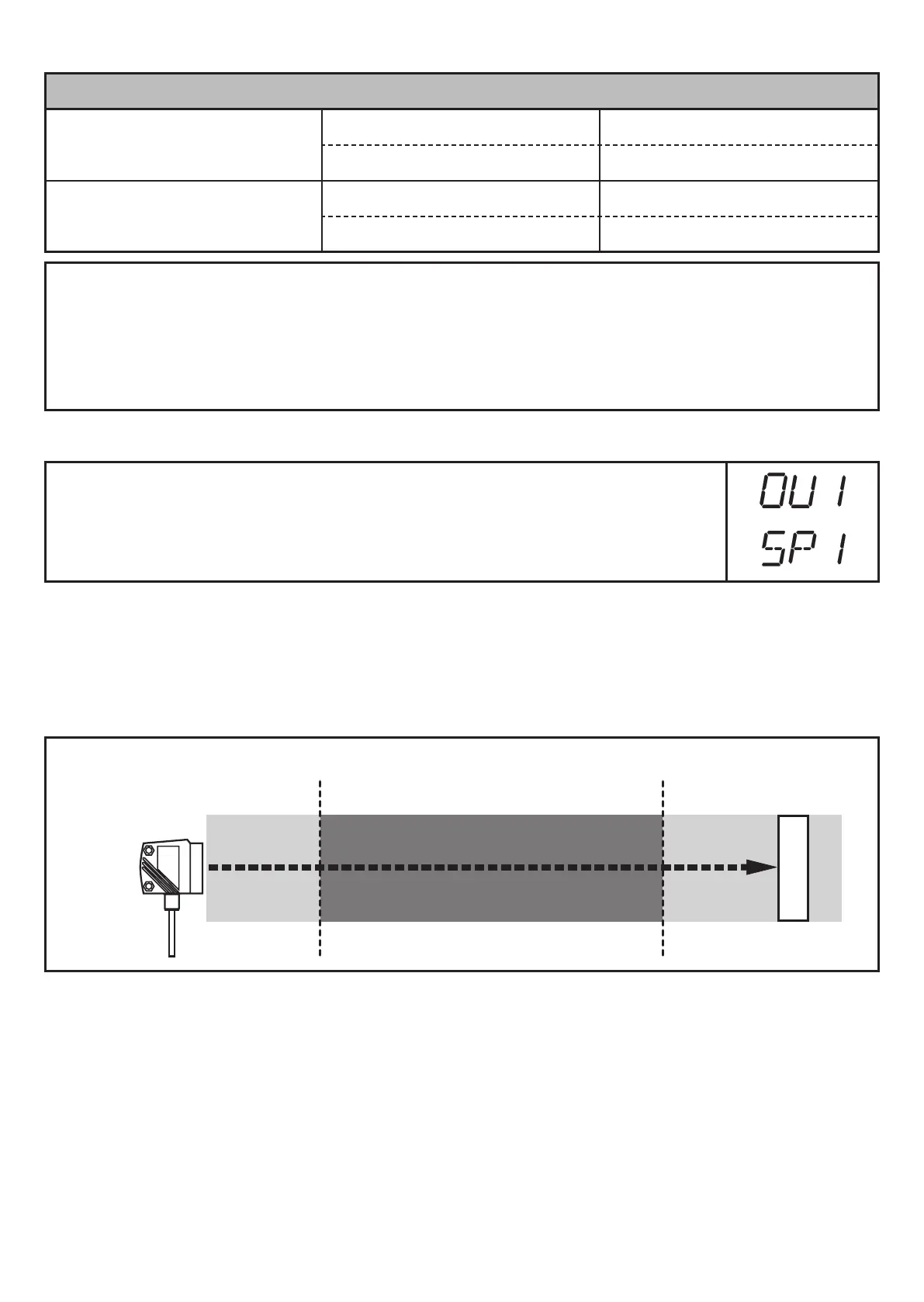
10.2.6 Window function
It is possible to define a window for the object recognition for each of the two
outputs (OUT1 / OUT2)�
Switches off when the object is detected
[nSPx] =
switch point
"
near
"; [FSPx] =
switch point
"
far
"; FE = window
If the measured value is between the switch point "near" [nSPx] and the switch
point "far" [FSPx], the output is open (when [OUx] = [Fnc])�






 To Next Page