MDtest (100-140 V) - User’s Manual 4 Measurements
4 Measurements
4.1 Selection of the function
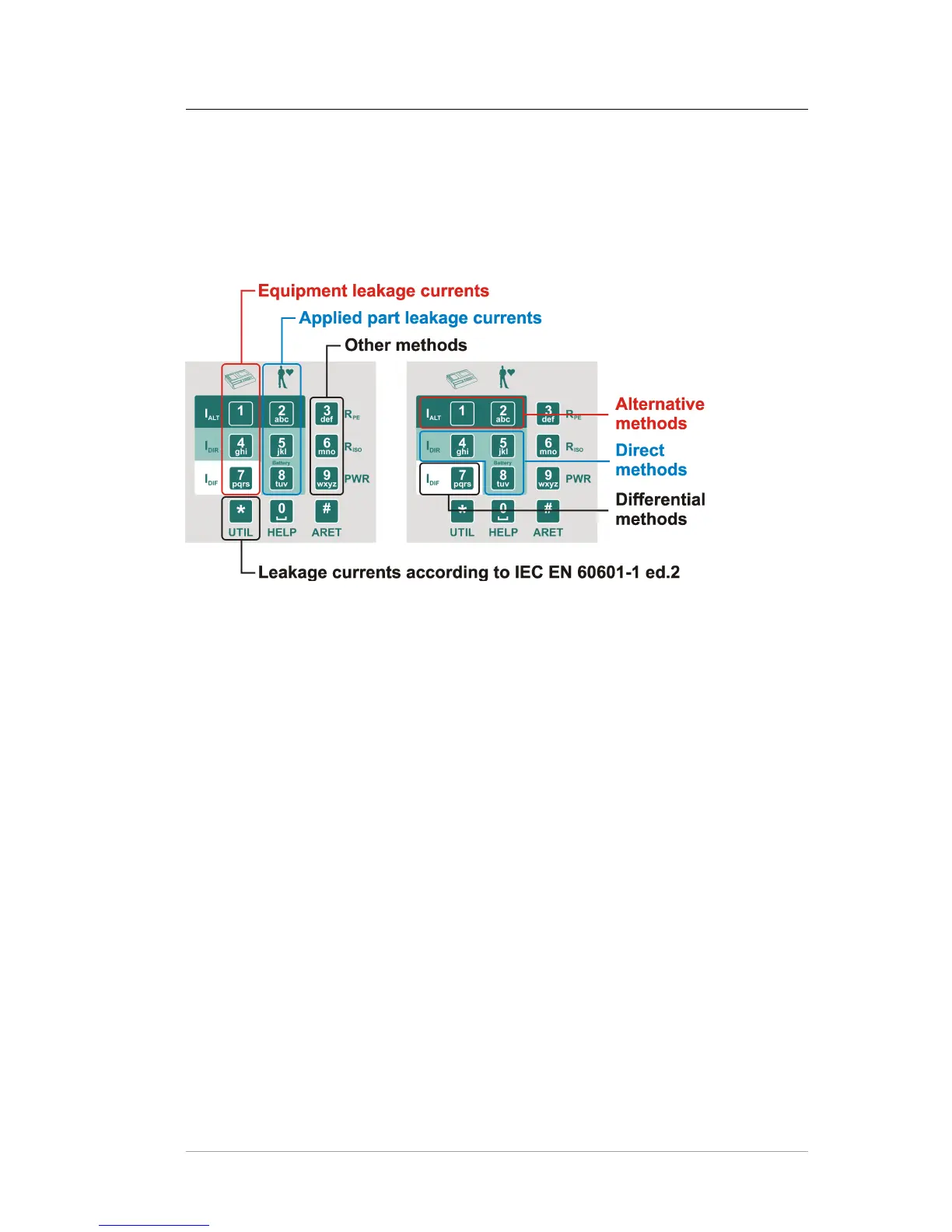
The measured function can be selected automatically in sequence mode (see chap-
ter 5.6) or manually (see Figure 3).
Figure 3: Keyboard
4.2 Measurement mode control
The beginning, process and ending of measurements are controlled by the [TEST]
key. If the [esc] key was pressed during the measurement, then it will be cancelled
(the measured value is not saved).
4.2.1 Measurement mode
The measurement can start in four different measurement modes:
• One measuring cycle – after the [TEST] key is pressed and released, one
measuring cycle starts and is completed after a few seconds. The result of the
measurement is displayed.
• Continuous measurement – press the [TEST] key; measurement is in progress
and current measured values are displayed until the [TEST] key is released.
The result of the measurement is displayed.
• Locking the measurement - press the [# ARET] key and then press the
[TEST] key. Then release both keys. The measurement is in progress and the
current measured values are displayed until the [TEST] key is again pressed
and released. Reverse steps are possible too: press the [TEST] key and then
press the the [# ARET] key.
c
2018 ILLKO, s.r.o. www.illko.cz Page 18



 To Next Page