Chapter 3: Sensor Installation & Setup
RTMS Echo User Guide ©2019 Image Sensing Systems Inc. 3-3
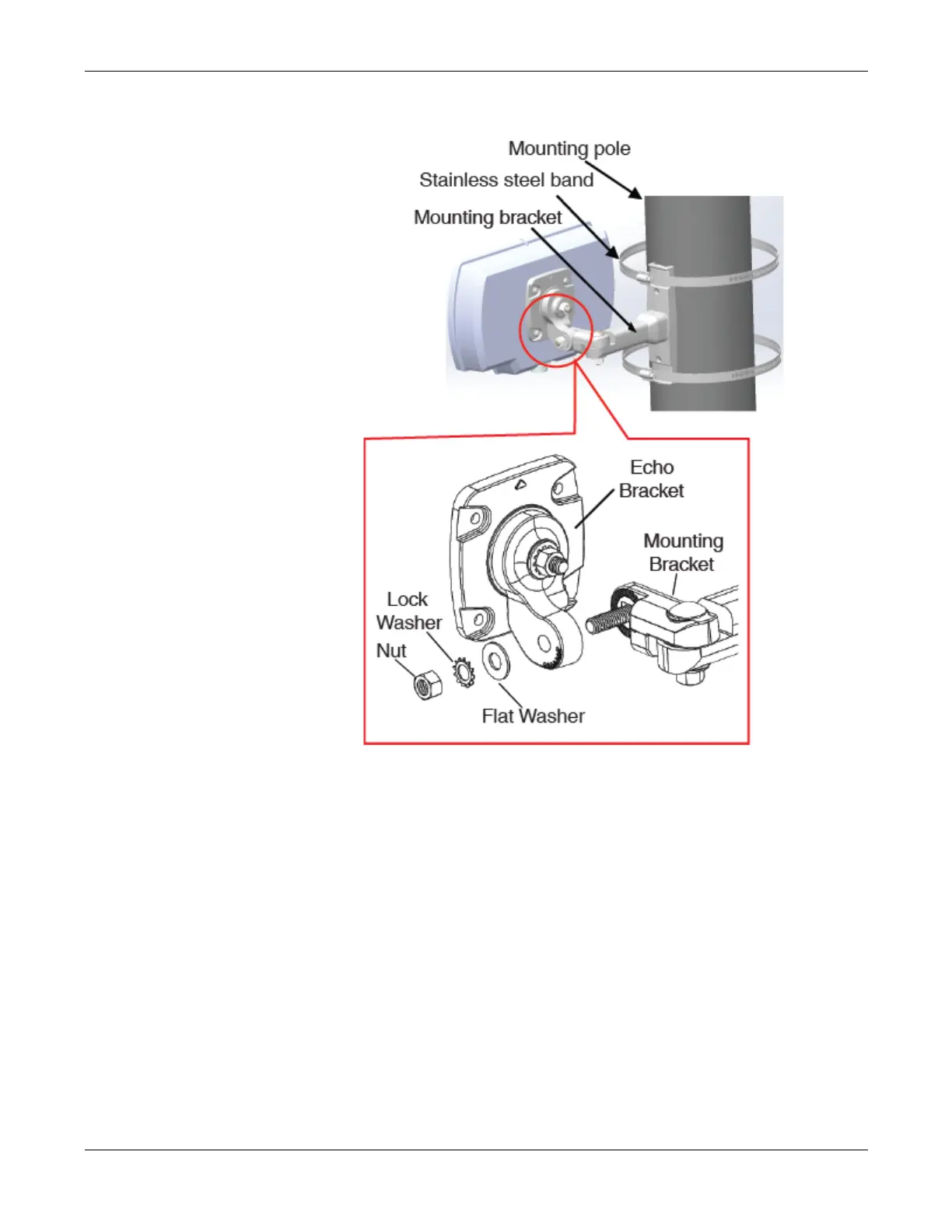
2. Secure the RTMS Echo to the mounting bracket using the flat washer, lock
washer and nut.
NOTE: Make sure that the cable connector is on the bottom of the unit
when it is mounted.
3. Adjust the RTMS Echo to be perpendicular to the travel lanes and level
side to side.
4. Tilt the RTMS Echo so that the top of the sensor is aimed at the farthest
monitored zone.
NOTE: Steps 3 and 4 are general guidelines. Actual mounting and tilt may
need to be adjusted based on multiple factors such as obstacles and
number of lanes.
5. Secure the position by hand tightening the nuts. Once the aiming process
has been completed the nuts can then be securely tightened.


 To Next Page