Chapter 4: Operations and Adjustments
RTMS Echo User Guide ©2019 Image Sensing Systems Inc. 4-50
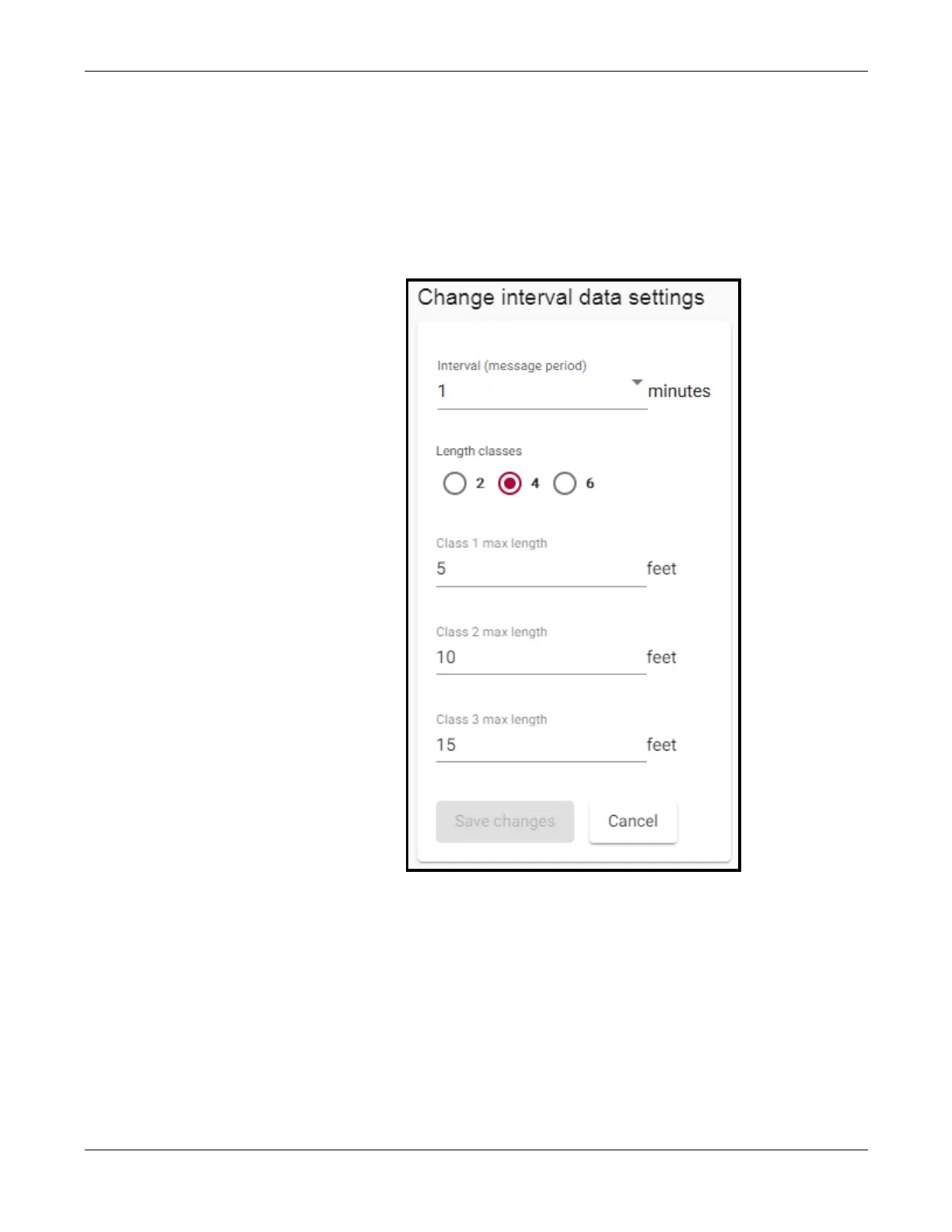
Interval Data
This function is used to set the message period interval and the number and
length of vehicle classes.
1. Click the Settings tab.
2. In the Data aggregation section, click change.
3. Select how often a statistical message is created. One record is created
for each zone during each period.
4. Select the number of vehicle classifications to be detected.
5. Enter the length of each vehicle classification.
NOTE: The number of length classifications is one less than the number
of classes selected because the last classification is everything
greater than the last classification specified.
6. If a change was made, click Save changes.


 To Next Page