Chapter 4: Operations and Adjustments
RTMS Echo User Guide ©2019 Image Sensing Systems Inc. 4-49
Traffic Data Storage Setting
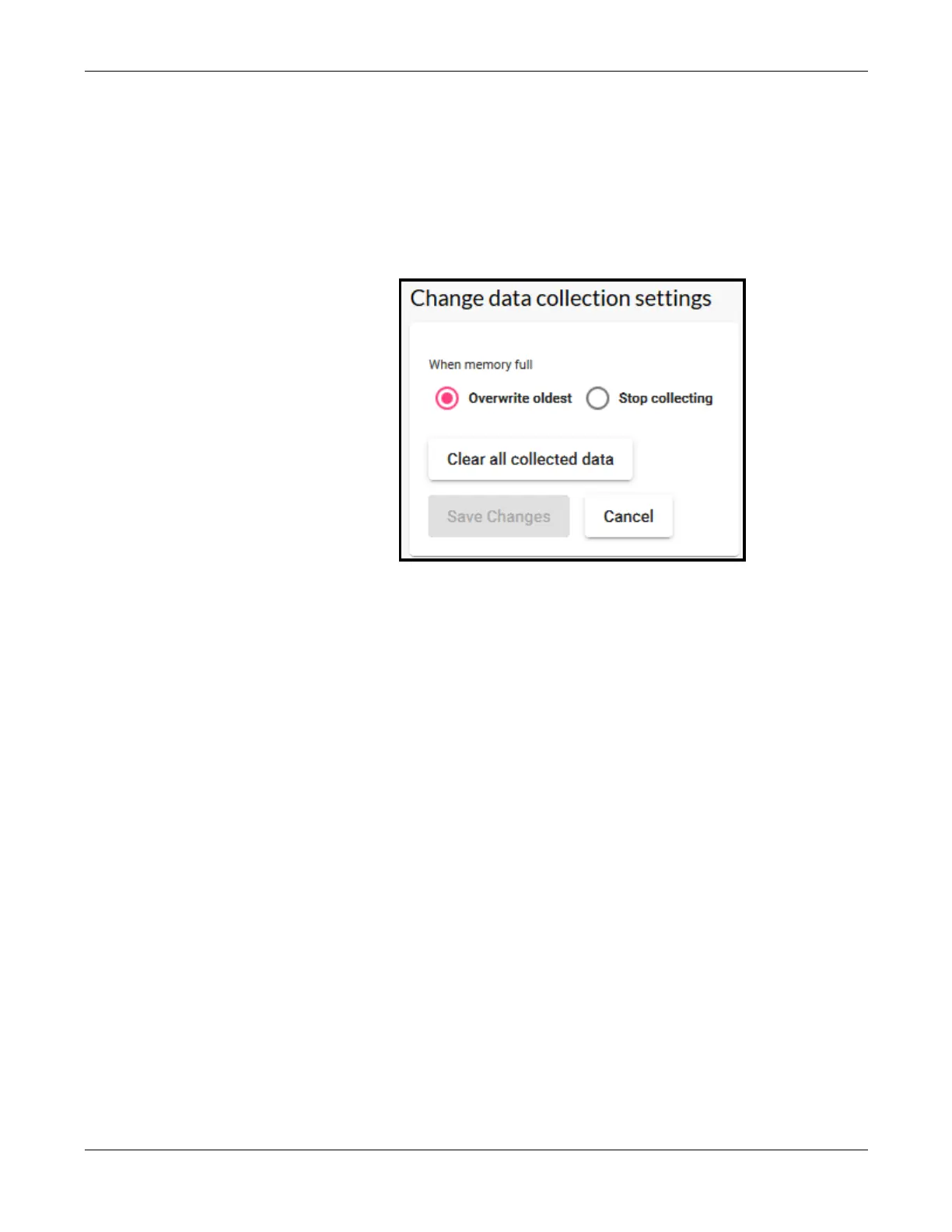
This function is used to determine what action is to be taken when the memory
in the RTMS Echo sensor is full.
1. Click the Settings tab.
2. In the Data collection section, click change.
3. Select one of the following.
•
Overwrite oldest – when memory is full continue storing messages by
overwriting the oldest messages
•
Stop collecting – when memory is full no new messages will be
stored in internal memory. In this case, the only way to start saving
messages again is to either to select Overwrite oldest or to click
Clear all collected data.
4. To clear (delete) all of the messages stored in internal memory, click Clear
all collected data.
5. If a change was made, click Save changes.


 To Next Page