Chapter 4: Operations and Adjustments
RTMS Echo User Guide ©2019 Image Sensing Systems Inc. 4-46
Wi-Fi Setting
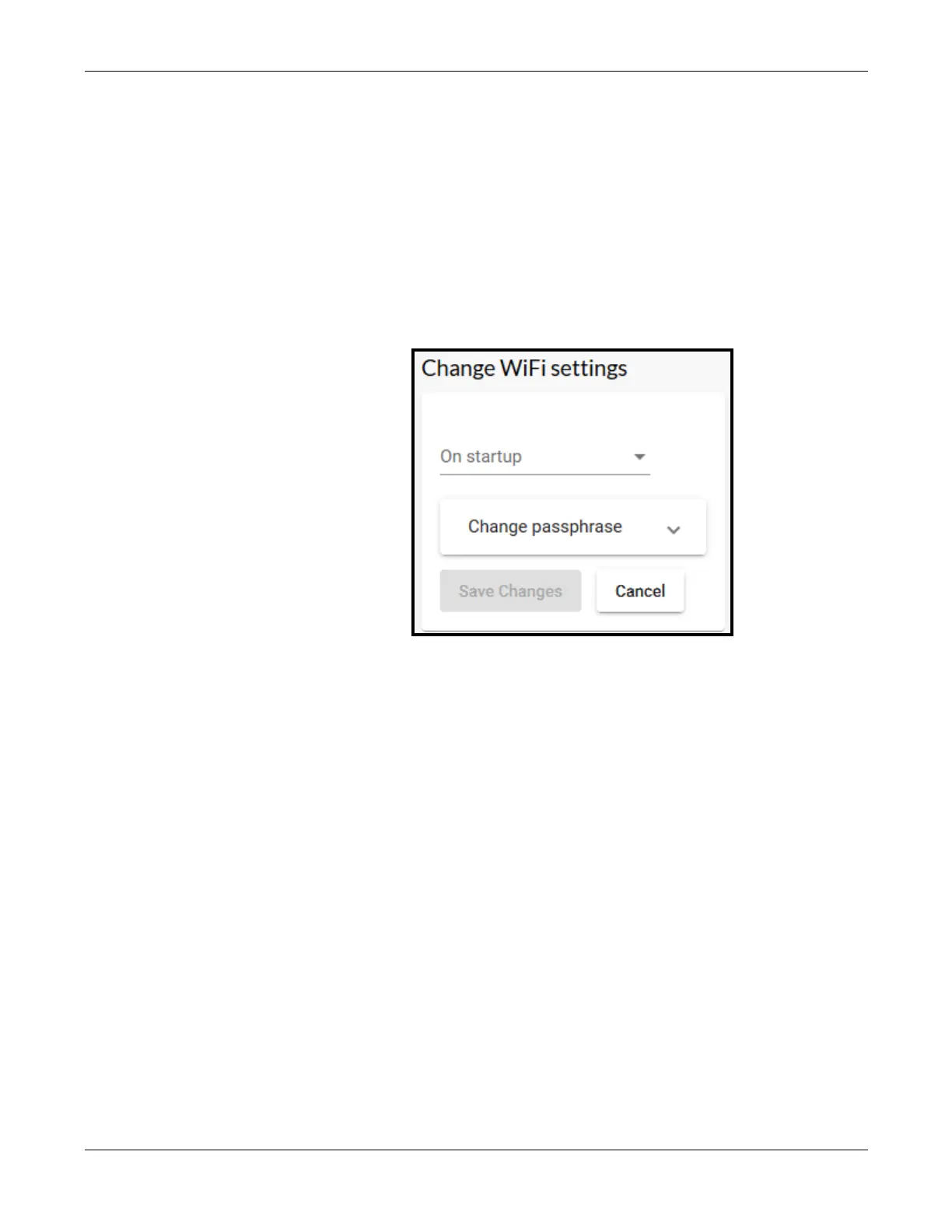
This function is used to enable or disable the Wi-Fi feature and/or change the
password to allow Wi-Fi access.
The wireless network for the Echo sensor is iss-echoxxxx (where xxxx is the
Echo device serial number) and the default password is echo123456. The
default Wi-Fi IP is 10.99.50.1
1. Click the Settings tab.
2. In the Wi-Fi section, click change.
3. Use the drop-down to select whether Wi-Fi is enabled or disabled.
Wi-Fi can be enabled permanently, for just 15 minutes or for just one hour.
4. To change the password used to access the Wi-Fi, click in the field, enter
then re-enter the new password.
A minimum of 8 and a maximum of 63 characters can be entered.
5. If a change was made, click Save changes.


 To Next Page