Chapter 4: Operations and Adjustments
RTMS Echo User Guide ©2019 Image Sensing Systems Inc. 4-41
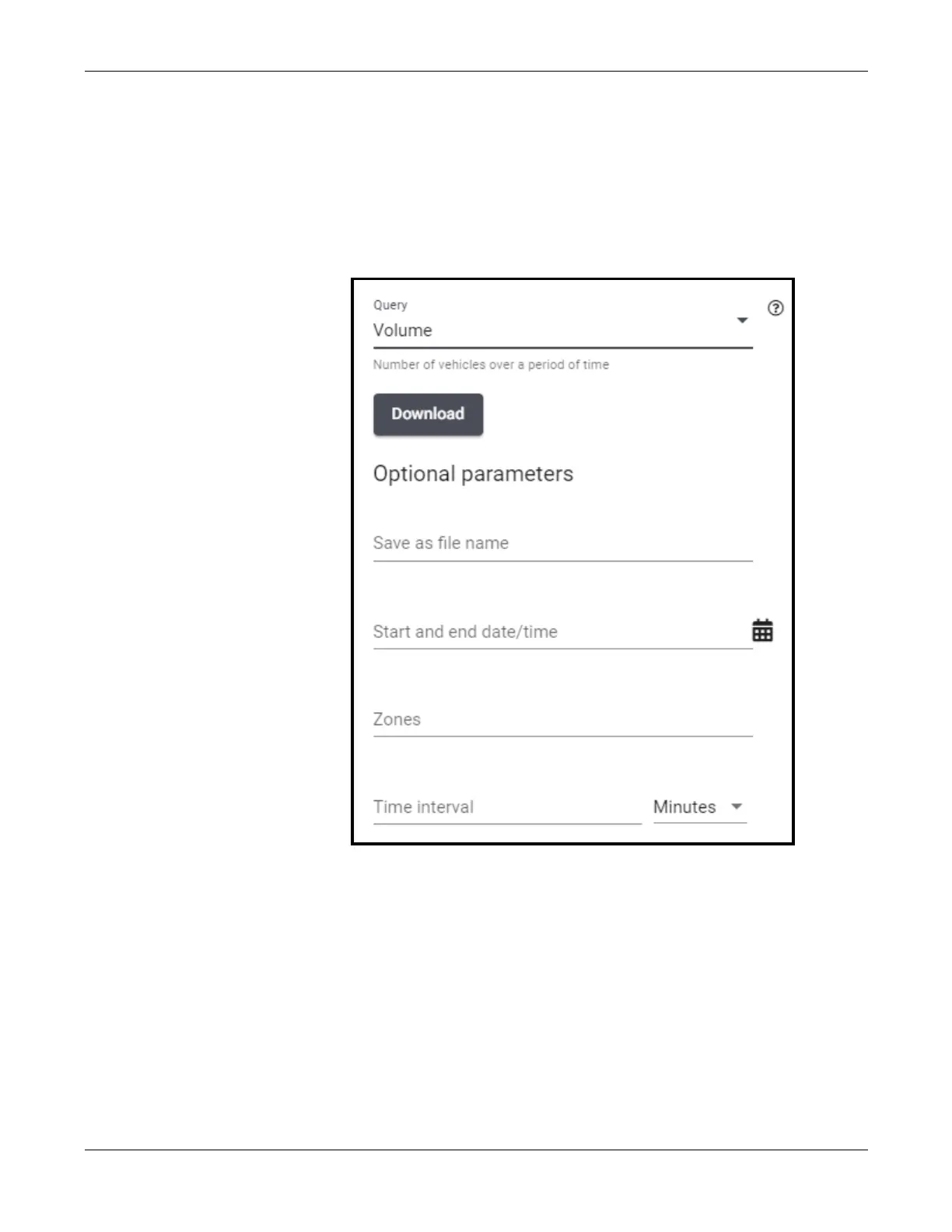
Volume Query
This query returns the number of vehicles detected in a zone over a statistical
interval.
1. Click the Reporting tab.
2. From the drop-down to the right of Query, select Volume.
3. Click Save as file name and enter a name for the file.
The name can be any number of alphanumeric, dash (-), underscore (_) or
space characters. The default is volume.
4. Click the icon to the right of the date/time field.


 To Next Page