Chapter 4: Operations and Adjustments
RTMS Echo User Guide ©2019 Image Sensing Systems Inc. 4-52
Region Setting
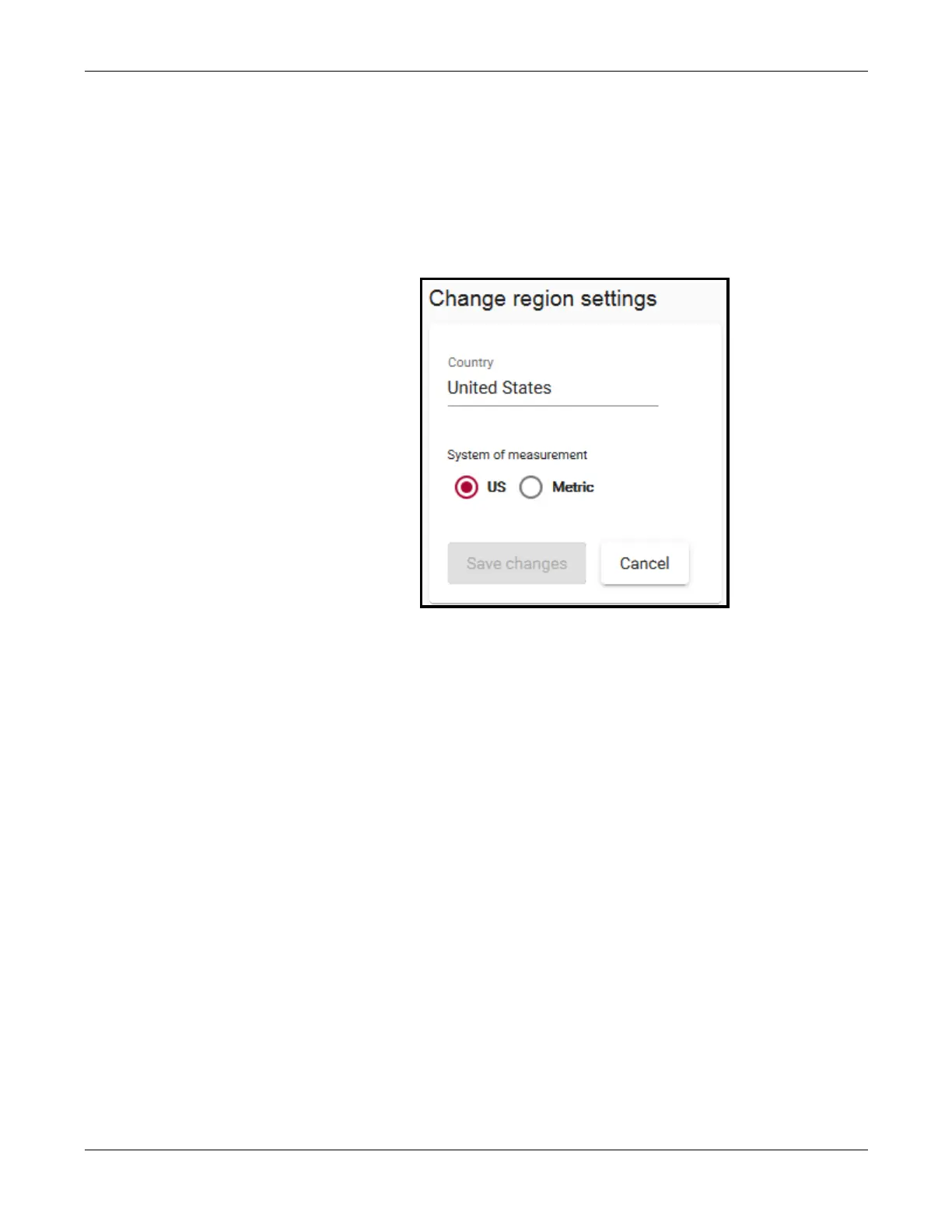
This function is used to set the units in which speed and length are displayed
and to indicate the country in which the RTMS Echo is configured for.
1. Click the Settings tab.
2. In the Measurement section, click change.
3. Select one of the following.
•
US – speed and lengths are shown in MPH and feet.
•
Metric – speed and lengths are shown in kp/h and meters.
4. If a change was made, click Save changes.
Licensing
This function is reserved for future use.


 To Next Page