Chapter 4: Operations and Adjustments
RTMS Echo User Guide ©2019 Image Sensing Systems Inc. 4-43
Log Tab
Each RTMS Echo sensor maintains a log which contains messages about
operational errors and warning and other helpful information about sensor
operations.
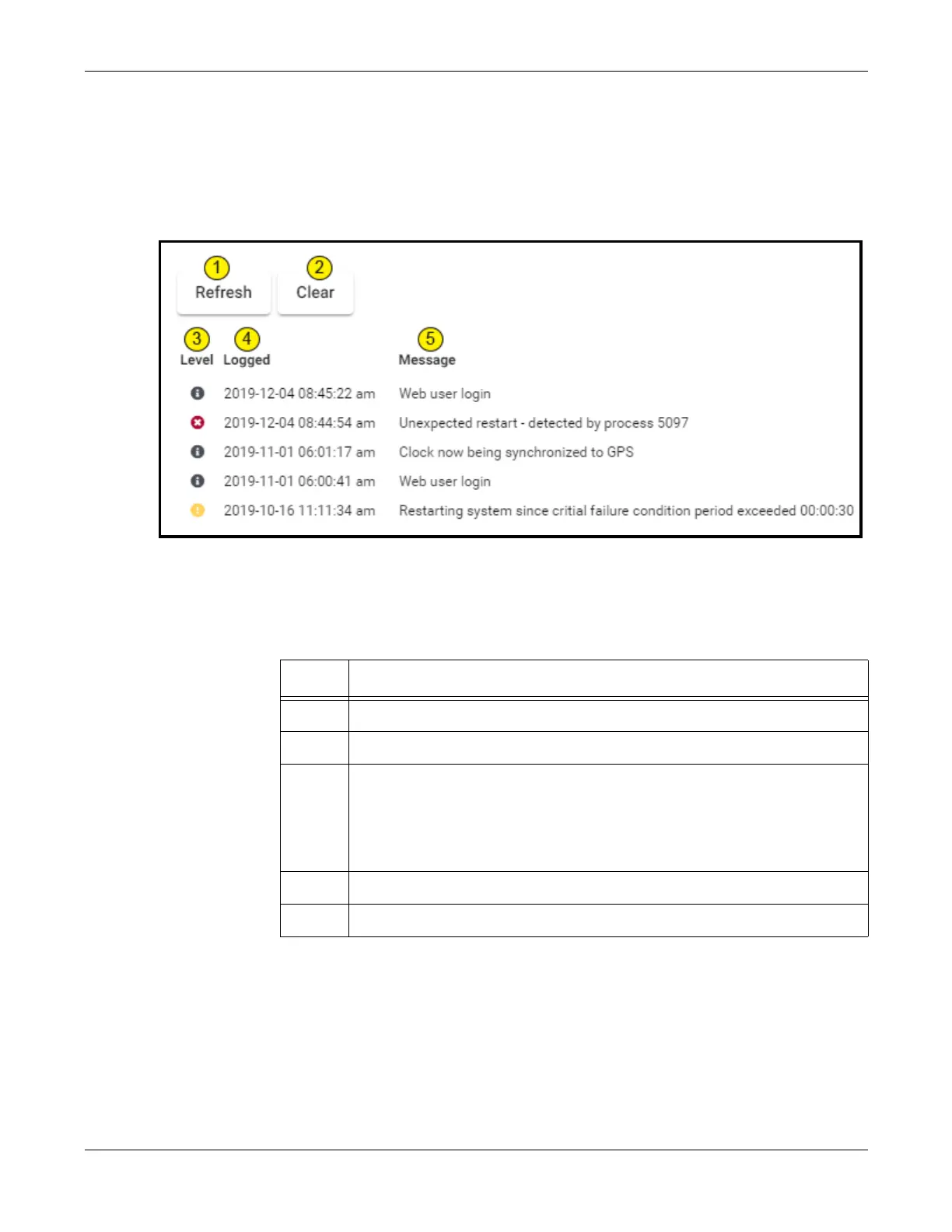
Figure 4-10: Log Page
Table 4-2: Log Page Descriptions
Item Description
1 Click to refresh the displayed messages.
2 Click to clear all of the messages from the log.
3 Icons that indicate the severity level of the entry.
•
Blue icon indicates informational message.
•
Yellow icon indicates warning message.
•
Red icon indicates error message.
4 Date and time when the message was issued.
5 The message that was issued.


 To Next Page