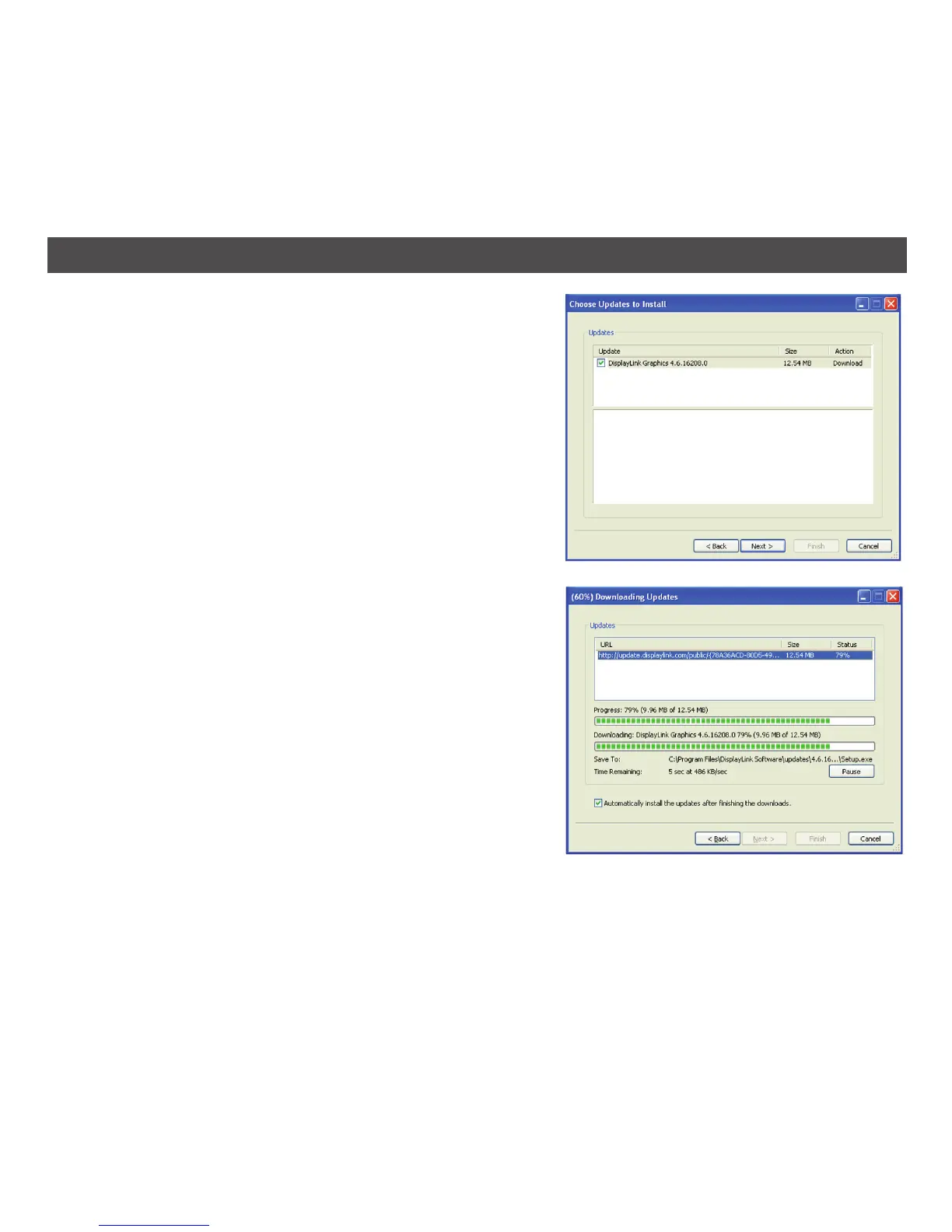
2. Click Next to download the latest update; the
Downloading Updates window opens.
3. If you check the highlighted box, then installation
of the latest software begins immediately after the
download has finished. Otherwise, click Next to
begin software installation.
22
WINDOWS UPDATE (CONTINUED)


 To Next Page