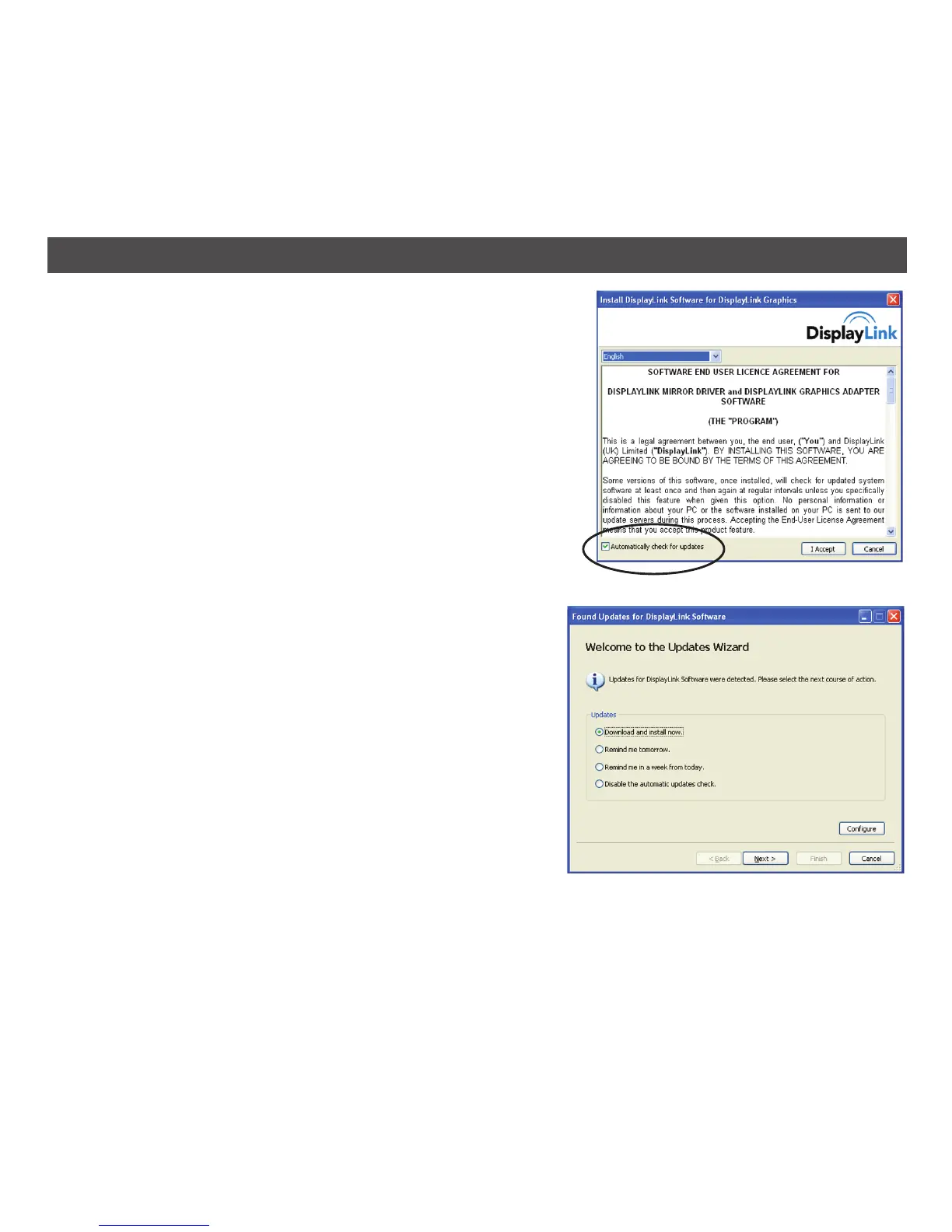
In Windows 7, the DisplayLink software connects to
the Microsoft Windows update site to obtain the latest
DisplayLink driver. In Windows XP and Vista, when
installing, you were presented with a checkbox (see
picture at right) to indicate whether or not you wanted
the computer to automatically check for updates and
install the latest software.
Using the Updates Wizard:
By default, Automatic Updates is configured to check
for updated software upon plugging in a DisplayLink
Graphics Adapter, or at the resume or start of your PC,
every seven days. When newer software is available, the
Updates Wizard automatically launches.
1. Select Download and install now.
NOTE: You can download and install the software
immediately, but it is also possible to hide the
reminder until a later date, or disable the reminder
and future update checks entirely.
The Choose Updates to Install window opens
showing all the available updates. The most recent
update is automatically set to Download, and the
others are skipped.
21
WINDOWS UPDATE


 To Next Page