Manual Updates:
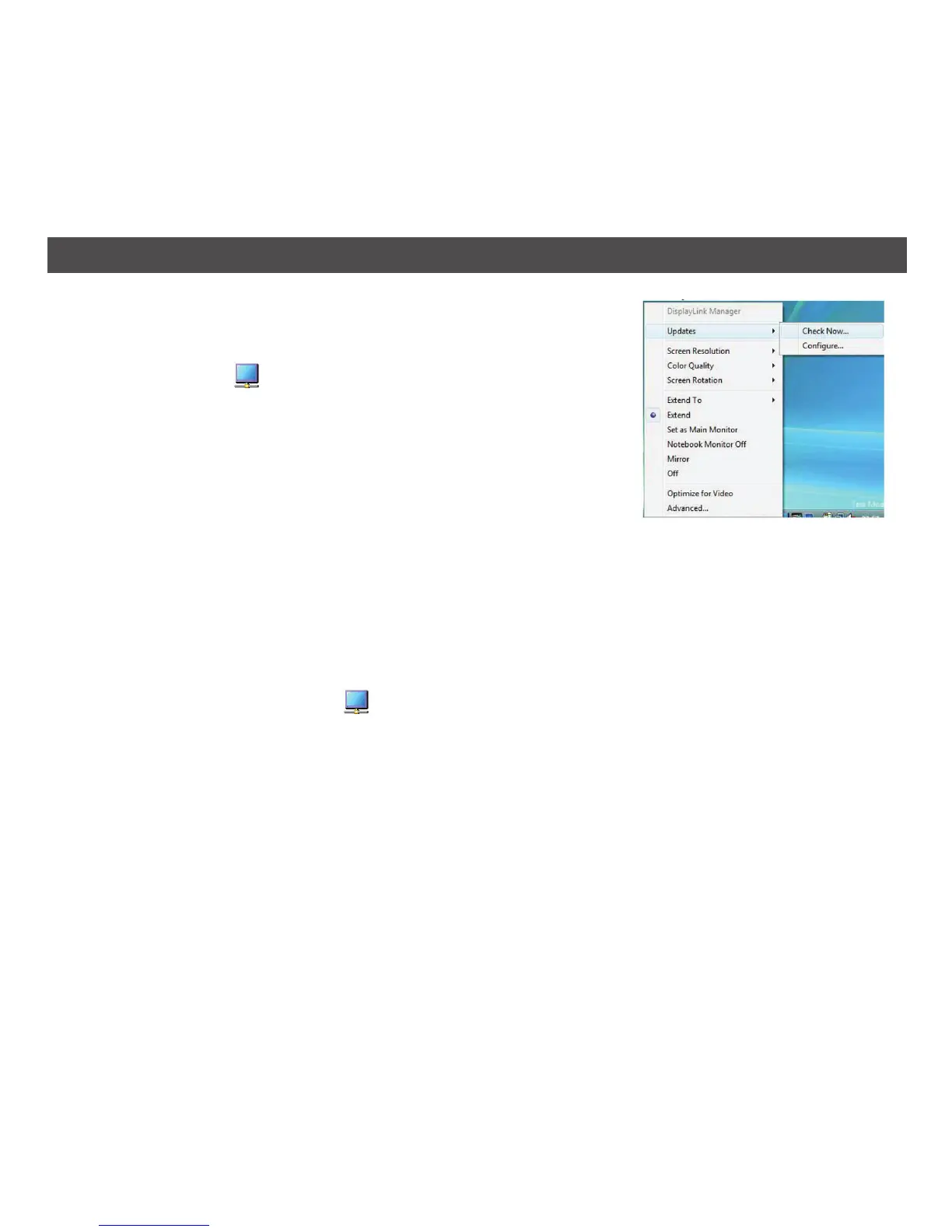
You can check for updates manually at any time as follows:
1. Remote Monitor
indicator; the DisplayLink menu opens.
2. Select Updates > Check Now.
If you have the most recent software, the dialog box appears.
Otherwise, the Choose updates to install window opens.
Configuring Updates:
You can configure the check frequency, the updater’s action on finding newer software, and the
download folder.
To Configure Updates:
1. Click on the Remote Monitor
indicator.
2. Select Updates > Configure. The Updates Options window will open.
3. Select the options you want to change and click OK; the DisplayLink will save your changes.
23
WINDOWS UPDATE (CONTINUED)


 To Next Page