26
UNINSTALLING THE SOFTWARE – WINDOWS XP
The DisplayLink Graphics Adapter software can be removed from the Add or Remove Programs
in the Control Panels.
To Uninstall the DisplayLink Graphics Adapter Software in Windows XP:
1. Select Start > Control Panel > Add or Remove Programs.
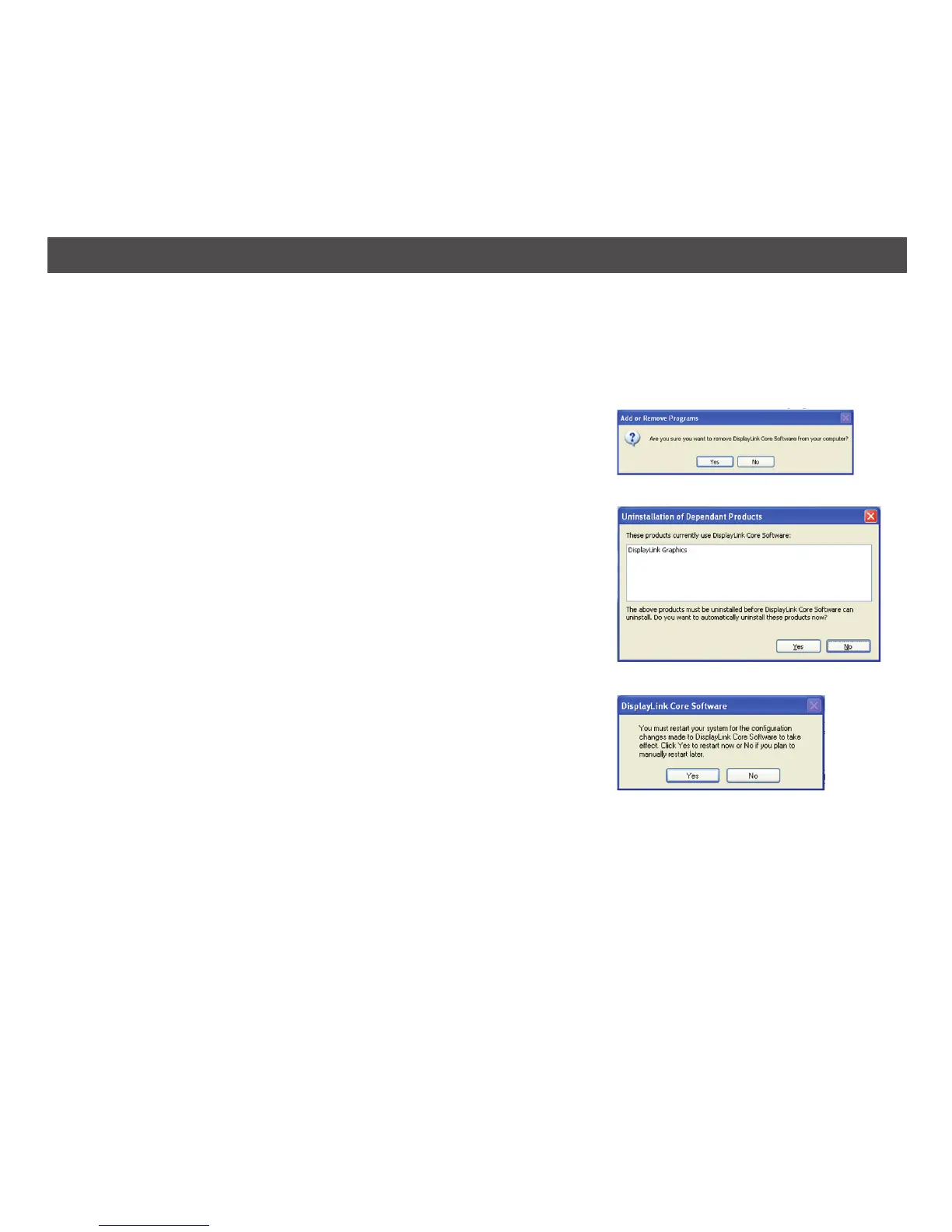
2. Select DisplayLink Core software and click on Remove; a
Windows Confirmation window will appear (if enabled).
3. Click Yes.
4. A message may appear to state which software packages
will also be uninstalled. Click Yes to uninstall the packages
that use DisplayLink Core Software; the uninstaller will
then uninstall this software.
5. Once uninstalled, you will be prompted to restart.
6. A message may appear to state which software packages
will also be uninstalled.
7. Click Yes to complete the uninstallation.


 To Next Page