10
PC INSTALLATION AND CONNECTION (CONTINUED)
Do not connect the AC power adapter to the Link™
Receiver until advised to do so.
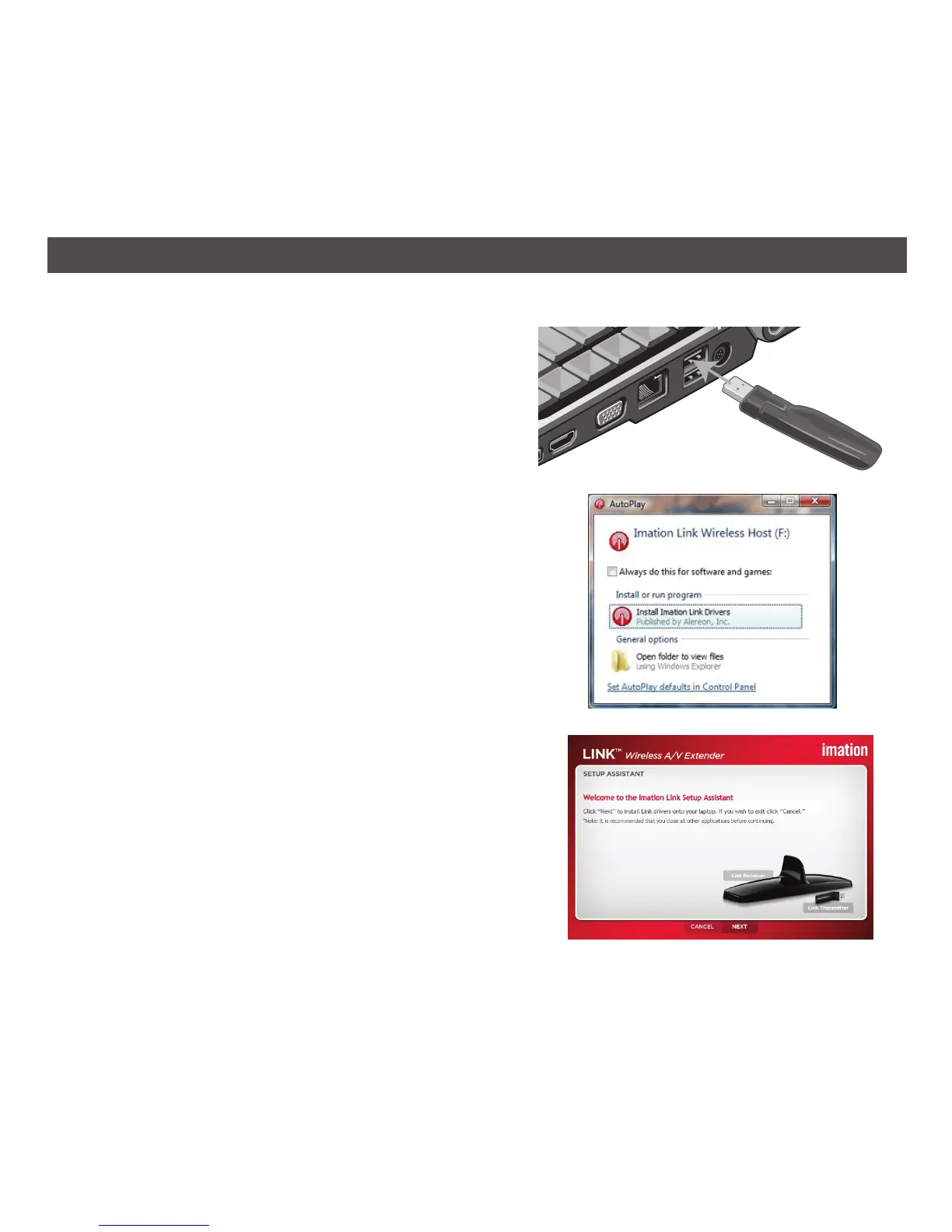
1. Connect the Link USB Transmitter to the
computer’s powered USB jack. Some USB jacks
are not powered, like some keyboard USBs.
2. For Vista and XP, if the computer is set to auto run,
the installation will begin and the AutoPlay window
will appear as shown to the right. For Windows 7,
click Open folder to view files and then double-
click on Link_Setup.
If it is not set to auto run, then perform the
installation manually as shown on page 13.
3. The Imation Link Setup Assistant window will
appear. Click Next to start the driver installation.
The computer will extract the information from the
Link USB Transmitter.
AUTOMATIC INSTALLATION FOR WINDOWS 7, VISTA AND XP


 To Next Page