Use the following steps to uninstall the DisplayLink Graphics Adapter software from Windows 7:
To Uninstall the DisplayLink Graphics Adapter in Windows 7:
1. From the Start Menu, select Control Panel.
2. From the Programs Option, click Uninstall program.
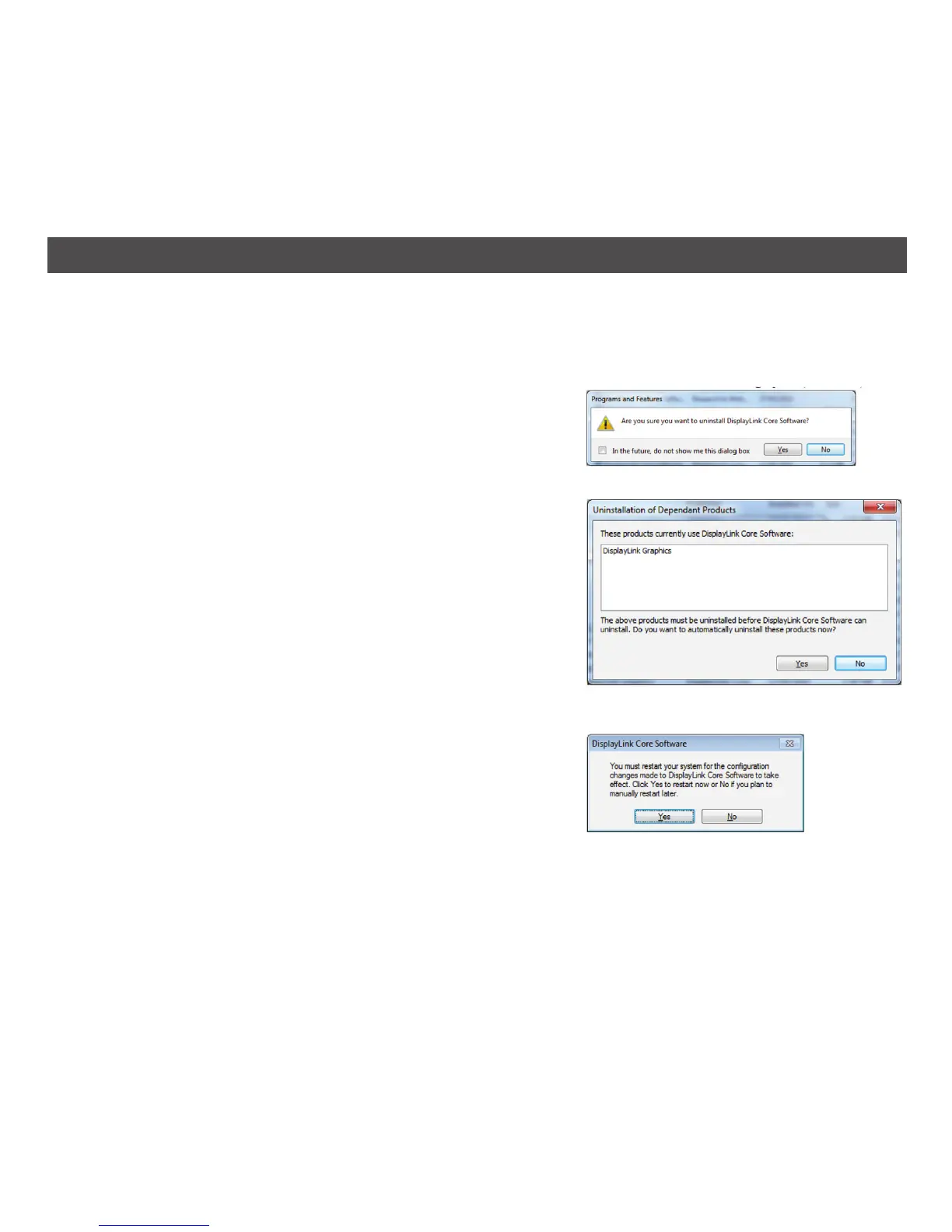
3. Double click on DisplayLink Core software; a Windows
confirmation window opens (if enabled).
4. Click Yes.
5. A message may appear to state which software
packages will also be uninstalled. Click Yes to uninstall
the packages that use DisplayLink Core Software
and the uninstaller will automatically uninstall this
software.
6. Once uninstalled, you will be prompted to restart.
Click Yes to complete the uninstallation.
24
UNINSTALLING THE SOFTWARE – WINDOWS 7


 To Next Page