27
PAIRING MULTIPLE LINK™ RECEIVERS
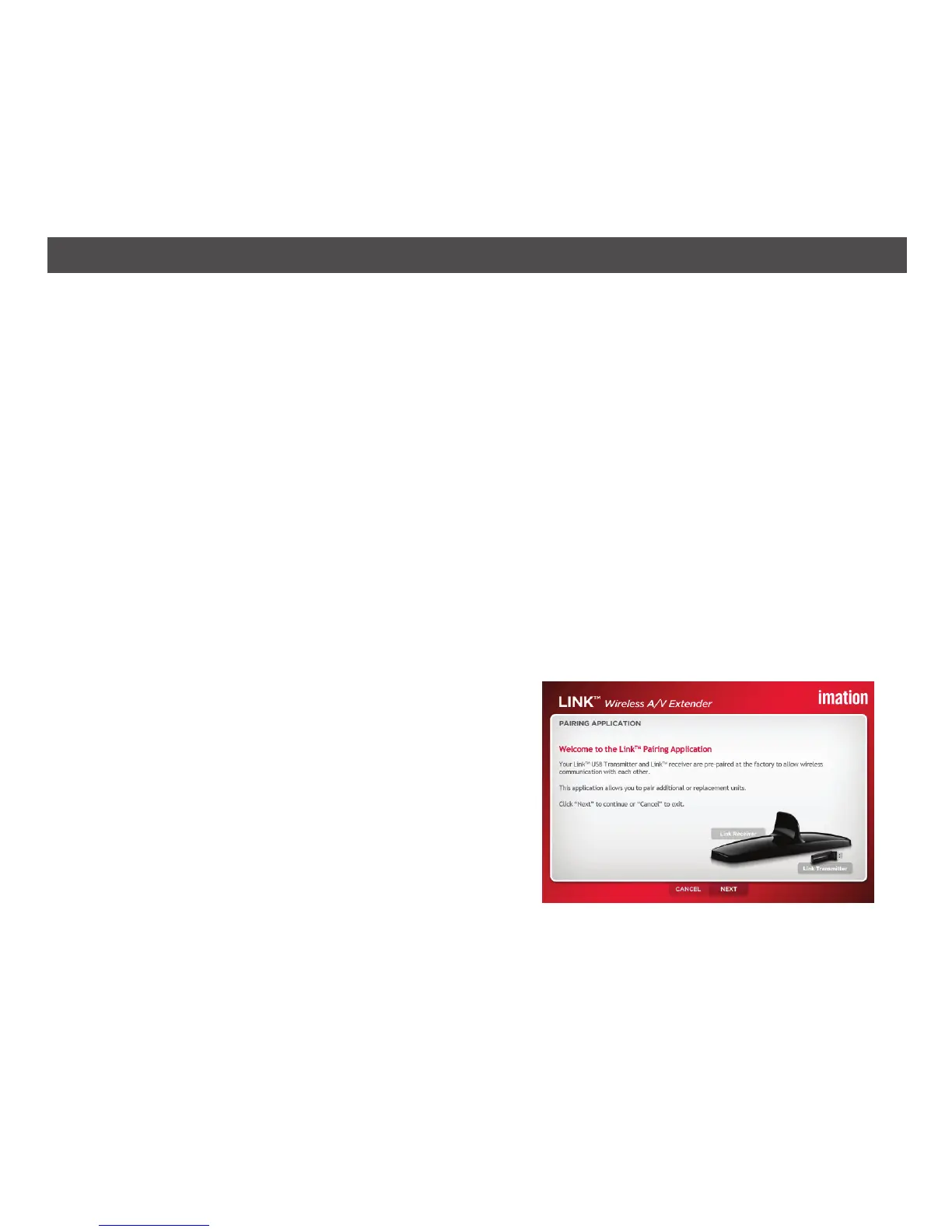
1. Prior to pairing, note the Link receiver’s MAC
address, which is found on the bottom of the
Link receiver. Double-click the Link Pairing
application to start the pairing procedure.
You can pair up to eight Link receivers to one Link transmitter. Only one receiver will make a
wireless connection with the transmitter at any moment in time. Pairing multiple receivers allows
you to select between up to eight monitors to mirror or extend your computer display.
NOTE: The software for pairing the Link transmitter to the Link receiver is located on the included
CD ROM and is only available for Windows XP, Vista and 7. It is not available for the Macintosh.
The Link USB transmitter and Link receiver are security-paired to each other at the factory. The
pair can only connect with each other; Link transmitters and Link receivers which have not been
paired will not work together.
The pairing tool provides end users with the ability to add additional Link receivers to the Link
transmitter. Each Link transmitter and Link receiver can be paired with up to eight other units.
You can obtain additional Link Wireless A/V extenders at the same store you purchased this unit,
or by visiting www.imation.com.


 To Next Page