28
PAIRING MULTIPLE LINK™ RECIEVERS (CONTINUED)
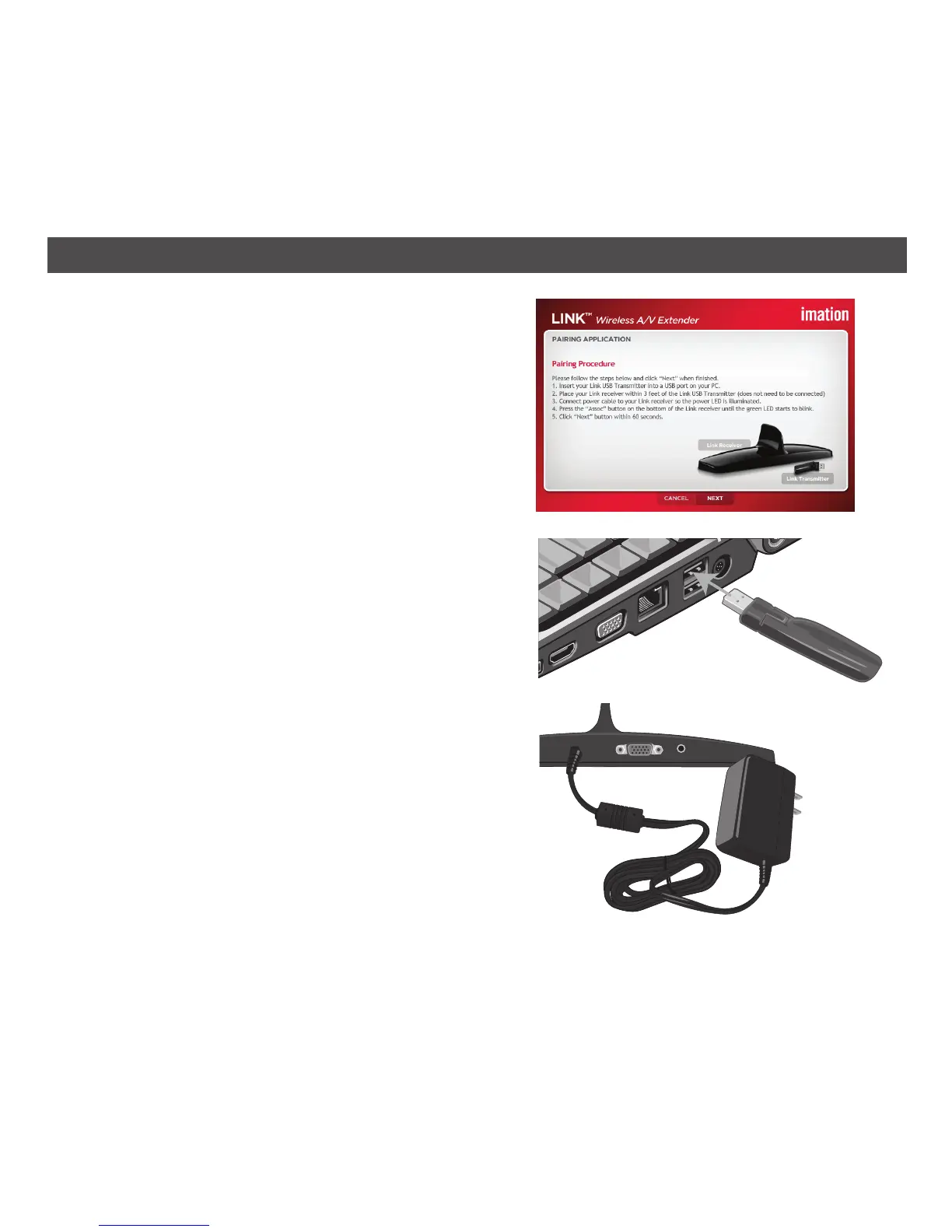
2. Click NEXT and the Pairing Procedure will
appear.
3. Insert your existing Link USB transmitter into
an available USB port on your PC.
4. Place your new Link receiver within three feet
of your PC (it does not have to be hooked
up to your TV). Connect power to the Link
receiver; the blue Power indicator will light.
TO
AC JACK


 To Next Page