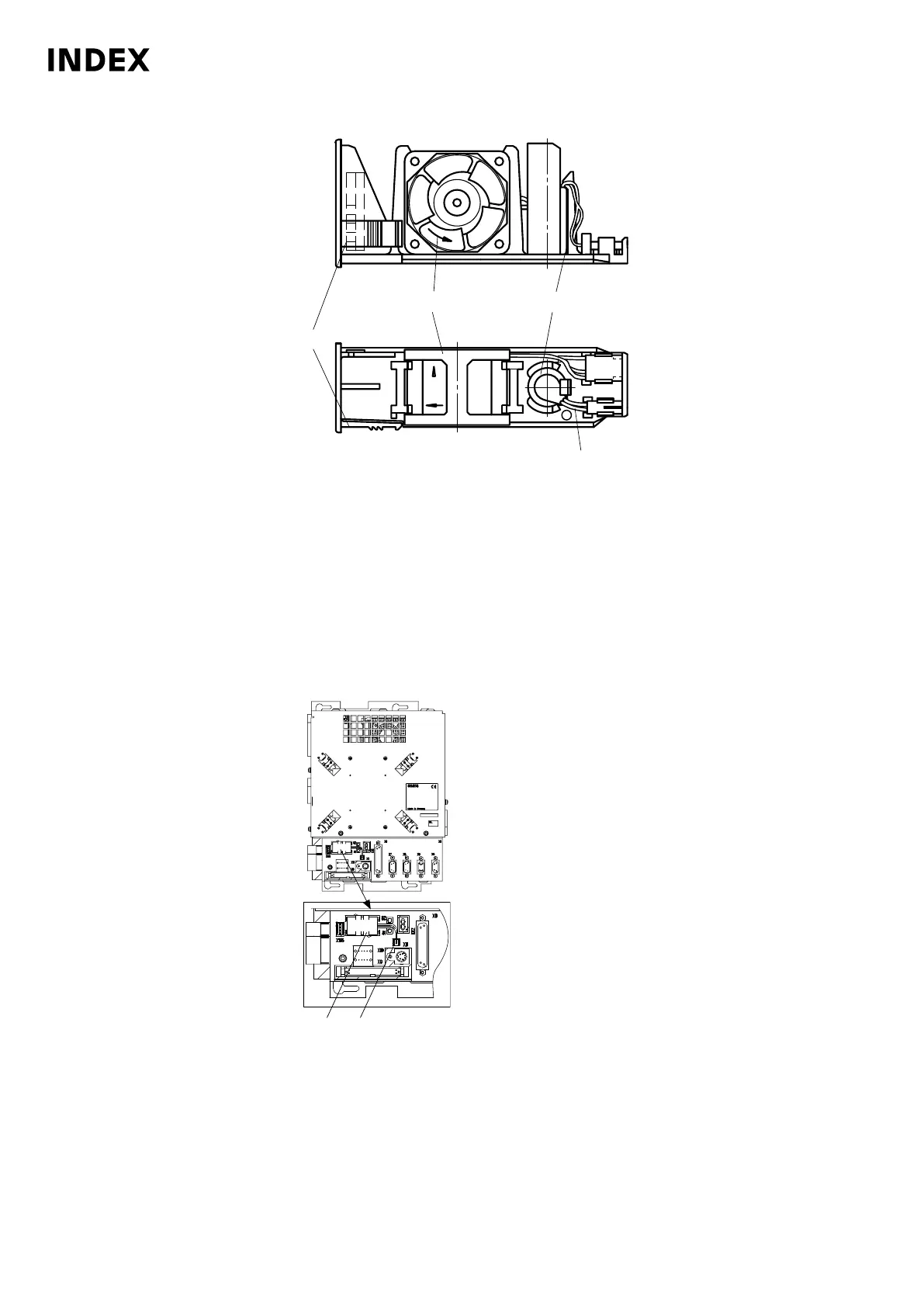
Example: Battery with NCU fan – Control C200-4D.
1
Battery
2 Red wire
3 Latch
4 Fan
Replace NCU battery. Unlock the fan insert on the bottom (3) and pull it out.
Remove the battery connector by slightly pushing the retaining latches
outwards. Replace battery. Make sure of the correct polarity (red = +)
when installing the battery. Reconnect the battery plug.
4. Push fan insert in until it clicks into place. Indicate the date of the next interval
with the appropriate inspection sticker on the battery interval label.
5.
Example: MMC103 battery replacement
1
Battery compartment
2 Connector X11
Replace battery on MMC103. Pull off connector X11, remove and replace
battery. Reconnect connector X11. Make sure of the correct polarity (red =
+) when installing. Indicate the date of the next interval with the appropriate
inspection sticker on the battery interval label.
Maintenance Summary - 4.000 Operating hours
108
Maintenance Instructions
C200
LP1702.10021 - 05.06.2019



 To Next Page