A128 - Check coolant
Orientation
For add-on equipment that cannot be cooled conventionally with cooling lubricants
or hydraulic fluid due to high temperature development, separate cooling is provided
in an independent cooling circuit. The coolant used here must be checked
continuously for its condition like other coolants.
Due to different requirements and/or specifications of the respective
manufacturers, be sure to review the respective manufacturer's
documentation!
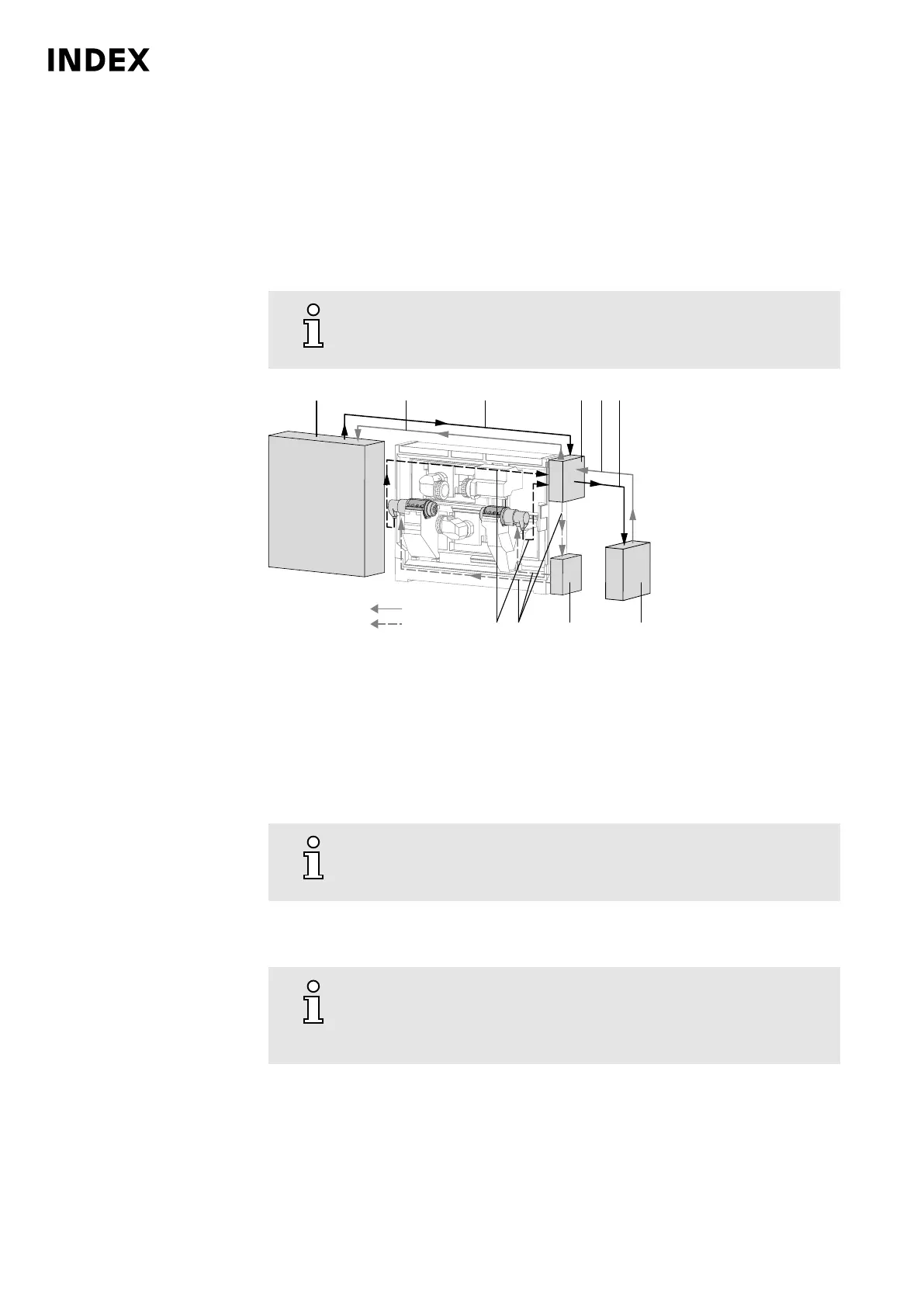
Schematic diagram of cooling system C100/C200
1
Control cabinet
2 Cold water
3 Warm water
4 Heat exchanger
5 External cooling unit, or customer-side cooling
6 Hydraulic fluid tank
7 Cold oil
8 Warm oil
a Water circuit
b Oil circuit
For all work in connection with operating materials, the information in
the data sheets of the respective manufacturers and the information
in the document Notes on Operating Materials must be observed.
Requirement
Replenish only coolant of the same manufacturer having the same
specification. Mixing different coolants may lead to corrosion of the
cooling system and degradation of the coolant. The glycol content
must be min. 25%.
Maintenance Summary - Care activities
28
Maintenance Instructions
C200
LP1702.10021 - 05.06.2019



 To Next Page