A110 - Clean filter screens on chip conveyor
Orientation
The chip conveyor is used for removal of swarf from the work area and is also a
reservoir for the cooling lubricant.
The cooling lubricant is filtered in the chip conveyor. For this purpose, various filters
and filter plates are built into the chip conveyor. These filters must be cleaned
regularly. In particular, make sure that the area around the cooling lubricant pump(s)
is always free of chips or dirt.
For all work in connection with operating materials, the information in
the data sheets of the respective manufacturers and the information
in the document Notes on Operating Materials must be observed.
The chip conveyor must not be operated without the filters and filter
plates provided by the manufacturer. Follow the manufacturer’s
documentation!
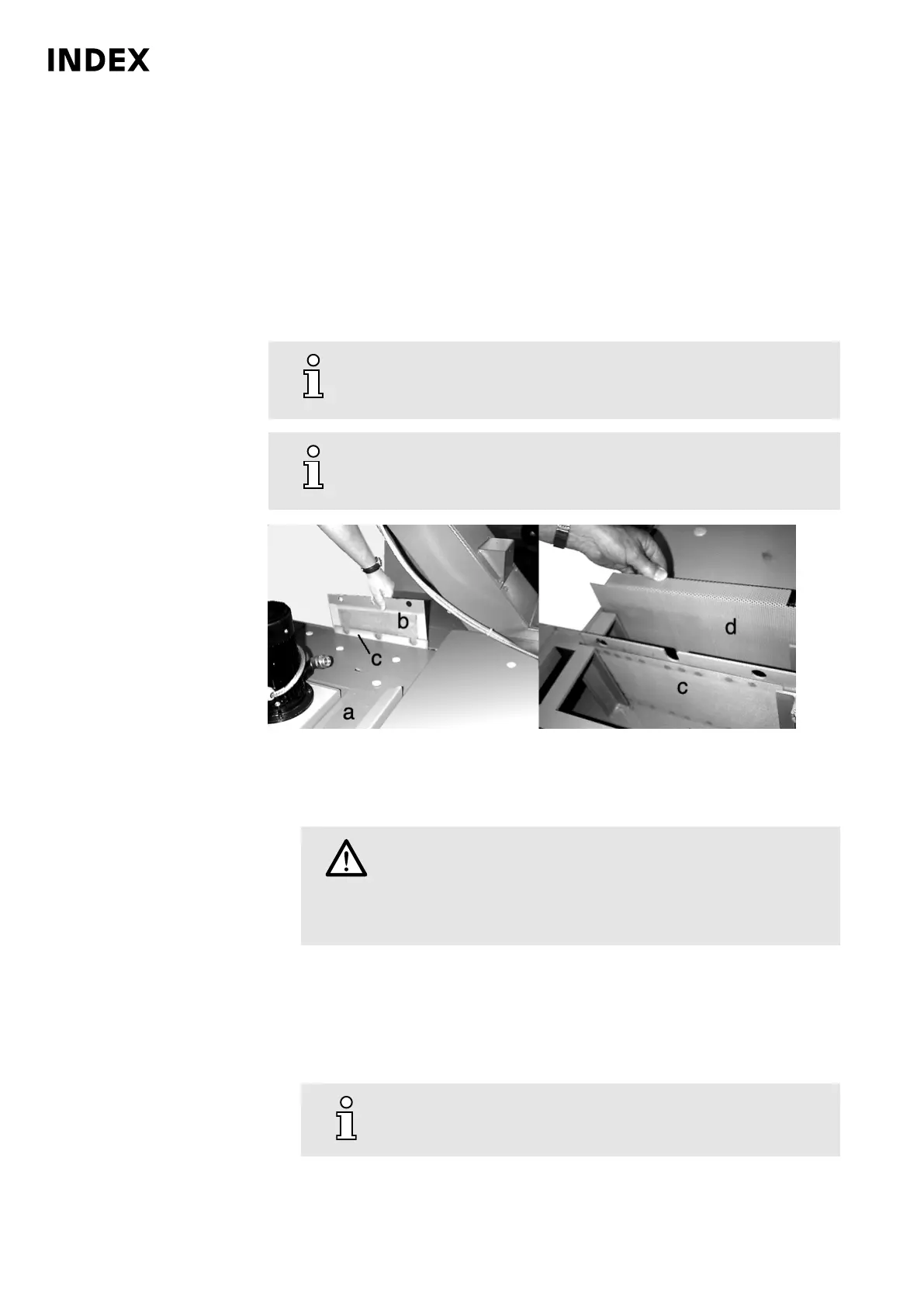
Example: Plug-in strainers ABC
Procedure
1.
Caution
Cooling lubricant splashing out of the chip conveyor.
Skin irritation and damage to the eyes.
Wear personal protective equipment (e.g., safety gloves and
safety goggles).
Remove cover plates in the area of the cooling lubricant pump.
2. Remove and clean filter and plug-in plates.
3. Remove and clean magnetic filter plates (option).
4. Remove and clean pre-filters (option) on the cooling lubricant pump.
5.
If the supply of cooling lubricant is insufficient, the filter basket
on the cooling lubricant pump must be cleaned.
Maintenance Summary - Care activities
24
Maintenance Instructions
C200
LP1702.10021 - 05.06.2019



 To Next Page