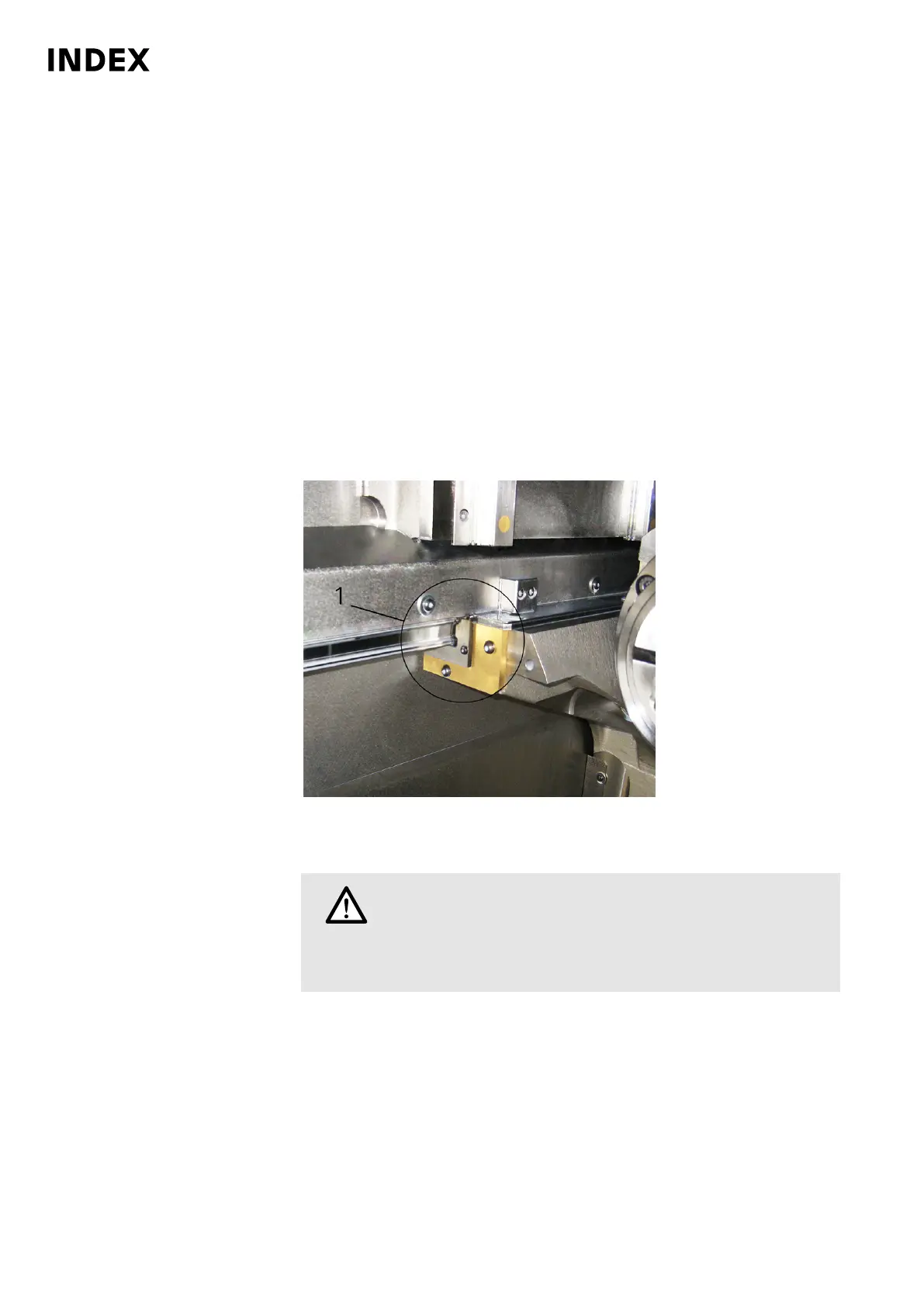
A190 - Checking the wiper of counter spindle guide in the work area
Orientation
Due to their open-access location, the counter spindle wipers may be contaminated
or impaired by chips particularly hard.
Therefore, special attention should be given to the condition of the wipers during
servicing and maintenance activities.
Requirement
As part of servicing and maintenance, only periodic visual inspection of the wipers is
necessary. However, if this visual inspection reveals damage to the wiper, it must be
replaced immediately.
Procedure
1.
Example: wiper (1) counter spindle C100/C200
Bring counter spindle into working position.
2.
Caution
Uncontrolled movements of tool carriers or accessories.
Cuts and crush injuries to hands and arms.
Trigger an EMERGENCY STOP on the machine or switch off the
machine completely.
Check wipers.
3. Replace any defective wiper. Unscrew wiper and push to the left of the guide
bar. Be sure to clean the space behind the wiper before inserting the
new wiper.
4. Oil the cleaned guide bar. This allows the wiper to be pushed easily over the
guide bar. Slide new wiper carefully onto the guide bar.
Maintenance Summary - Care activities
32
Maintenance Instructions
C200
LP1702.10021 - 05.06.2019



 To Next Page