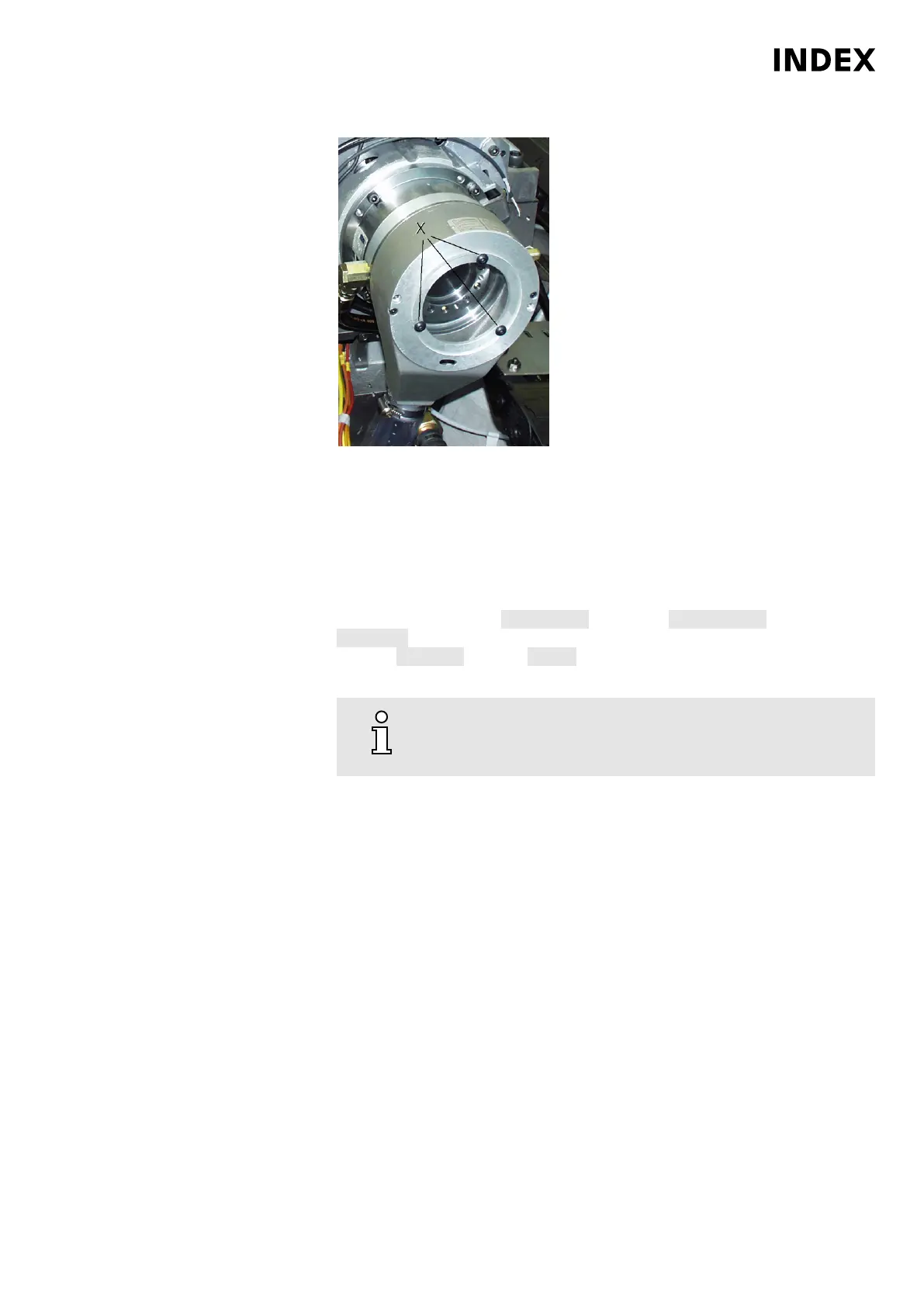
Example: Cooling lubricant outlet on the clamping cylinder
X
Screws on the acrylic glass cover
Check the cooling lubricant drain on the clamping cylinder. Check that the drain
is free and contains no chips. Loosen screws (X) and remove acrylic glass
cover on the cooling lubricant drain of the clamping cylinder. Remove chips or
other impurities and ensure that the cooling lubricant can drain off.
19. Check the aligning and indexing units for function and tightness. By repeated
pressing of the Softkey Lock/Unlock in Softkey Operate Units . Softkey
Spindles - Select spindle Sx - Enter speed, e.g. 100, and position, e.g. 0 deg.
Softkey Position - Softkey Lock - Monitor the setup to see whether hydraulic
fluid flows out.
20.
Due to different requirements and/or specifications of the
respective manufacturers, be sure to review the respective
manufacturer's documentation!
Check and potentially replace O-rings or other seals on the clamping devices.
O-rings and other seals on the clamping devices prevent that chips or cooling
lubricant penetrate into the hydraulic circuit or even into the mechanical
components of the respective assemblies where they can cause significant
damage. In any case, make sure that the seals recommended by the
manufacturer are used or installed during maintenance or repair work.
Maintenance Summary - 4.000 Operating hours
81
Maintenance Instructions
C200
LP1702.10021 - 05.06.2019



 To Next Page