iNetVu Troubleshooting Guide - 1201 Flyaway
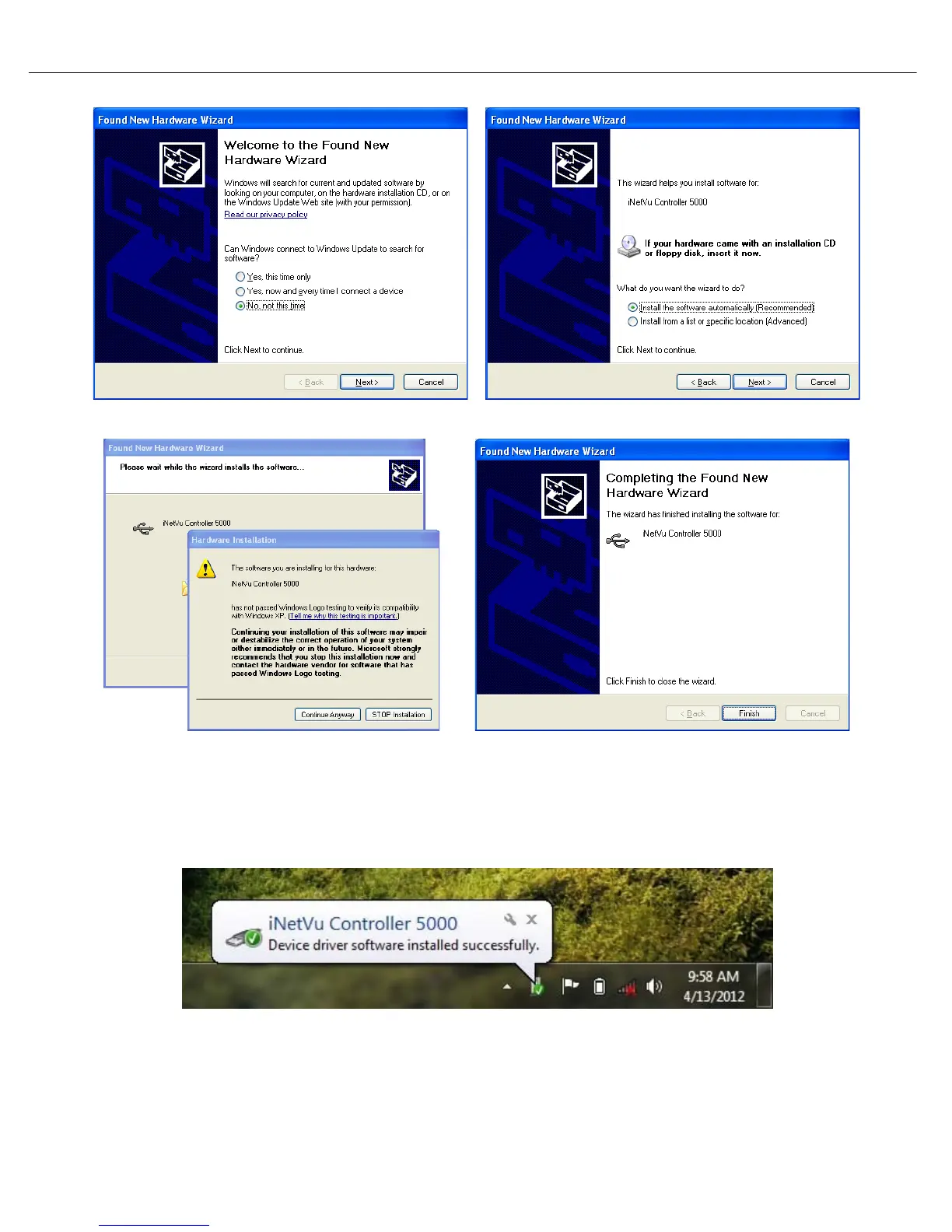
Select “No, not this time” Select “Install the software automatically”
Click “Continue Anyway” Click “Finish”
7. Windows Vista and 7 users, the drivers should install automatically without any further user
action.
It’s normal for the 7000 driver to be displayed as iNetVu Controller 5000
8. You have successfully installed the 7000 iNetVu Drivers and Software. You can now continue
updating the Controller firmware.



 To Next Page