iNetVu Troubleshooting Guide - 1201 Flyaway
19) Deploy the Antenna to the following coordinates, EL 30.0, AZ 0.0 and PL 0.0(Antenna fields are
set to these by default); this can be achieved by the software or controller front panel.
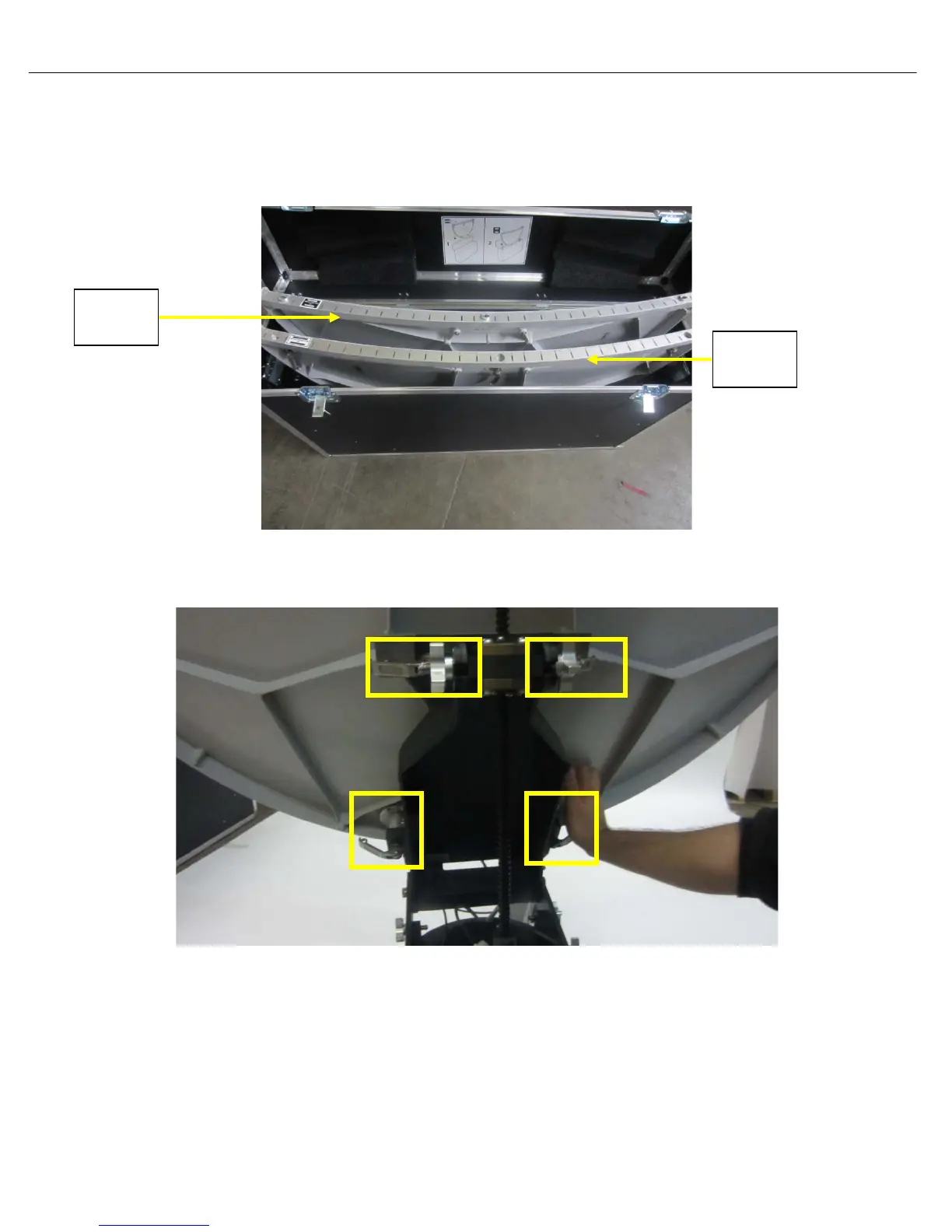
20) Open and remove bottom reflector from case. The bottom reflector section is the outer most with
reference to you. Refer to sticker inside the case for more details.
21) Attach the bottom reflector section to the EL Support Plate assembly making sure the bottom (2)
pins are in place first followed by the top (2), push and turn to lock.
Section
Section



 To Next Page