iNetVu Troubleshooting Guide - 1201 Flyaway
Step 2: Adjust the Flyaway platform such that the leg with the 130º marking is pointed correctly.
• If you are located in the Northern Hemisphere (your GPS Latitude is North), the leg that is
labelled 130º should be pointed north.
• If you are located in the Southern Hemisphere (your GPS Latitude is South), the leg that is
labelled 130º should be pointed south.
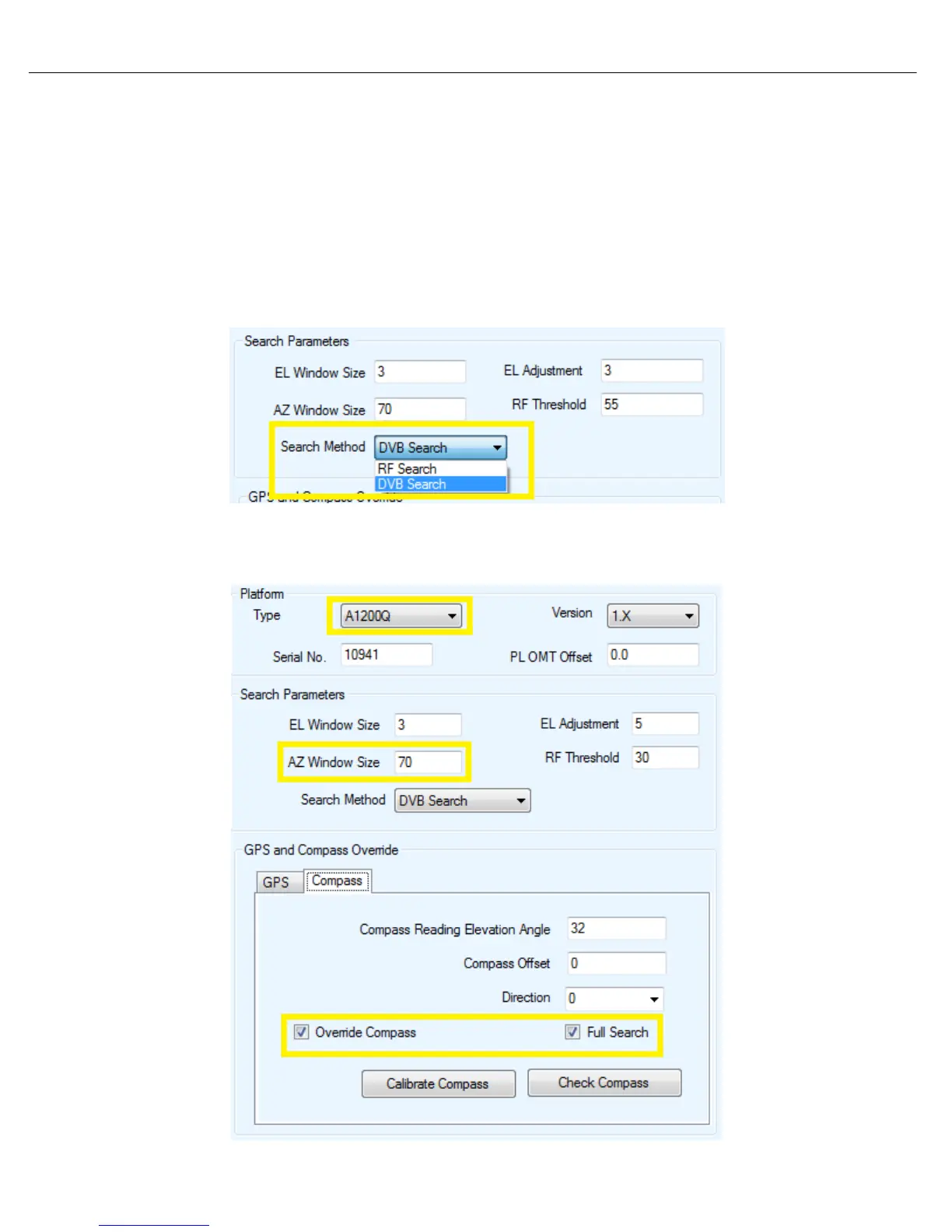
Step 3: The following options are found in the “Maintenance” Screen.
• The correct Search Method must be used as instructed by your NOC or Service Provider.
• As the Flyaway does not use a compass “Override Compass” and “Full Search” must be checked
with the “AZ Window” size at 70. This will be auto-configured as long as the correct platform type is
selected.


 To Next Page
 Loading...