iNetVu Troubleshooting Guide - 1201 Flyaway
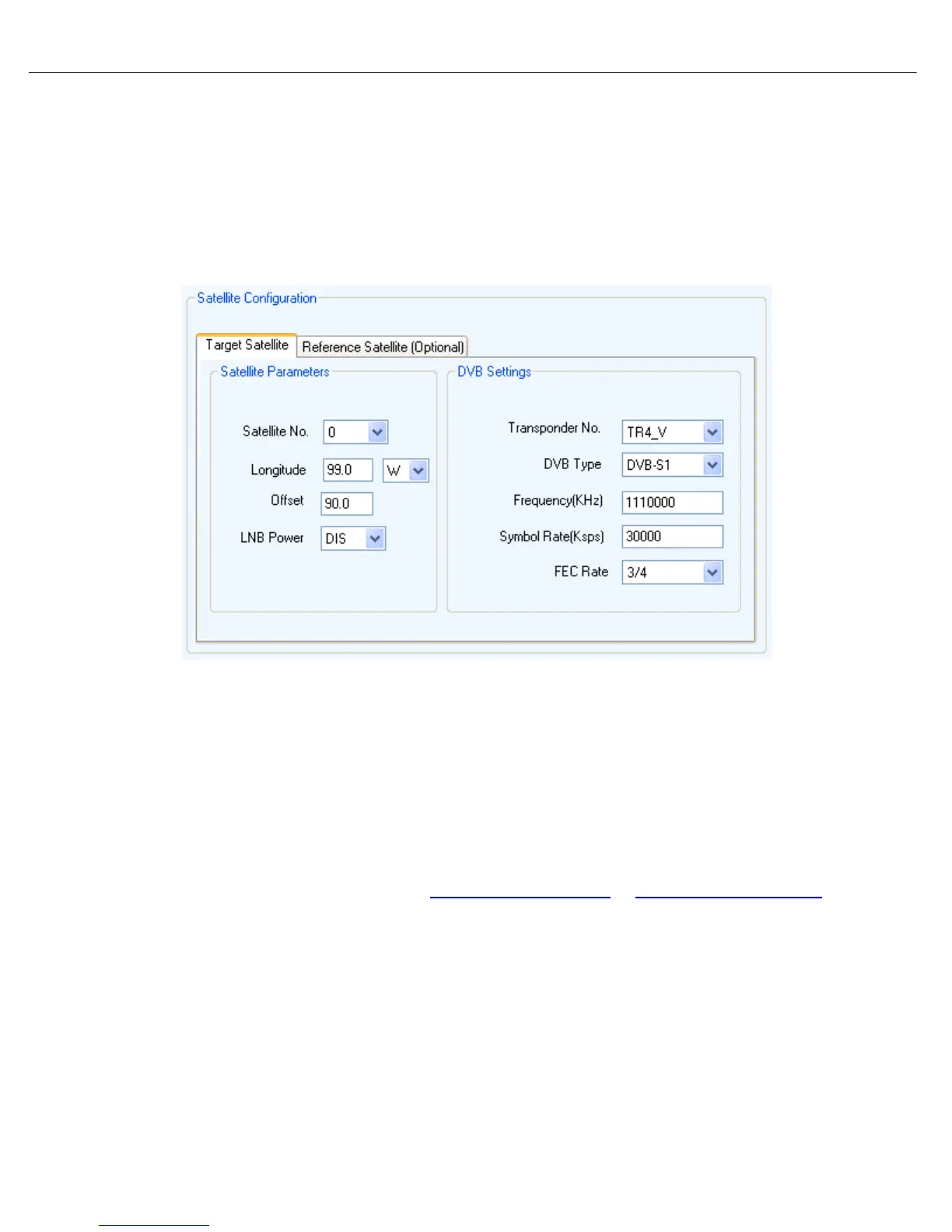
Step 4: The following options are found in the “Configuration” Screen.
For DVB Search Method, the Satellite Configuration must be exact as provided by your NOC or
Service Provider.
Satellite Transmit Polarization Offset:
• Horizontal Receive Offset = 0
Vertical Receive Offset = 90
• If your configuration is correct then you may have a line of sight or coverage issue. For testing
purposes you may try another satellite and DVB carrier. Our controller has many preconfigured
satellites and transponders you may try. (C-COM does not guaranty the reliability of these
Frequencies)
• Locate a satellite that covers your GEO location and enter this into the Longitude field and click
Send All. If the satellite is preconfigured it will auto populate all fields. C-COM does not guaranty
the reliability of these Frequencies. If 999999 is auto populated this indicates no working
frequencies haven been preconfigured for that satellite and transponder.
• You may also choose to use websites as
http://www.lyngsat.com/ or http://www.tracksat.com/ to
find working DVB transponders. (Frequencies must be converted and entered in L-Band)
Sample Conversion:
o Given: Ku-Band Frequency = 12144 MHz and LNB LO = 10750 MHz
o 12144 MHz - 10750 = 1394 MHz = L-Band of 1394000 KHz
****Note: The L-Band Frequency must be in the range of 950,000(KHz) – 2,150,000(KHz)****


 To Next Page
 Loading...