Page 32
LIGHTCAST SETTINGS
If your monitor did not ship with a LightCast key and you would like to use the LightCast features, you can purchase
a LightCast key (p/n INA-LCKEY1, INA-LCKEY2, or INA-LCKEY3 depending on your region) from InFocus (www.
infocusstore.com) or your local dealer.
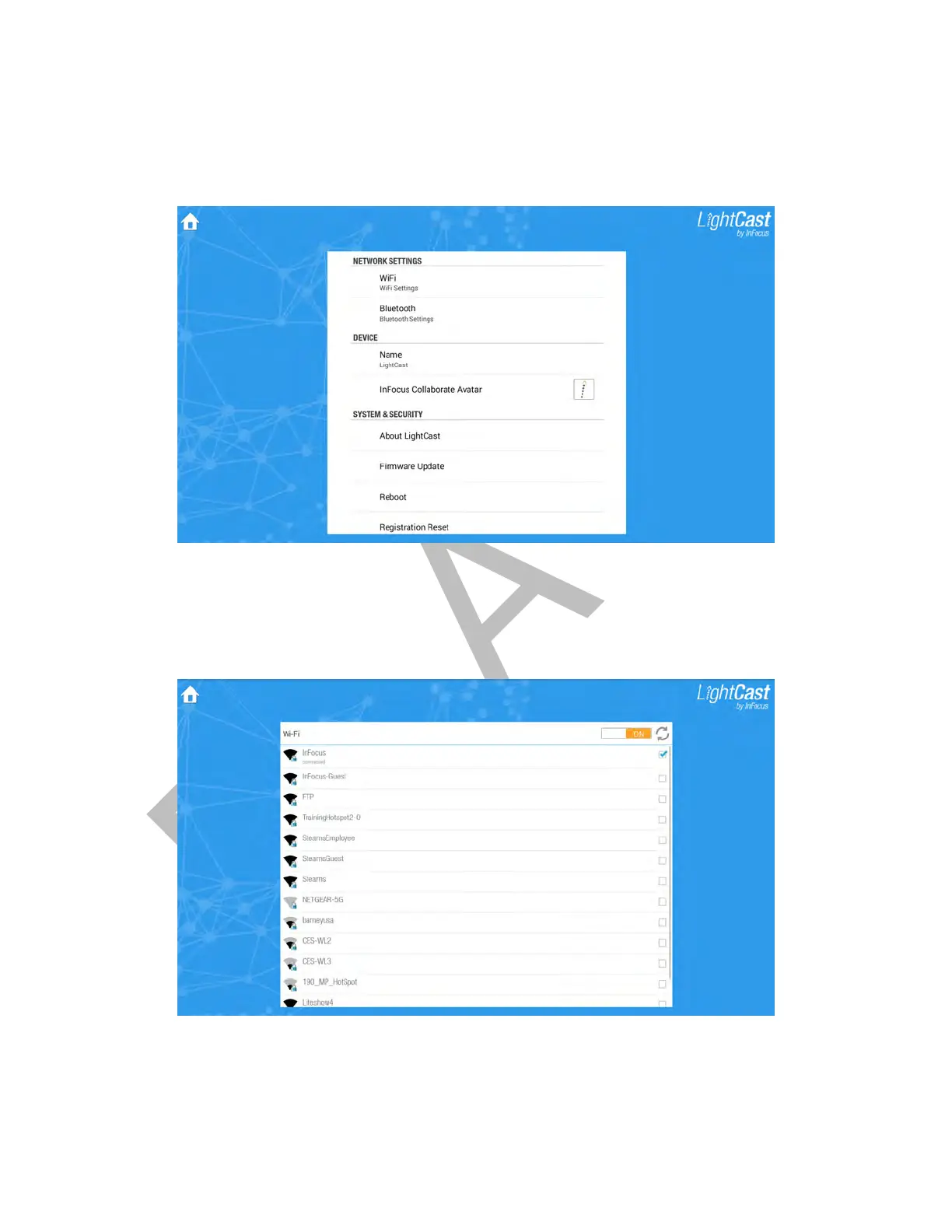
To see the entire Settings menu, tap and swipe the menu up and down.
Connect using a WiFi network
1) From the Network Settings section of the Settings menu, tap WiFi Settings. The WiFi submenu displays.
2) Tap On to use a WiFi connection.
3) If the list of available WiFi networks does not automatically display, tap the Refresh button.
4) Tap the desired WiFi network.
5) Enter the WiFi password and tap OK.



 To Next Page