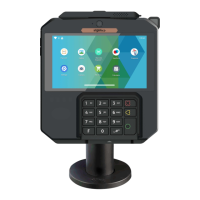
1.Stylus(Optional)2. Front Camera3. Volume key 4. 5.5 inchtouch screen
5. 3.5mm AudioJack6. Contactless Reader7. Keypad8. SmartcardReader
9. MagneticStripeReader 10. Shimmer detection(Optional)11. Multipoint connector
12. Speaker 13. StandpoleAdaptor Pattern 14. Rear Camera(optional)
15. Micro SDCard 16. SAM Card1 &2
4_Installation & Connections
4_1 Positionning the terminals
Place the terminal with an easy access to an electrical outlet. Place the terminal away
from any heat source and protected from dust, vibrations and electromagnetic radiations
(away from video terminals, PC, anti-shoplifting barriers ...). The terminal is exclusively


 To Next Page
 Loading...










