made for indoor use.
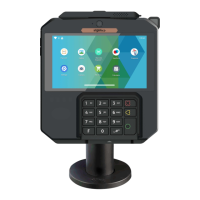
The RX7000 device may be mounted on a flat surface, wall, or customer stand.
CAUTION
Do not place the RX7000 device on a PC monitor, adjacent to an electronically active
security tag deactivation system, or near other sources of magnetic fields.
The RX7000 device must be at least 30 centimeters (12 inches) away from an
electronically active type of security tag deactivation pad.
An electronically active system sends out a powerful and potentially disruptive signal
to deactivate the security tag. If the RX7000 device is placed too close to the
system’s pad, or placed above the pad, the product may not work properly.
A passive system is a permanent magnet type that does not send out a signal. This
type should not affect the RX7000 device.
4_2 Inserting SAM (Secure access module) and Micro SD
CAUTION
Before starting, switch off the terminal by disconnecting the power supply.
Perform the following operations :


 To Next Page
 Loading...










