Controller CO3000
1.8 Referencing Devices
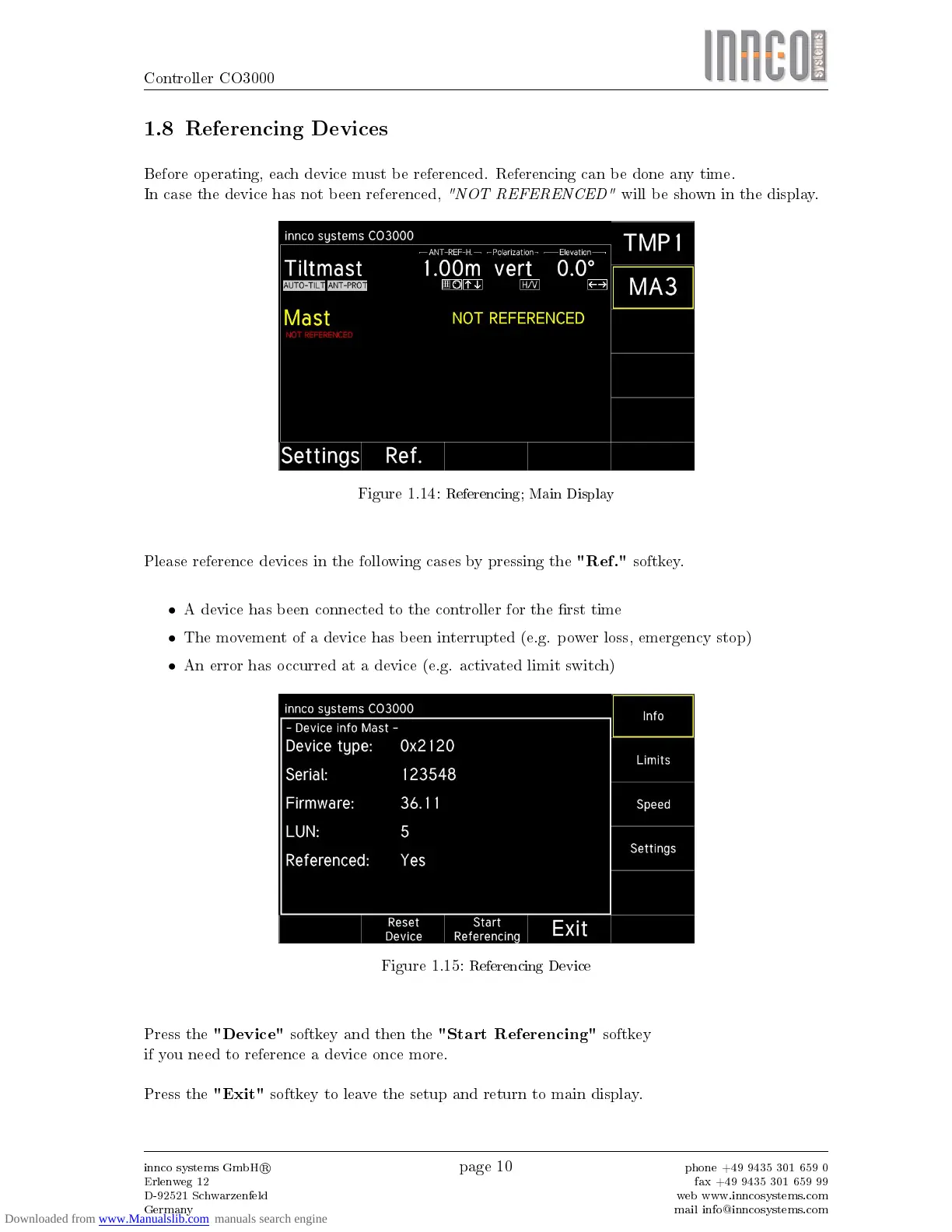
Before operating, each device must be referenced. Referencing can be done any time.
In case the device has not been referenced,
"NOT REFERENCED"
will be shown in the display.
Figure 1.14:
Referencing; Main Display
Please reference devices in the following cases by pressing the
"Ref."
softkey.
•
A device has been connected to the controller for the rst time
•
The movement of a device has been interrupted (e.g. power loss, emergency stop)
•
An error has occurred at a device (e.g. activated limit switch)
Figure 1.15:
Referencing Device
Press the
"Device"
softkey and then the
"Start Referencing"
softkey
if you need to reference a device once more.
Press the
"Exit"
softkey to leave the setup and return to main display.
innco systems GmbH
R
Erlenweg 12
D-92521 Schwarzenfeld
Germany
page 10
phone +49 9435 301 659 0
fax +49 9435 301 659 99
web www.inncosystems.com
mail info@inncosystems.com



 To Next Page