EasyManua.ls Logo

Inner Range 3000 - User Manual

Default Icon
20 pages
Print Icon
To Next Page IconTo Next Page
Loading...
Revision 4.02 June. 2000 1
Model 3OOO
&
ACCESS 4000
Control Module 995001 / 995002
INSTALLATION MANUAL
SECURITY, ACCESS CONTROL &
BUILDING AUTOMATION SYSTEM
OVERVIEW
The 3000/Access 4000 provides the next generation in Access Control, Security and Building Automation Systems.
MODULAR DESIGN & EXPANDABILITY Modular hardware design provides the ability to adapt and expand a system to cater
for virtually any configuration or application required - small or large. Large numbers of LCD Terminals, Input/Output Expanders
and Access Control Modules can share a secure, monitored LAN system utilizing a fast, efficient communications format. Using the
recommended cabling, modules on the LAN can be installed hundreds of metres from the Control Module. With the current range of
modules available, this arrangement can provide over 2000 Zone inputs and over 2000 Auxiliaries on a single system.
THE MODULES. The heart of the system is the Control Module. This unit stores all data, communicates with all other modules
connected to the system LAN, and reports alarms and system activity to the Central Station via Dialer, Direct Line, GSM modem and
other formats. To program and operate the system an Elite LCD Terminal or any of the PC based system management tools mentioned
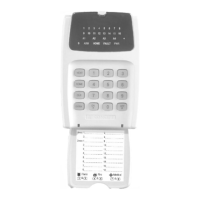
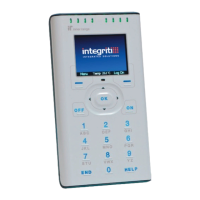
below are normally used. The LCD Terminal provides a 20 key backlit keypad, a backlit Liquid Crystal Display and connections for
several Zone Inputs and Auxiliary outputs.
Universal Zone Expanders are used to provide additional Inputs (16 or 32), Sirens and Auxiliary Outputs (8 to 32) in a system and can
be installed remotely in suitable locations to greatly reduce the amount of cabling required to detectors and output devices. The Mini
Expander Module provides low cost expansion when up to 8 Zones and Auxiliaries are required along with special event counting
options (Event Counting available V3 or later).
Door and Lift Access Modules are installed near the Door/s or in Lift Cars to provide Reader interfacing plus all the Inputs and
outputs for complete monitoring and control of the Door/s and/or Lifts.
The Analogue Module allows analogue values to be monitored and set points used for trigger control and/or report functions.
SYSTEM MANAGEMENT. WDirect Upload/Download software is available for system Programming and Management, allowing
the option of local or remote connection with operator password protection. Windows based system management software is also
available incorporating dynamic graphics capabilities and sophisticated monitoring and report generation facilites.
© 2000. Inner Range Pty. Ltd. Part No: 635001

Other manuals for Inner Range 3000

Question and Answer IconNeed help?

Do you have a question about the Inner Range 3000 and is the answer not in the manual?

Inner Range 3000 Specifications

Power IconPower
power supply input voltage11V to 14V DC
standby current consumption25mA
logged on current consumption35 to 40mA
lock relay active current consumption60mA
all auxiliaries active current consumption105mA
lock relay contacts voltage30V DC maximum
lock relay contacts current750mA maximum
fuse protection500mA Reader Power Fuse
Operating Environment IconOperating Environment
module pcb temperature range0º to 40º Celsius
module pcb humidity range15% to 85% Relative humidity (non-condensing)
keypad temperature range-20º to 70º Celsius
keypad moisture and dust ratingIP68
Weight and Dimensions IconWeight and Dimensions
pcb length96mm
pcb width96mm
keypad height130mm
keypad width81mm
keypad depth21mm
distance between mounting hole centres82.2mm
mounting hole diameter4.15mm

Summary

ELECTRICAL & MECHANICAL SPECIFICATIONS

Electrical Specifications

Details power supply input, output, current consumption, and fuse protection.

Mechanical Specifications

Provides dimensions and weight of the unit.

INSTALLATION AND SAFETY INSTRUCTIONS

Electrical AC Mains Power Connection

Details the procedure for connecting the AC mains power cord to the module.

Connecting Power to the PCB

Guides on connecting the AC mains transformer output to the PCB.

Mounting the Unit

Instructions for mounting the unit securely to a vertical surface.

Connecting the Battery to the PCB

Instructions for connecting the battery to the PCB.

Wiring Diagrams

ZONE INPUT WIRING

Illustrates how to wire detection devices for zone inputs.

SIREN WIRING

Explains how to wire siren speakers and cover tampers.

TELECOMMUNICATIONS WIRING

Details the wiring for dialer reporting formats and phone line connections.

CONTROL MODULE FAULT LEDs

EXPANDER; READER MODULE FAULT LEDS

Explains fault LEDs for expander and reader modules.

LCD TERMINAL ERROR MESSAGES

Lists error messages displayed on the LCD terminal and their meanings.

LAN SYSTEM OVERVIEW

CONNECTING MODULES TO THE LAN

Details how to wire modules to the LAN system using twisted pair cable.

SYSTEM EARTHING

Explains system grounding procedures and earth loop prevention.

CABLE TYPES

SURGE PROTECTION

Guidelines for surge protection on cable runs and earth bonding.

SYSTEM CABLING CONFIGURATION

LAN TERMINATION

Explains the importance and method of LAN termination using resistors.

LAN TROUBLESHOOTING FLOWCHART

A1. Physical Checks

Initial physical checks for LAN issues like reversed connections or earth faults.

LAN DEAD Scenario

Steps to diagnose a completely dead LAN connection.

A2. Check for LAN Short Circuits

Procedure to check for short circuits on the LAN using an ohmmeter.

Intermittent LAN Problems

Steps to diagnose intermittent LAN communication issues.

A3. Check for Correct LAN Termination

Verifies the correct LAN termination resistance for system stability.

LAN VOLTAGE TESTING

LAN +ve Voltage Test

Checks voltage between LAN +ve and -ve/GND for power supply issues.

LAN A;B Signal Voltage Test

Tests LAN A and B signal voltages for termination and reversal issues.

LAN A;B to Earth Voltage Test

Tests LAN A and B voltages against GND for earth loop issues.

SYSTEM OPTIONS

Related product manuals