Live Data Mode
RECORDING (CAPTURING) LIVE DATA
3140d 107
Record by DTC Trigger
This function automatically records (captures) Live Data information
when a DTC sets and saves it in the scan tool’s memory. The recorded
(captured) data can be a valuable troubleshooting aid, particularly if you
are experiencing a fault that is causing a DTC to set.
1. While linked to the vehicle, start the
engine, then press and release the M
button.
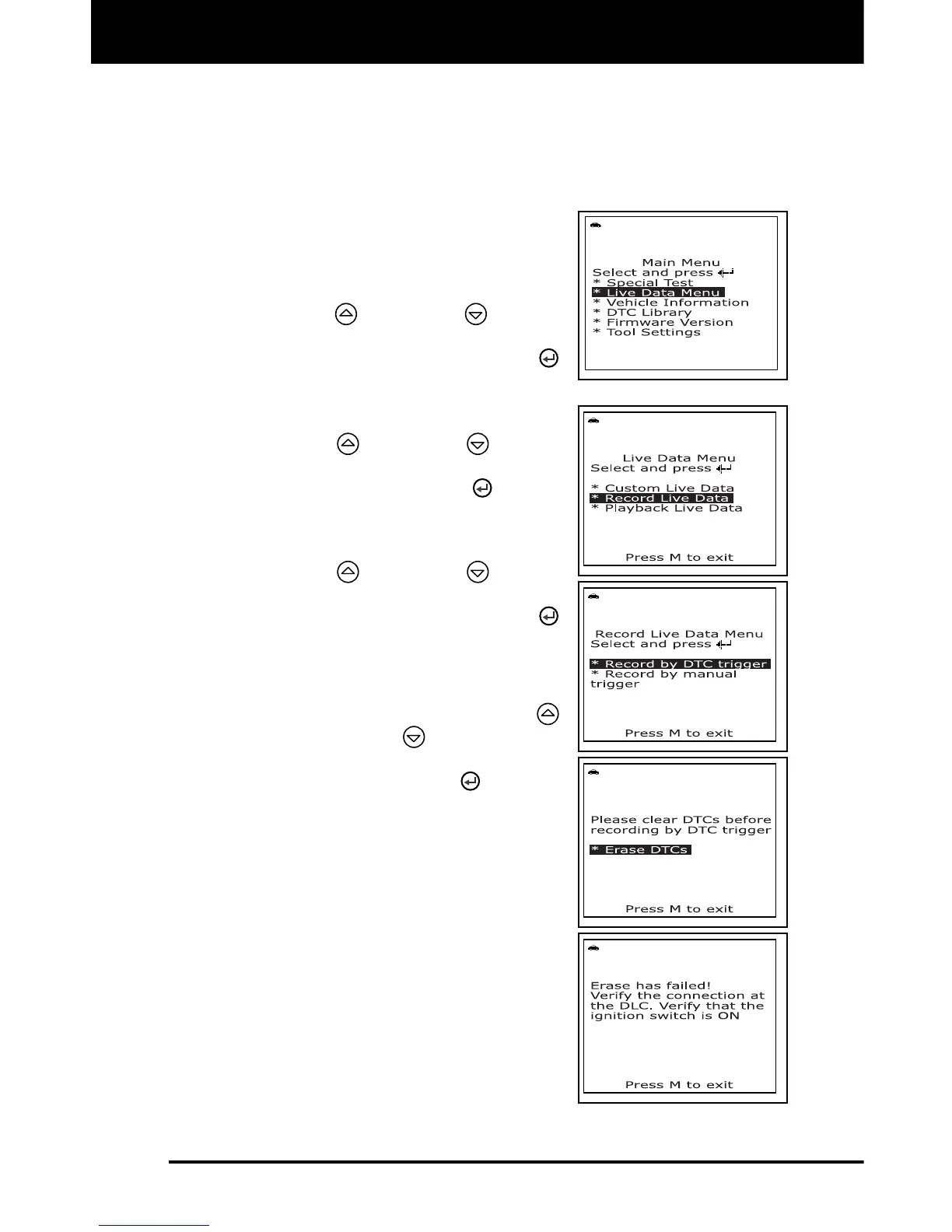
The Main Menu displays.
2. Use the UP
and DOWN buttons,
as necessary, to highlight Live Data
Menu, then press the ENTER
button.
The “Live Data” menu displays.
3. Use the UP
and DOWN buttons,
as necessary, to highlight Record Live
Data, then press the ENTER
button.
The "Record Live Data Menu" dis-
plays.
4. Use the UP
and DOWN buttons,
as necessary, to highlight Record by
DTC trigger, then press the ENTER
button.
If DTCs are presently stored in the
vehicle’s computer, an advisory
message displays. Use the UP
and DOWN
buttons, as
necessary, to highlight Erase DTCs,
then press the ENTER
button to
erase DTCs from the vehicle’s
computer. When the Erase process
is complete, the “Record by DTC
Trigger” screen displays.
If the erase was not successful, an
advisory message shows on the
display. Press the M button to return
to the Erase DTCs screen. Verify
that the scan tool is properly
connected to the vehicle’s DLC and
that the ignition is on, then repeat
the erase procedure.
5. When the "Record by DTC Trigger"
screen displays, select the desired
trigger point as follows:



 To Next Page