Live Data Mode
RECORDING (CAPTURING) LIVE DATA
110 3140d
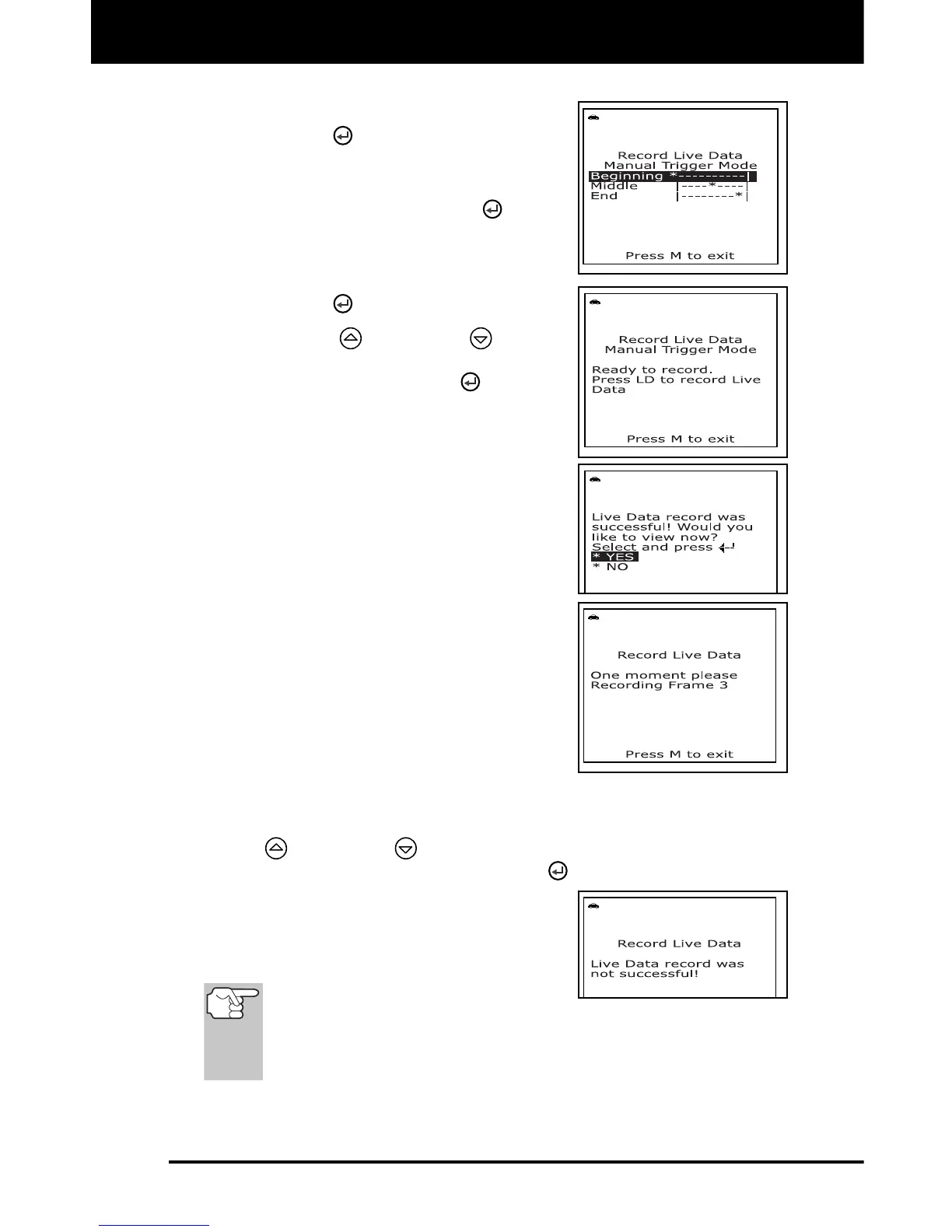
Beginning - records approximately
100 frames of Live Data after the
ENTER
button was pressed.
Middle - records approximately 50
frames of Live Data before and 50
frames after the ENTER
button
was pressed.
End - records approximately 100
frames of Live Data before the
ENTER
button was pressed.
6. Use the UP
and DOWN buttons,
as necessary, to select the desired trigger
point, then press the ENTER
button.
A "One moment please. . ."
message shows on the display.
When the scan tool is ready to
record Live Data, the "Record Live
Data" screen displays.
7. Put the engine in the operating condition
where the problem manifests itself.
If necessary, drive the vehicle until
you reach the vehicle speed at
which the problem occurs.
8. When the problem occurs, press and
release the LD button.
All three LEDs will blink for three
seconds to indicate that Live Data is
being recorded, and a "One moment
please. . ." message shows on the
display, along with the number of
the frame being recorded.
When recording is complete, a confirmation screen displays,
asking if you would like to view the recorded data. Use the UP
and DOWN buttons, as necessary, to select Yes or No,
as desired, then press the ENTER
button.
If recording was not successful, an
advisory message shows on the
display. Press the M button to return
to the Record Live Data menu.
If Yes is selected, the scan tool
enters "Playback" mode from which you can view a frame-by-
frame playback of recorded Live Data (see LIVE DATA
PLAYBACK on page 111 for details). If No is selected, the display
returns to the "Mode Selection Menu".
9. You can exit the "Record Live Data Mode" at any time by pressing
and holding the M button until the "Test Modes" menu displays.



 To Next Page