Live Data Mode
RECORDING (CAPTURING) LIVE DATA
3140d 109
If Yes is selected, the scan tool enters "Playback" mode from
which you can view a frame-by-frame playback of recorded
Live Data (see LIVE DATA PLAYBACK on page 111 for
details). If No is selected, the display returns to the "Mode
Selection Menu".
9. You can exit the "Record Live Data Mode" at any time by pressing
and holding the M button until the Main Menu displays.
If desired, you can transfer the recorded Live Data information
to a personal computer with the use of optional software (see
instructions included with the software for more information).
Record by Manual Trigger
This option lets you select the precise time at which the Live Data recording
will occur. Record by Manual Trigger can be a very valuable diagnostic tool
when troubleshooting intermittent problems that do not meet the require-
ments for a DTC to set. Even though a DTC is not present, the intermittent
problems will sometimes manifest themselves briefly, for a few fractions of a
second and/or only at certain vehicle speeds or vehicle operating conditions.
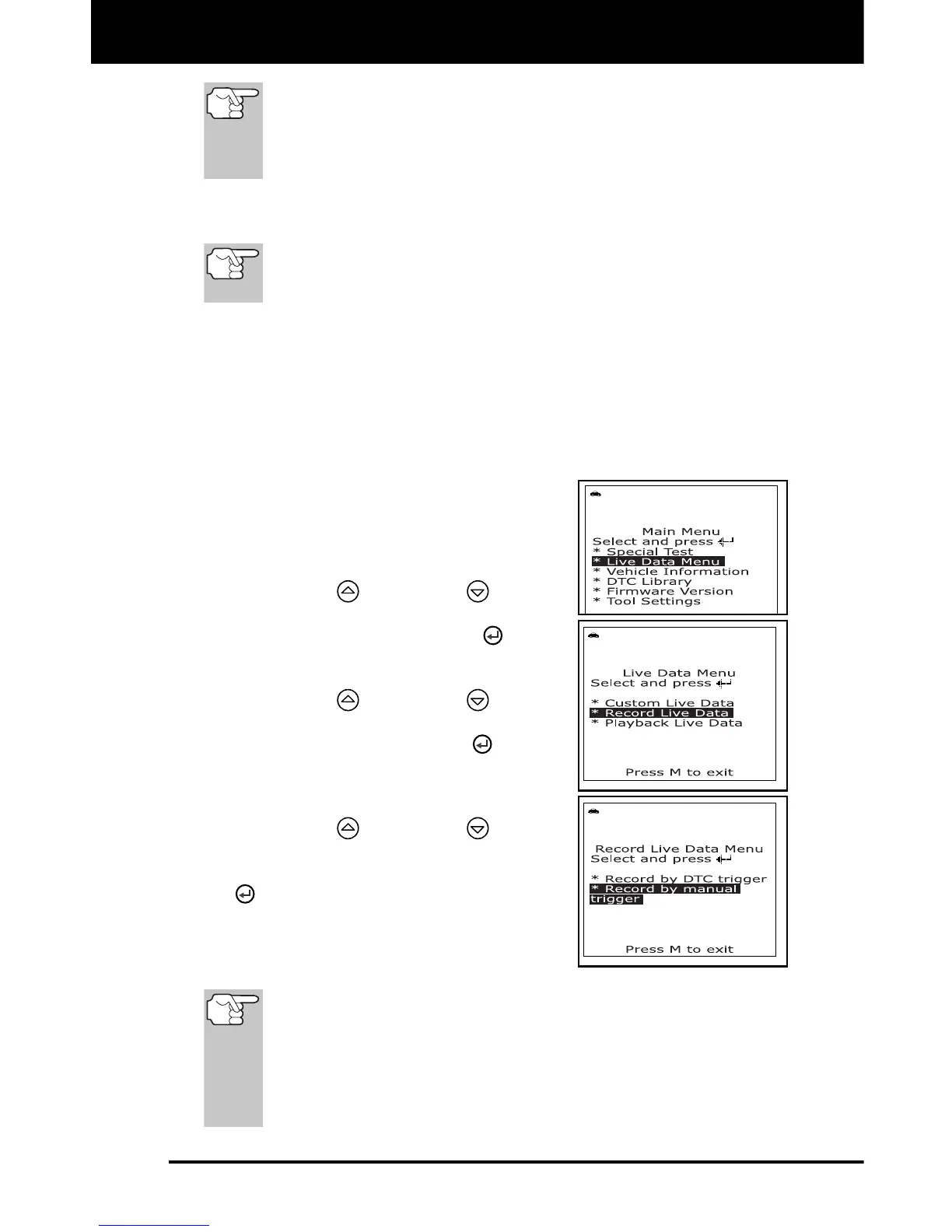
1. While linked to the vehicle, start the
engine, then press and release the M
button.
The Main Menu displays.
2. Use the UP
and DOWN buttons,
as necessary, to highlight Live Data
Menu, then press the ENTER
button.
The “Live Data” menu displays.
3. Use the UP
and DOWN buttons,
as necessary, to highlight Record Live
Data, then press the ENTER
button.
The "Record Live Data Menu" dis-
plays.
4. Use the UP
and DOWN buttons,
as necessary, to highlight Record by
manual trigger, then press the ENTER
button.
5. When the "Record by Manual Trigger"
screen displays, select the desired
trigger point as follows:
The scan tool is capable of recording approximately 100
frames of Live Data. Record by DTC trigger lets you select the
point in time at which you wish the scan tool to begin recording
Live Data. You can set the trigger point to record the 100
frames of data before an event (when the DTC was set), after
the event, or in the middle (50 frames before and 50 frames
after the event.



 To Next Page