Additional Tests
SPECIAL TEST MENU
114 3140d
X or XX - These characters identify the location of the O2 sensor in
relation to a cylinder bank. An O2 sensor for cylinder bank 1 is
identified by the designation “1” or "B1"; a sensor for cylinder bank 2
is identified as “2” or "B2."
”Bank One” indicates the side of the engine where cylinder
number one is located (V-type engines). Bank Two is opposite
of Bank One.
Y or YY - These characters identity the location of the O2 sensor in
relation to the exhaust system catalyst. An O2 sensor located upstream
of the catalyst is identified by the designation”1” or "S1", a sensor lo-
cated downstream of the Catalytic Converter is identified as “2” or "S2."
For example, O2S12 or O2SB1S2 is the designation for the
downstream O2 sensor for cylinder bank 1.
The scan tool does not perform O2 sensor tests, but retrieves
results from the most recently performed O2 sensor tests from
the on-board computer's memory. You may retrieve O2 sensor
test results for only one test of one sensor at any given time.
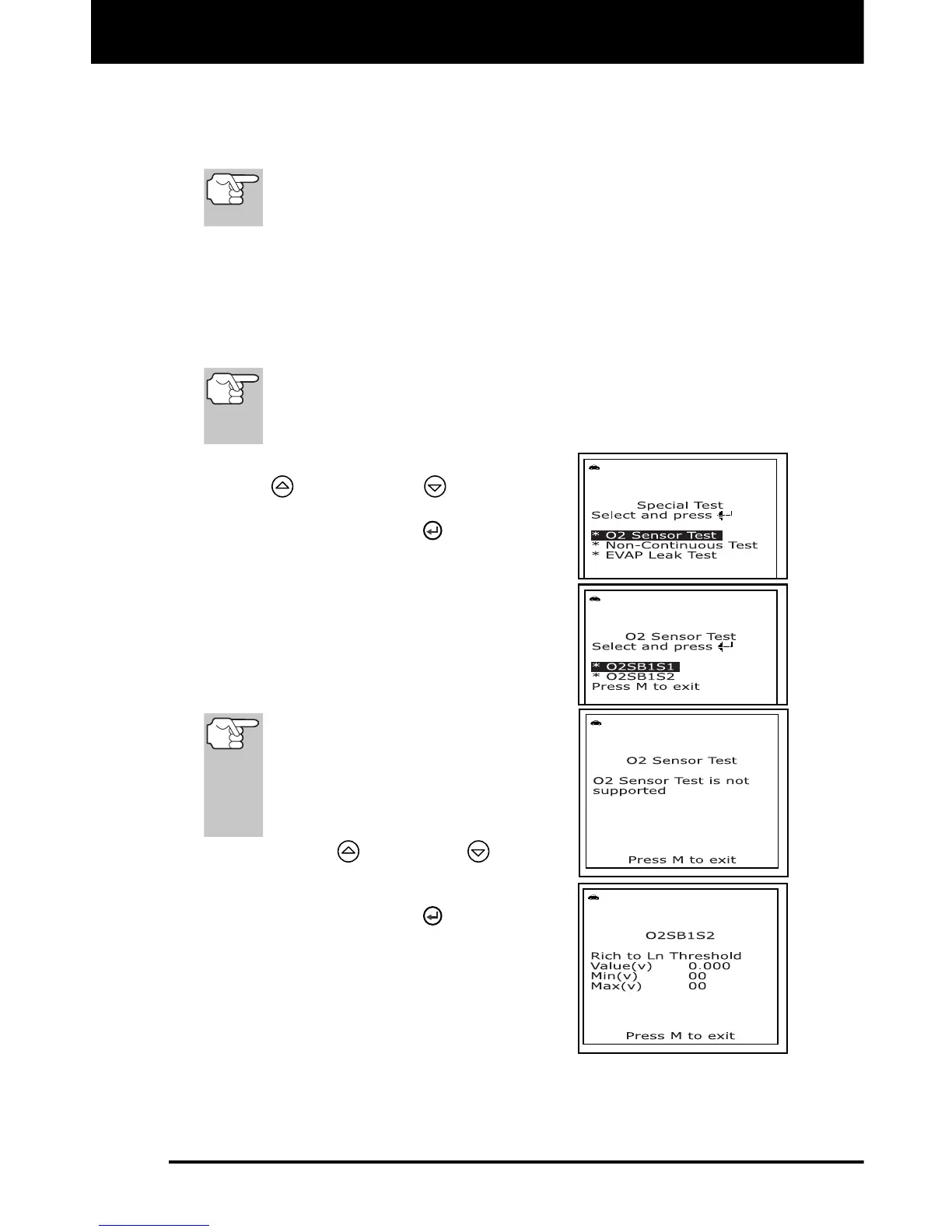
1. From the "Special Test Menu", use the
UP
and DOWN buttons, as
necessary, to highlight O2 Sensor Test,
then press the ENTER
button.
2. A "One moment please..." message
displays while the request is sent to the
vehicle's on-board computer.
The "Select Sensor" screen
displays. The screen shows all O2
sensors applicable to the vehicle
under test.
If O2 sensor tests are not
supported by the vehicle under
test, an advisory message shows
on the scan tool's display. Press
the M button to return to the
“Special Test Menu.”
3. Use the UP
and DOWN buttons,
as necessary, to highlight the O2 sensor
for which you wish to view test results,
then press the ENTER
button.
4. When test results have been retrieved,
data for the selected sensor test will
show on the scan tool's display.
5. When you have finished viewing the
retrieved test data, press the M button
to return to the "Select sensor" screen.
6. Repeat steps 3 through 5 to view test results for additional sensors.
When you have finished viewing the retrieved test data, press the M
button to return to the “Special Test Menu” screen.



 To Next Page