Ford OBD1 Systems
CODE RETRIEVAL PROCEDURES - KOEO TEST
72 3140d
BE SURE to perform the added procedures in step 6, if
appropriate for your vehicle, BEFORE turning the
ignition ON.
- Press ENTER
button to continue.
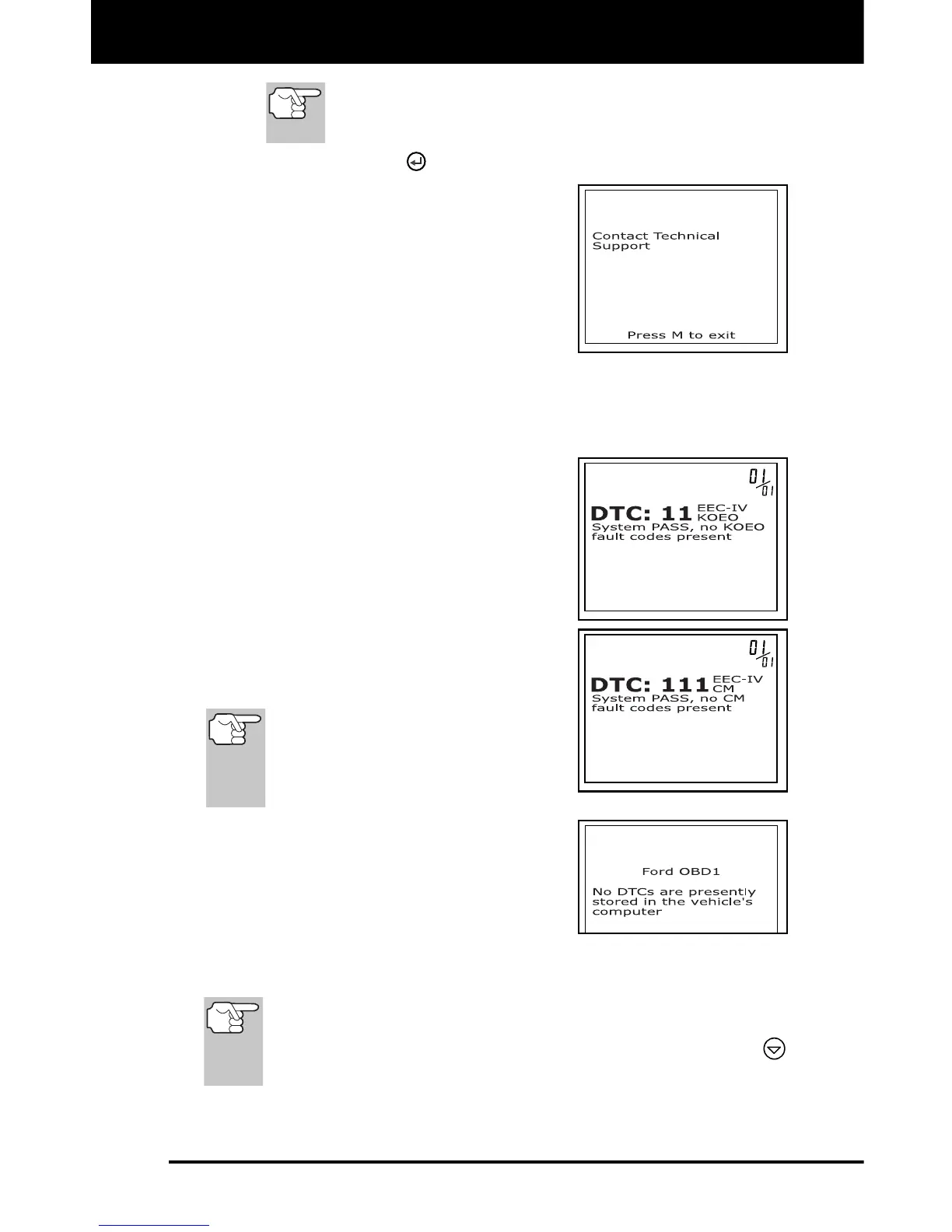
If the scan tool cannot link to the
vehicle’s computer, the message
“Contact Technical Support” displays.
- Press the M button to return to the
Ford OBD1 Menu.
- Turn the ignition off, and
disconnect the scan tool.
- Contact Technical Support for assistance.
9. If the scan tool was able to link to the vehicle successfully a "Code
retrieval was successful..." message shows temporarily on the scan
tool's LCD display followed by any retrieved DTCs.
The scan tool will display a code
only if codes are present in the
vehicle's computer memory.
If no problems are found during the
KOEO Self-Test, the computer
sends a "PASS" code (code 11 or
111) to the scan tool.
If no Continuous Memory codes are
present in the vehicle's computer
memory, the scan tool will display a
"PASS" code (code 11 or 111).
Most Ford EEC-IV vehicle
computers up to 1991 use a two-
digit code system. From 1991 to
1995 most use a three digit code
system.
The scan tool will display a code
only if codes are present in the
vehicle’s computer memory. If no
codes are present, a “No DTC’s are
presently stored in the vehicle’s
computer” message is displayed.
10. If more than one code was retrieved, press DTC/FF button, as
necessary, to display additional codes one at a time.
In the case of long code definitions, a small arrow is shown in
the upper/lower right-hand corner of the code display area to
indicate the presence of additional information. Use the
button to view the additional information.
11. Disconnect the scan tool from the vehicle and turn the ignition key
OFF.



 To Next Page