22
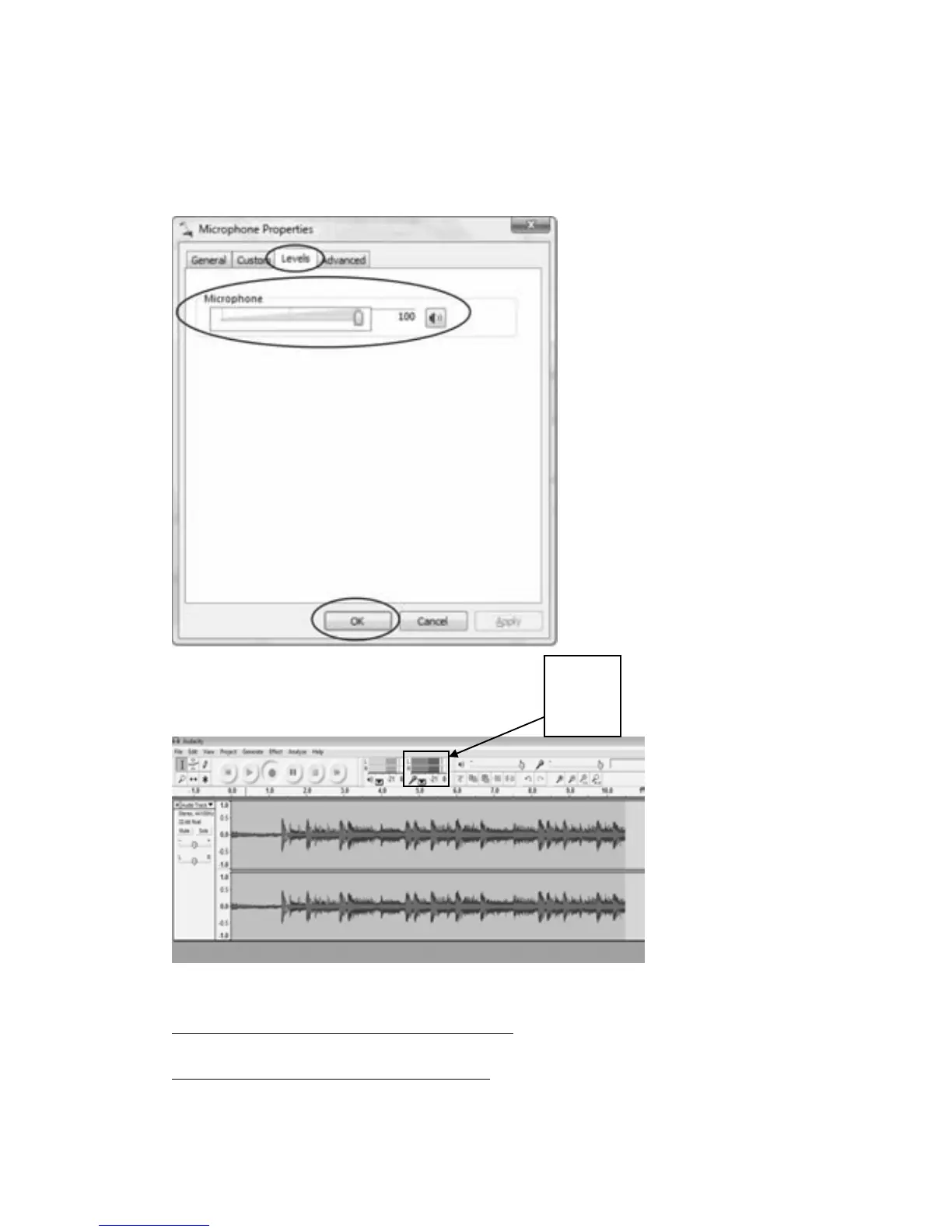
z Select “Levels” and adjust the Volume Reading. The reading is from 0 to 100. Normally it
shouldbe2‐6.However,youmayrefertotheInputLevelIndicatorfromtheAudacitypanel
thatdoesn’t
exceed 0.Then click“OK”on theMicrophonepropertiesinterfaceandsound
interface. Close the Control Panel. (Please note that there is no “Levels” tab in “Sound”
panelinsomeoperatingsystem,suchasWindows98,Windows2000.ForWindows7users
andVistausers,the“Levels”tabin“Sound”panelisava
ilable.)
FormoreinformationonWindowsVista
http://wiki.audacityteam.org/wiki/Windows_Vista_OS
FormoreinformationonWindows7
http://wiki.audacityteam.org/wiki/Windows_7_OS
Input
Level
Indicator



 To Next Page