16
GeneralProblemsforAllWindowsVersions
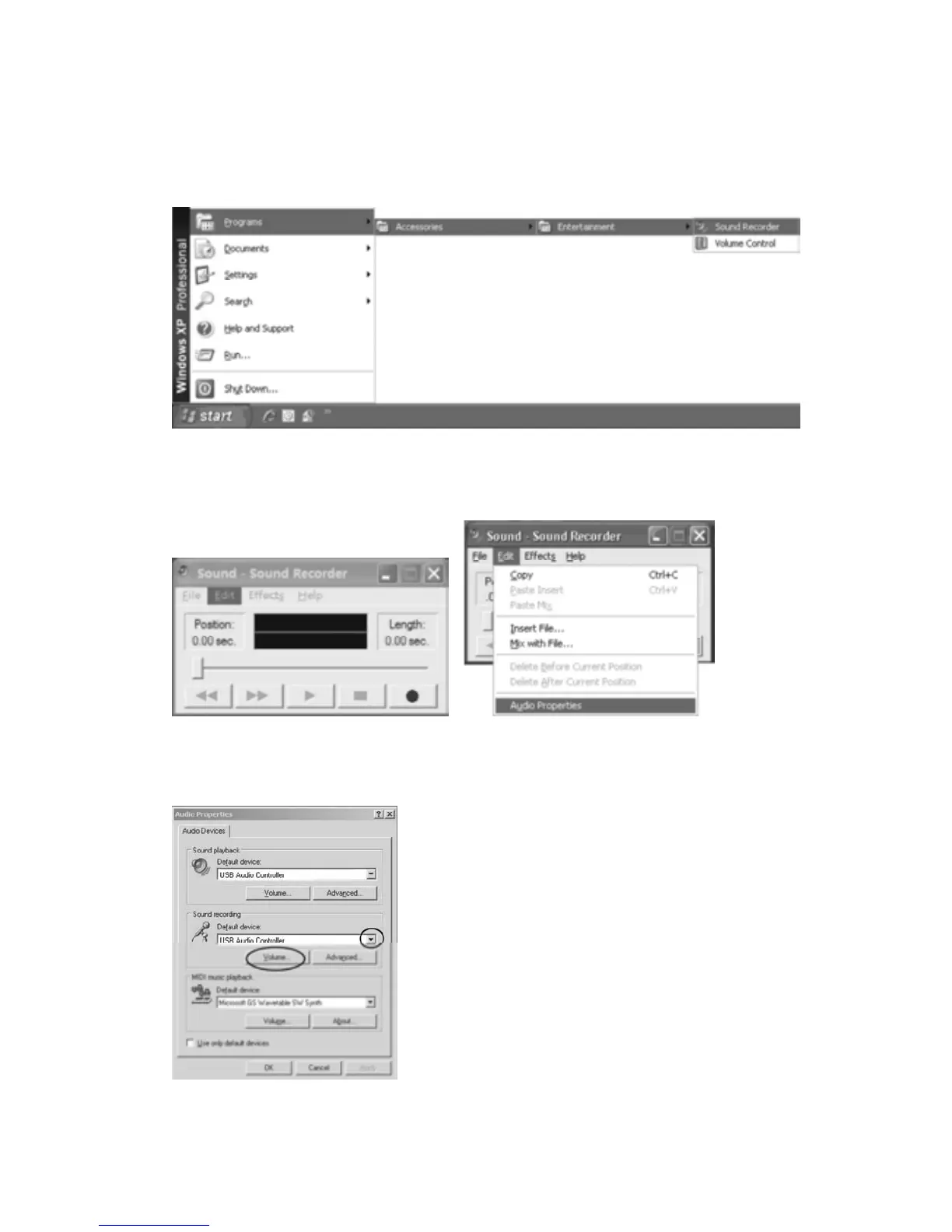
1. If you do not have the fluctuant wave onthe interface when recording, adjust the recording
volumeasfollows:
•Click the START in the left corner of the computer, select Programs, Accessories,
Entertainment,SoundRecordertoenterSoundRecorderinterface.
•InSOUNDRECORDERinterface
Select Edit and click Audio Properties in the bottom of the menu to enter Audio Properties
interface.
•InAUDIOPROPERTIESinterface
Select sound recording default device and click ‘Microphone USB Audio Controller’, then click
VOLUMEtoenterWAVEINinterface.



 To Next Page