60
RecordingOperations
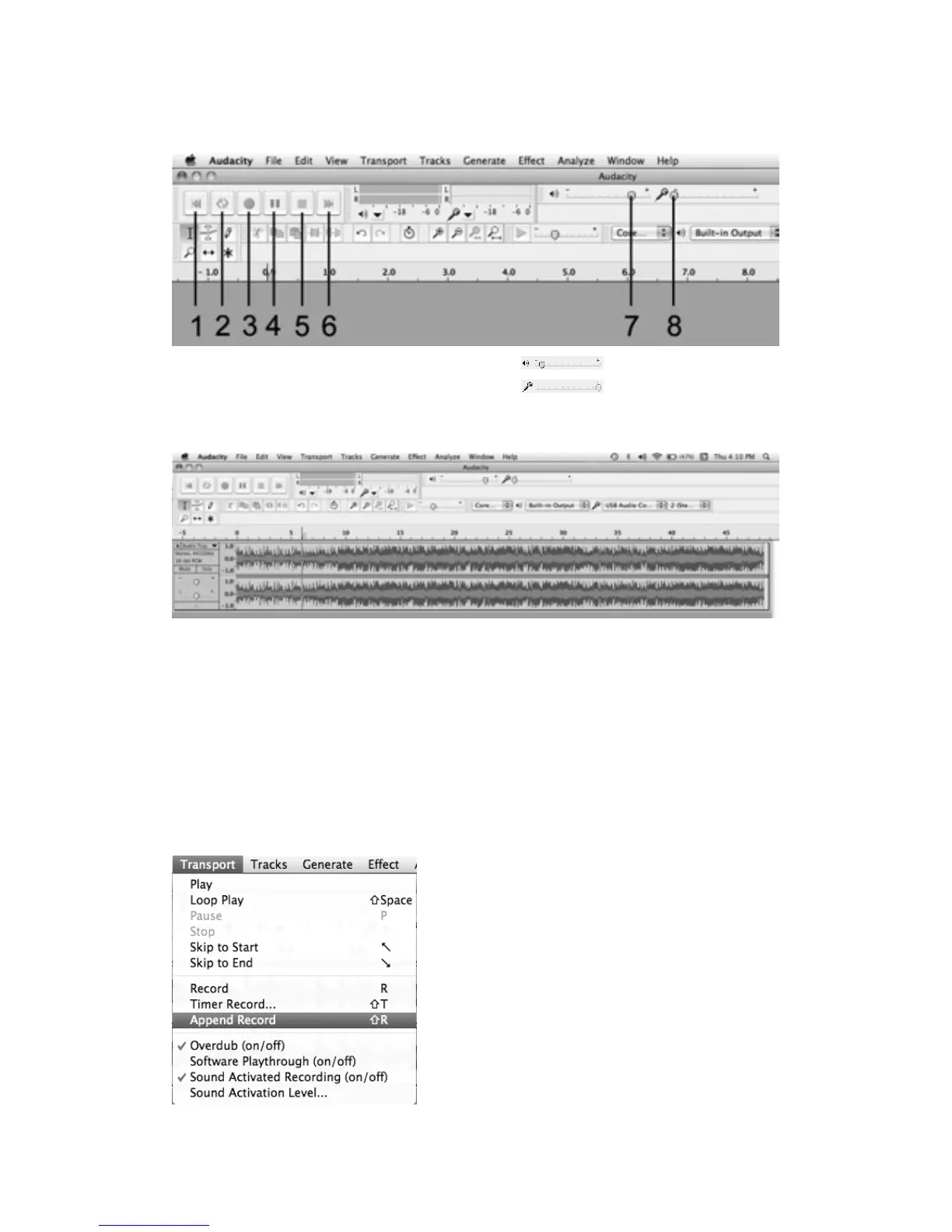
Basiccontrolbuttons
1.Skiptostart 4.Pause 7.
Outputlevelslider
2.fPlay 5.Stop 8.
Inputlevelslider
3.•Record
6.Skiptoend
1.Pressthe“R ecord”buttonontheAudacityandsettheauxsource(PHONO)toplay.
NOTE:Duringrecording,makesure thattheinputlevelindicatordoesnotexceed“0”.Ifyoufind
therecordingisdistorted(forexample,theinput levelindicatorexceeds“0”, orthewaveformis
clipped,
orth
erecordingsoundisdistorted.)youcanadjustthesoundleveloftheoriginalmusic.
2.Press“pause”inbetweeneachsong.Onlypressthe“stop”buttonwhenalldesiredsongshave
beenrecorded.
TIPS: If you press the “stop” button by accident, you can click “Transport” and click
“Append
Re
cord”.Thenyoucancontinuetorecordinthesametrack.



 To Next Page