63
TroubleshootingGuide
In case of trouble with the unit, please look through problems below and see if you can solve
themyourselfbeforecallingyourdealer.
NOSOUND:
• If you are not getting any sound into the software application, go back to the preferences as
shownaboveandmakesureyou
haveselect
edtheUSBinputfortherecordingdevice.
•PowerCycle:CloseAudacity,turnofftheturntable,unplugtheUSBCable.ThenplugintheUSB
Cable,turnontheturntable,andreopenAudacity.
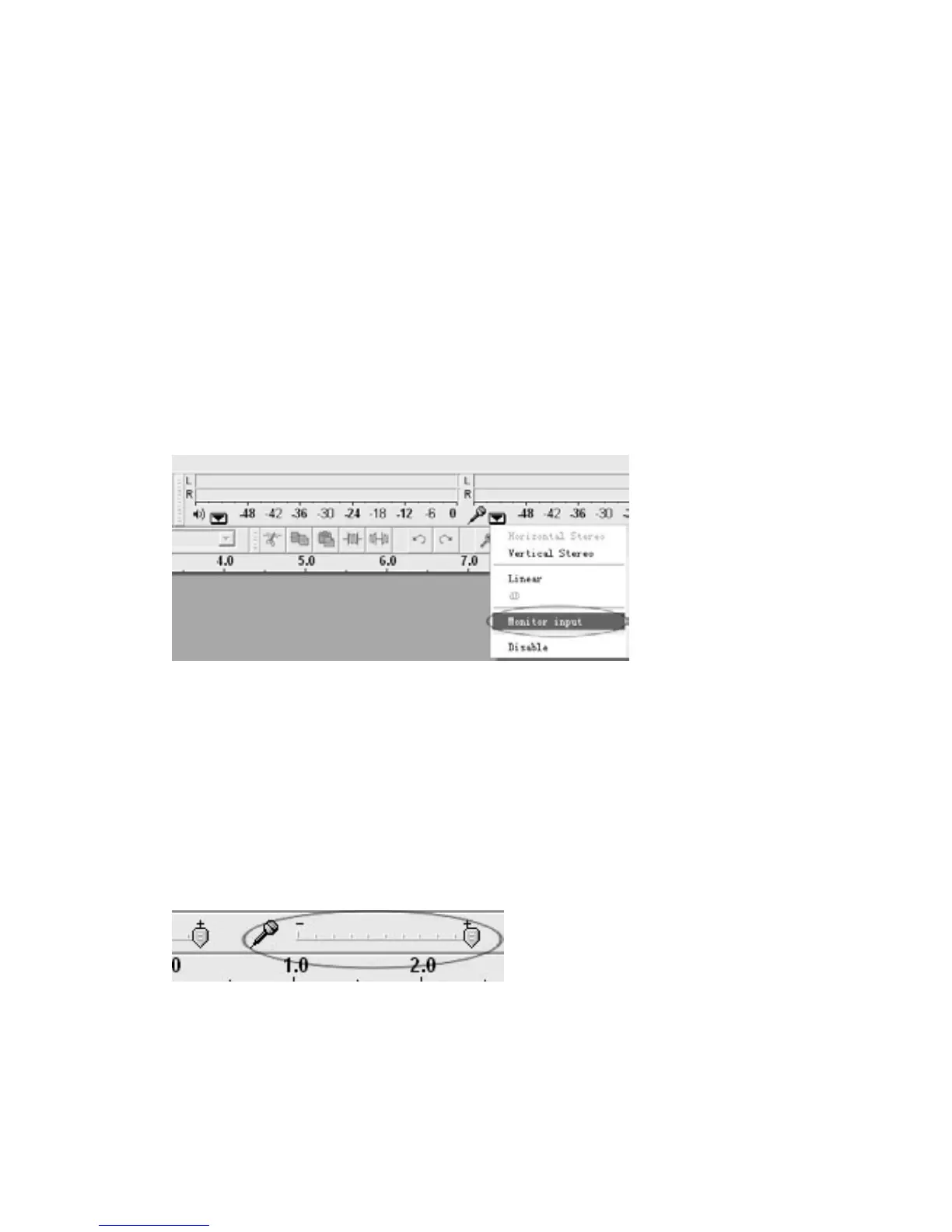
• If you are not able to hear any audio as you playthe record, please
click on the micr
ophone
drop‐downarrowandselectMonitorInput.Thiswill enableyou to heartheaudiofromthe
turntable,evenifyouhavenotrecord‐enabledtheAudacityapplication.
•Ifyouarenotseeingthemicrophoneslider,pleasegotothePreferencesmenuinAudacity,click
on the Interface tab and makesure that the Enable Mixer Toolbar andEnable MeterToolbar
optionsarechecked.Iftheyarenot,pleasecheckthemandthenpressOK.
• Check
the micr
ophone slider to makesurethatit is at full volume,all the wayto theright as
showninbelow.Ifyoufindtherecordingsoundslowordistorted,adjustthemicrophoneslider.
If you are not seeing the microphone slider, please go to the Preferences menu in
Audacity,
click on the In
terface tab and make sure that the Enable Mixer Toolbar and Enable Meter
Toolbaroptionsarechecked.Iftheyarenot,pleasecheckthemandthenpressOK.
UNSATISFIEDSOUNDquality
• Check your stylus connection to makesure it is secured to the tone arm. The stylus must be
connectedtothetonearmwheneverusingtheturntable.



 To Next Page