39
ExportandSaveFiles(AfterRecordingisComplete)
z Whenthesongisfinished,clickStop(
)onaudacity.Thenliftandmovethetonearmto
thetonearmrest.
z Youhaveamusicdownloadonyourcomputernow.
z Youmayplaybackthesongthroughyourcomputer.
z Simplyclickthe(
)toplay.
z NOTE:YoumayvisittheAudacitywebsiteathttp://audacity.sourceforge.net.
Formoredetailedinformationandoperation,etc.
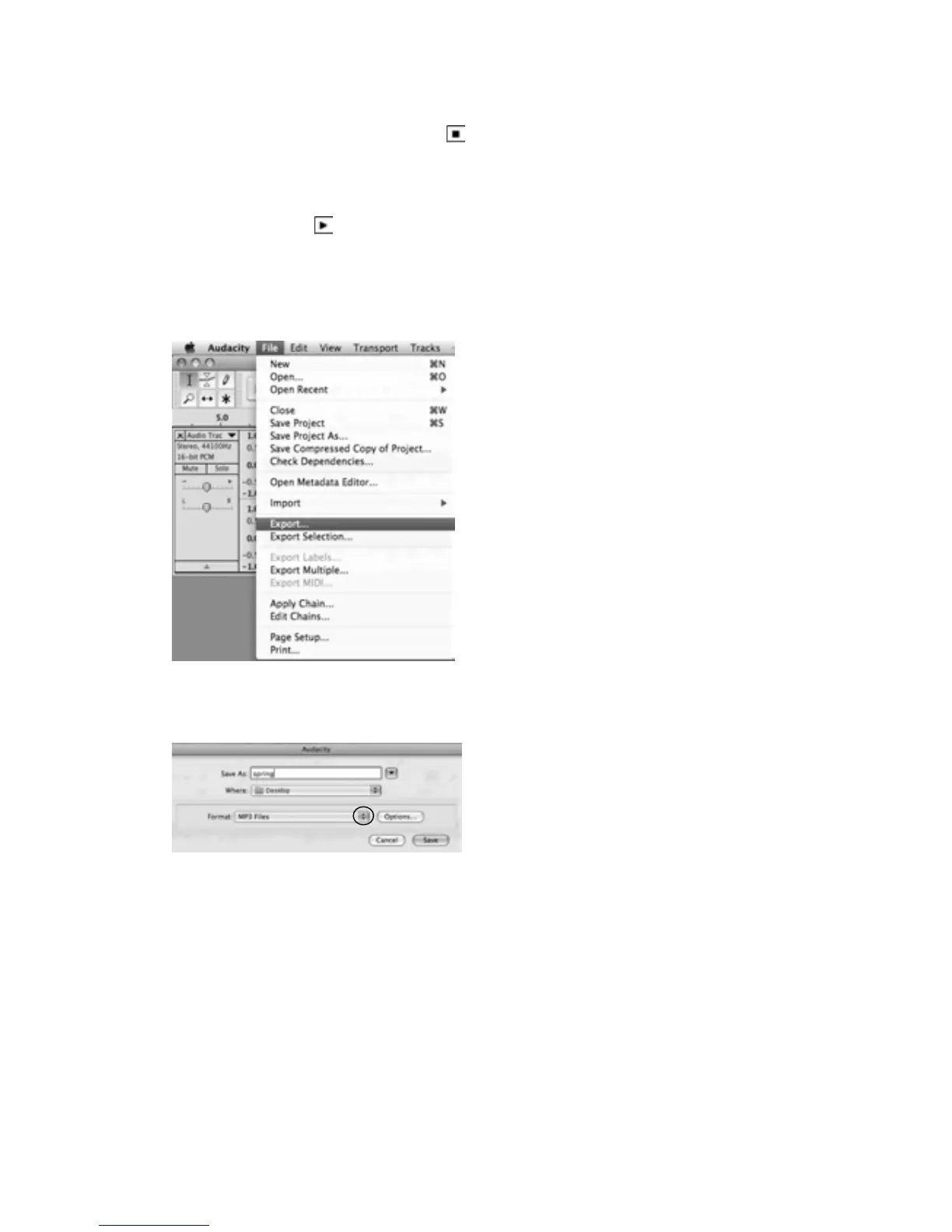
1.Clickthefiletabontheaudacityinterface.Select“Export”tosavethefile.
2. It will pop up below window after click Export. It will default MP3 format, but you also can
selectotherformat,onlyneedtoclickthearrowlocatedattherightoftheMP3Files.



 To Next Page