17
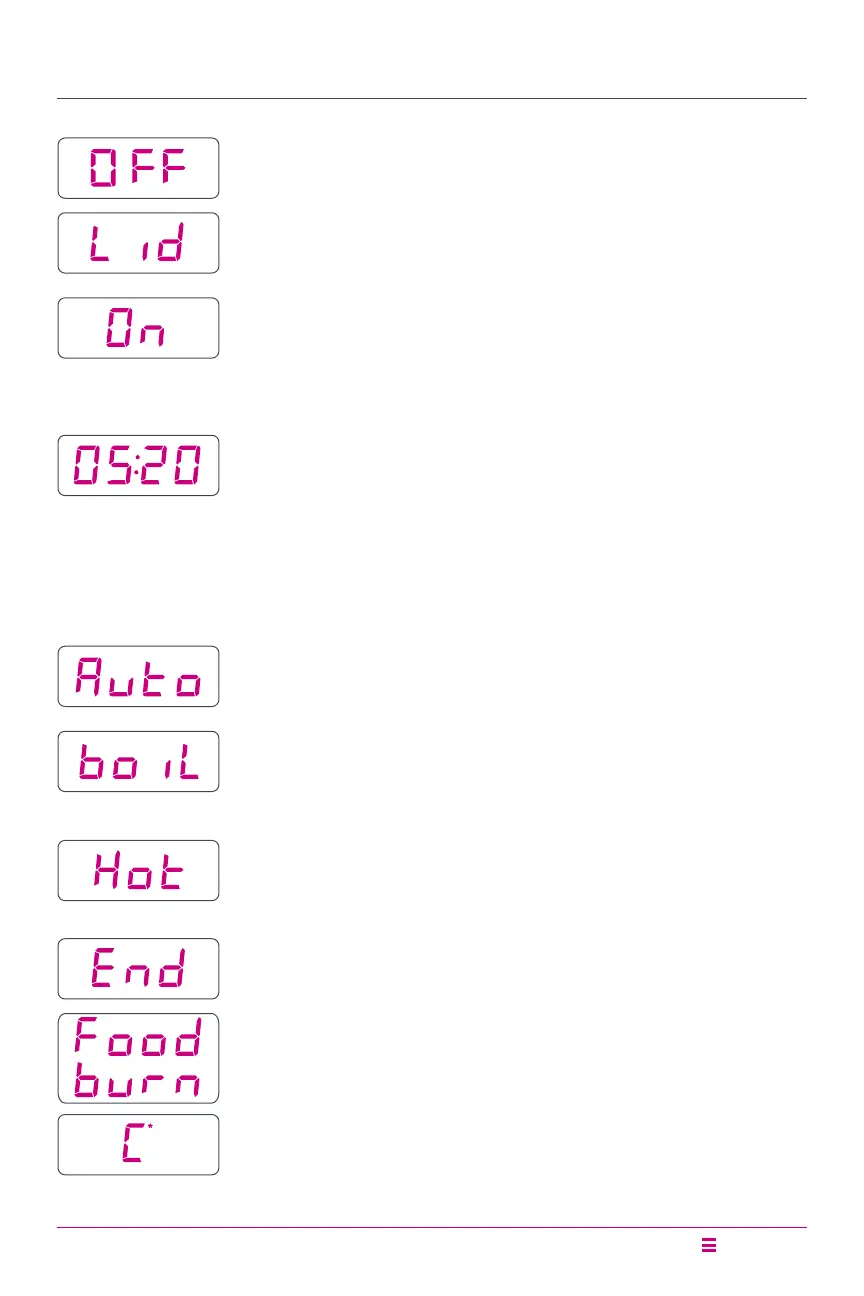
Status Messages
Indicates that the pressure cooker lid is not properly
secured or missing.
Indicates that the cooker is in Preheat mode.
Indicates that the Rice Smart Programme is running.
Indicates that the Yogurt Smart Programme is in the
pasteurizing cycle (i.e., the Yogurt Smart Programme
is set to More).
Indicates that the Sauté Smart Programme has reached
cooking temperature and food may be added to the inner pot.
Indicates that a Smart Programme has ended and Keep Warm
is off.
Indicates overheating in the cooking chamber. Refer to
Troubleshooting.
Indicates that an error has occurred. Refer to Troubleshooting.
Display timer indicates one of the following:
• When a Smart Programme is running, the display timer
counts down to indicate the cooking time remaining
in the Smart Programme.
• When Delay Start is running, the display timer counts
down until the Smart Programme begins.
• When Keep Warm is running, the display timer counts
up to indicate how long food has been warming.
Indicates that the cooker is in Standby mode.






 To Next Page