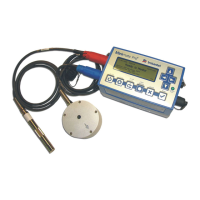
Minimate Pro Operator Manual 10–9
10.5. Installing the ISEE Microphone
(1) Microphone Installation Procedure
Tools and Materials Required:
1. Rubber Mallet, as required
Refer to the illustration above and follow the installation instructions below:
Instantel Series IV Microphones come with a sectional three foot (one meter) mounting
stand.
1. Locate the position of interest where you will be inserting the mounting stand.
2. If required, use a rubber mallet to insert the lower part of the sectional mounting stand
into the ground.
3. Assemble the remainder of the mounting stand by adding, as required, the two threaded
sectional pieces.
4. Insert the microphone into the mounting bracket on the top of the stand, and attach the
windscreen to reduce false triggering caused by wind.
5. Point the microphone in the direction of the Event.
6. Ensure that the Microphone is securely attached to the Vibration port on the Minimate
Pro.
7. Press the Sensor Check key on the Minimate Pro to ensure that the sensor is properly
attached.


 To Next Page
 Loading...