14
Remote Controller—Continued
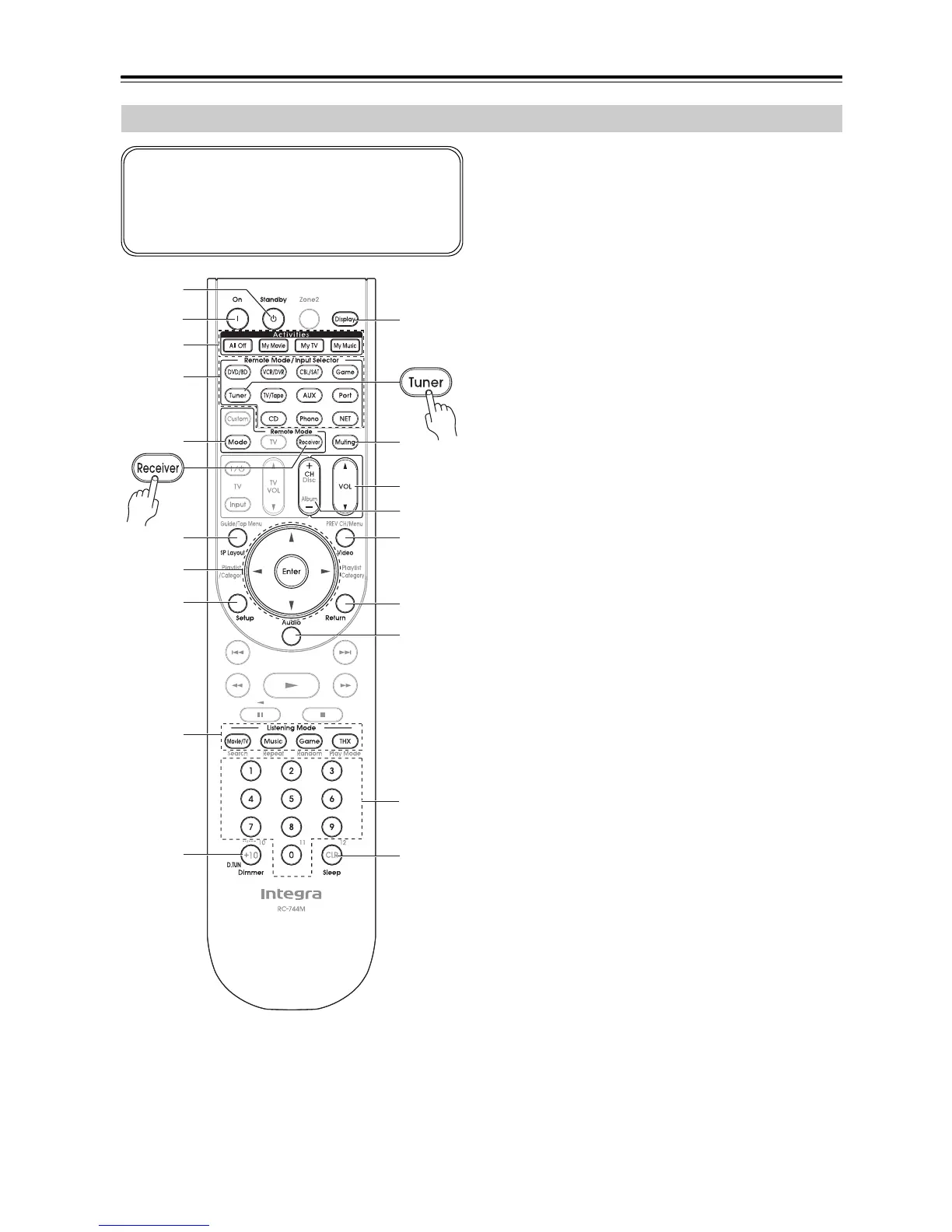
For detailed information, see the pages in parentheses.
a Standby button (40)
Sets the AV receiver to Standby.
b On button (40)
Turns on the AV receiver.
c Activities buttons (59, 141)
Used with the MACRO function.
d Remote Mode/Input Selector buttons
(56, 133 to 139)
Selects the remote controller modes and the input
sources.
e SP Layout button (58)
This button is used to change Front High speakers,
Front Wide speakers or Surround Back speakers.
f Arrow [q]/[w]/[e]/[r] and Enter buttons
Used to select and adjust settings.
g Setup button
Used to change settings.
h Listening Mode buttons (80)
Used to select the listening modes.
i Dimmer button (57)
Adjusts the display brightness.
j Display button (57)
Displays information about the current input source.
k Muting button (58)
Mutes or unmutes the AV receiver.
l VOL [q]/[w] button (56)
Adjusts the volume of the AV receiver regardless of
the currently selected remote controller mode.
m Video button (43, 101)
Used to change video settings.
n Return button
Returns to the previous display when changing set-
tings.
o Audio button (110)
Used to change audio settings.
When the “Audio TV Out” setting is set to “On”
(page 106), this button is disabled.
p Sleep button (58)
Used with the Sleep function.
Controlling the AV Receiver
To control the AV receiver, press the [Receiver] but-
ton to select Receiver mode.
You can also use the remote controller to control your
DVD/BD player, CD player, and other components.
See page 131 for more details.
d
c
*1
b
a
g
1
f
e
h
2
i
5
p
j
3
4
l
k
m
n
o
*1 When you want to change the remote controller mode without
changing the current input source, press the [Mode] button and
within about eight seconds, press the Remote Mode button.
Then, with the AV receiver’s remote controller, you can control
the component corresponding to the button you pressed.



 To Next Page