15
Speaker setup
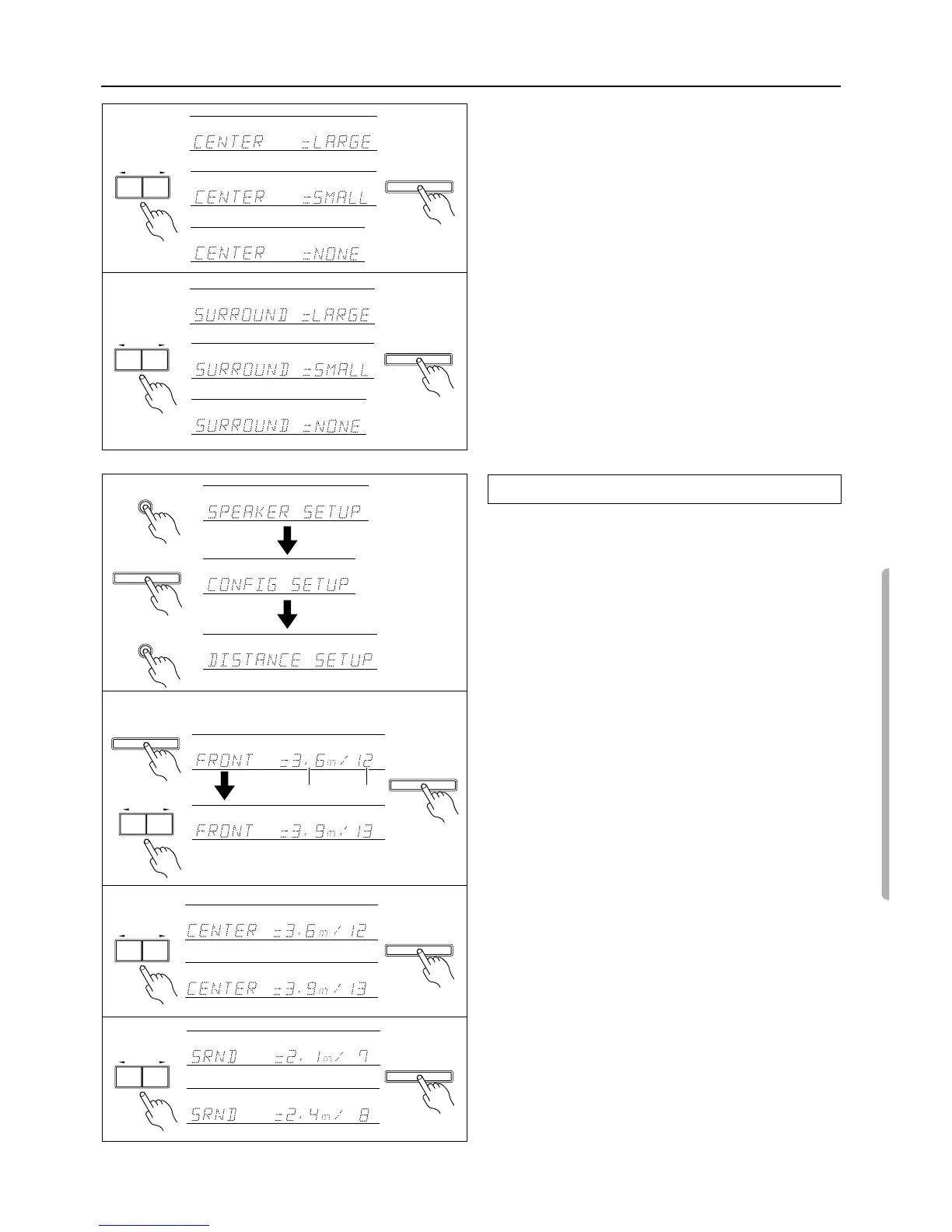
4. Select the size of the center speaker.
Pressing the PRESET/MODE ADJ
√
/
®
buttons switches
among “LARGE,” “SMALL,” and “NONE.”
Note:
If you have selected “SMALL” for the front speakers, you can
select only “SMALL” or “NONE” for the center speaker.
LARGE:
When a large speaker is used as the center speaker.
SMALL:
When a small speaker is used as the center speaker.
NONE:
A center speaker is not connected.
Select whichever appropriate and press the ENTER/SCAN but-
ton.
5. Select the size of the surround speakers.
Note:
If you have selected “SMALL” for the front speaker, you can
select only “SMALL” or “NONE” for the surround speakers.
LARGE:
When large speakers are used as the surround
speaker.
SMALL:
When small speakers are used as the surround
speaker.
NONE:
Surround speakers are not connected.
Select whichever appropriate and press the ENTER/SCAN button.
This completes the CONFIG SETUP settings.
Set the distance from the listening position to each speaker.
1. Press the buttons in the following sequence to display “DIS-
TANCE SETUP.”
2. Set the distance to the front speakers.
Pressing the ENTER/SCAN button while “DISTANCE
SETUP” is displayed will cause the “FRONT” distance parame-
ter to appear.
Press the PRESET/MODE ADJ
√
/
®
buttons to set the closest
distance value. You can set the distance in the range of 1feet
(0.3m) – 30feet (0.9m) in 1feet (0.3m) steps.
Press the ENTER/SCAN button to confirm the value.
3. Set the distance to the center speaker.
Press the PRESET/MODE ADJ
√
/
®
buttons to set the closest
distance value.
Press the ENTER/SCAN button to confirm the value.
Note:
If you have selected “NONE” for the center speaker of the
CONFIG parameter, skip this note.
You cannot set a larger value than the front speaker distance.
You cannot set a smaller value than the front speaker distance
deducted by 5feet (1.5m).
4. Set the distance to the surround speakers.
Press the PRESET/MODE ADJ
√
/
®
buttons to set the closest
distance value and press the ENTER/SCAN button.
Note:
If you have selected “NONE” for the surround speaker of the
CONFIG parameter, skip this note.
You cannot set a larger value than the front speaker distance.
You cannot set a smaller value than the front speaker distance
deducted by 15feet (4.5m).
This completes the DISTANCE settings.
Setting the DISTANCE parameters
ENTER
/
SCAN
PRESET
/
MODE
ADJ
DOW
NUP
f
t
f
t
ENTER
/
SCAN
PRESET
/
MODE
ADJ
DOW
NUP
f
t
f
t
SP
/
SYS
SETUP
SP
/
SYS
SETUP
ENTER
/
SCAN
1
2
3
4
ENTER
/
SCAN
ENTER
/
SCAN
PRESET
/
MODE
ADJ
DOW
NUP
meter feet
f
t
f
t
ENTER
/
SCAN
PRESET
/
MODE
ADJ
DOW
NUP
or
or
ENTER
/
SCAN
PRESET
/
MODE
ADJ
DOW
NUP
4
or
5
or



 To Next Page