99
Advanced Setup—Continued
Note:
This procedure can also be performed on the AV receiver
by using its [Setup] button, arrow buttons, and [Enter]
button.
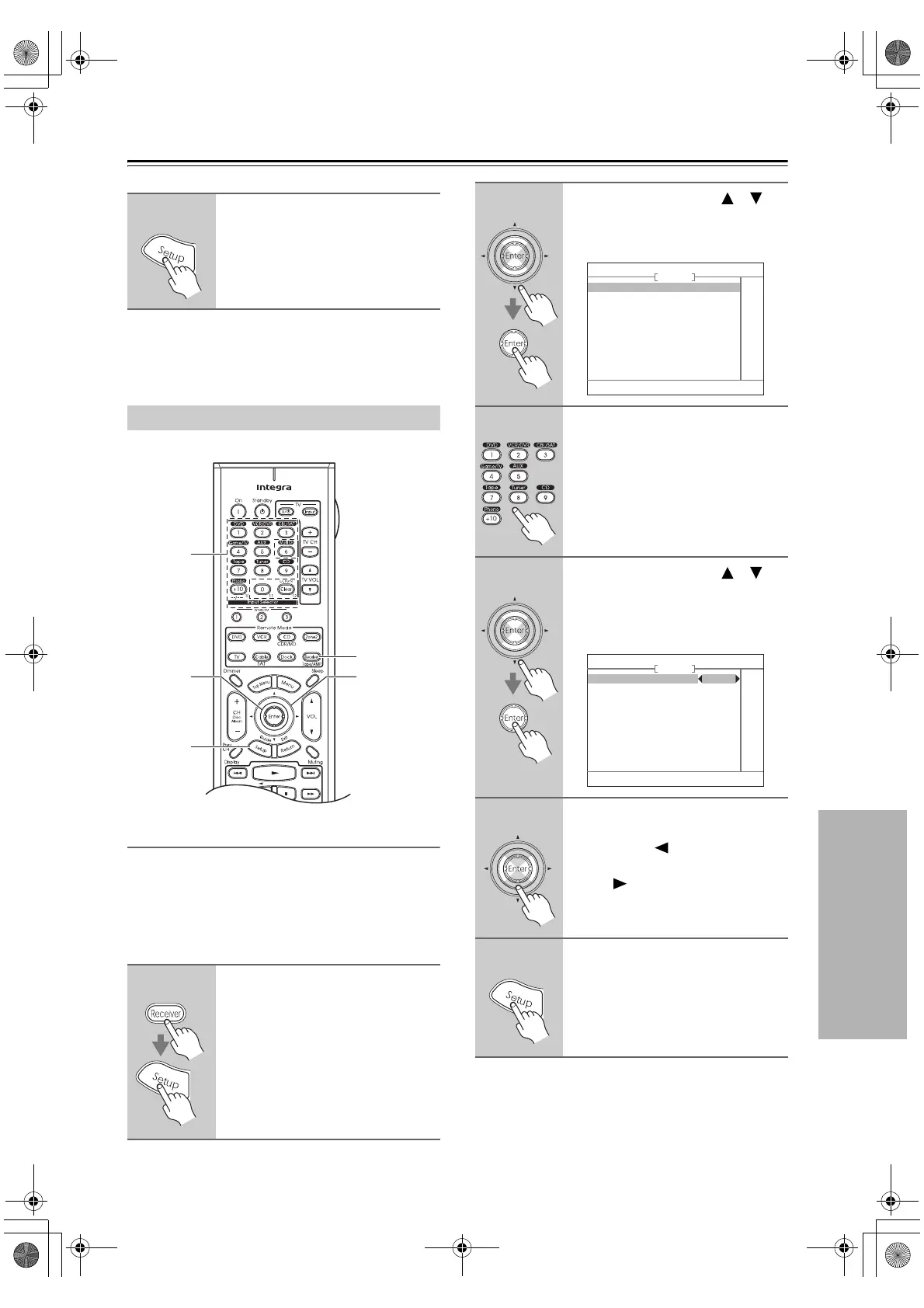
IntelliVolume
You can set the input level for each input source. This is
useful if some of your AV components are louder or qui-
eter than others. IntelliVolume does not affect Zone 2.
While this menu is shown onscreen, you can select each
input source and set the levels while listening to and
comparing them.
5
When you’ve finished, press the
[Setup] button.
The setup menu closes.
Source Setup
1
Press the [Receiver] button fol-
lowed by the [Setup] button.
The main menu appears onscreen.
2, 4, 5
1
2, 4
1, 6
3
2
Use the Up and Down [ ]/[ ]
buttons to select “4. Source
Setup,” and then press [Enter].
The Source Setup menu appears.
3
Use the Input Selector buttons on
the remote controller to select
the input source that you want to
set.
4
Use the Up and Down [ ]/[ ]
buttons to select
“1. IntelliVolume,” and then press
[Enter].
The IntelliVolume menu appears.
5
If a component is too loud com-
pared to your other components,
use the Left [ ] button to adjust
the level. If it’s too quiet, use the
Right [ ] button.
• The level can be set from –12 dB to
+12 dB in 1 dB steps.
6
When you’re finished, press the
[Setup] button.
The setup menu closes.
4. Source Setup
1. IntelliVolume
2. A/V Sync
3. Name Edit
DVD
4–1. IntelliVolume
IntelliVolume 0dB
DVD
DTR-6.8_En.book Page 99 Wednesday, June 20, 2007 4:16 PM



 To Next Page