72
Advanced Setup
—Continued
This section explains items on the “Input Setup” menu.
Delay
■
A/V Sync
When using progressive scanning, you may find that the
picture and sound are out of sync. With this setting, you
can correct this by delaying the audio signals from 0 to
250 milliseconds (ms) in 1 millisecond steps.
Note:
• This procedure can also be performed on the AV
receiver by using its [Setup] button, arrow buttons, and
[Enter] button.
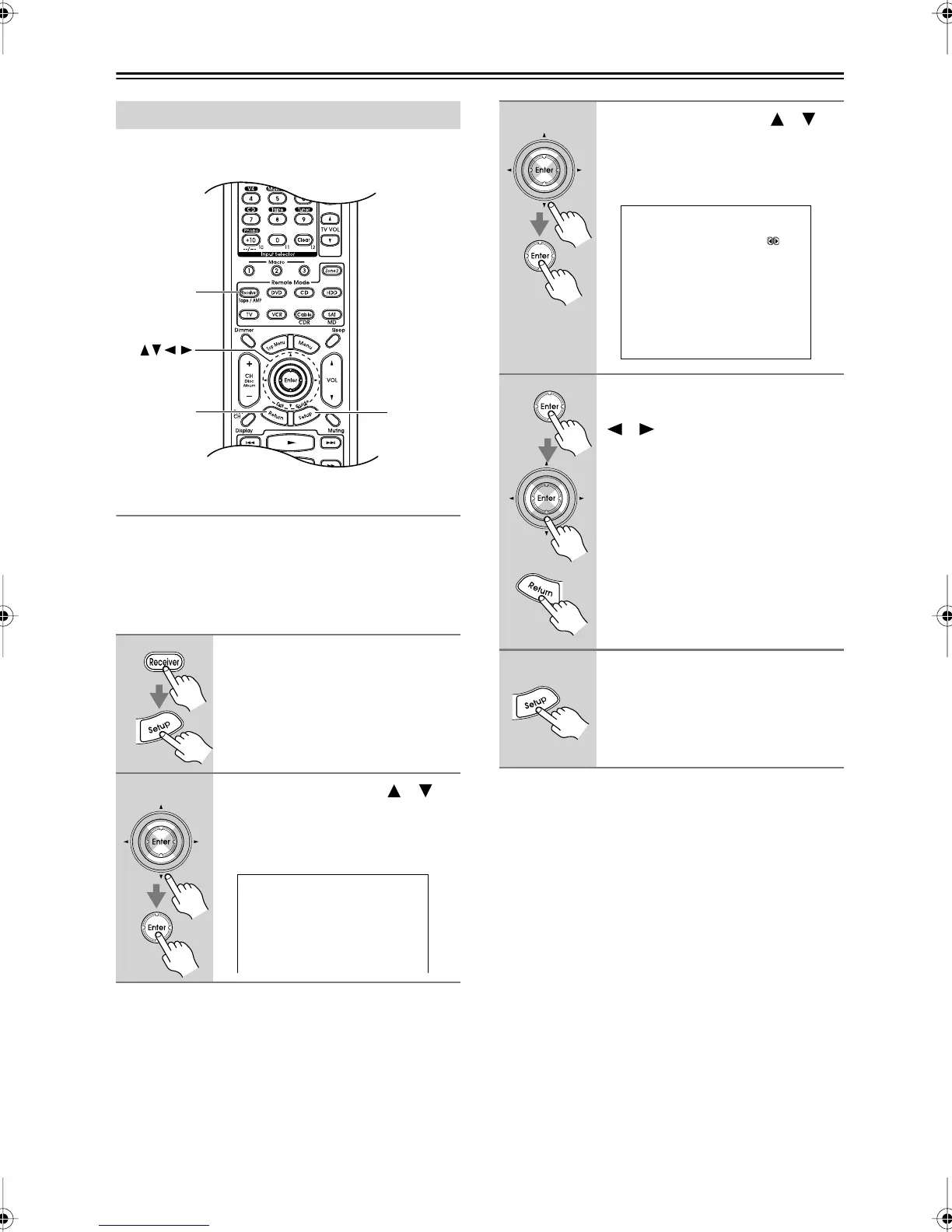
Input Setup
1
During playback, press the
[Receiver] Remote Mode button,
followed by the [Setup] button.
The main menu appears onscreen.
2
Use the Up and Down [ ]/[ ]
buttons to select “4. Input Setup,”
and then press [Enter].
The Input Setup menu appears.
Setup
Receiver
Return
Enter
4.Input Setup
---------VIDEO1---------
1.Delay
2.Character Edit
3
Use the Up and Down [ ]/[ ]
buttons to select “Delay,” and
then press [Enter].
The Delay menu appears.
4
Press [Enter] to see the TV pic-
ture, and use the Left and Right
[ ]/[ ] buttons to adjust the
delay so that the sound and pic-
ture are in sync.
Press the [Return] button to return to
the Delay menu.
5
When you’ve finished, press the
[Setup] button.
Setup closes.
4-1.Delay
---------VIDEO1---------
a.A/V Sync : 45ms
Press Enter
to see picture
while adjusting.
Press Return
to return to setup.
DTR-7.6,6.6.book Page 72 Monday, September 26, 2005 1:40 PM



 To Next Page